
Upselling means encouraging a customer to choose a higher-value version of the product they already intend to buy, such as a larger size or premium tier.
You've probably met this decision while shopping: you've chosen a product, then the store offers an upgraded option before you pay. For a Shopify merchant, the important question isn't whether that option costs more. It's whether the customer gets a useful improvement and your store earns enough additional margin to justify the offer.
Table of Contents
- What Upselling Means in Plain Terms
- Upsell Versus Cross-Sell and Other Offers
- How an Upsell Moves From Offer to Order
- Common Upsell Examples by Store Type
- Where Upsells Convert Best and Why
- Keeping Upsells Helpful Instead of Pushy
- Set Up Your First Upsell Test This Week
What Upselling Means in Plain Terms
An upsell offers a larger, premium, or upgraded version of an item the shopper already wants.
Say a customer chooses a small water bottle for commuting. Before they add it to their cart, the store presents a larger version with a clear explanation: it holds enough water for longer outings.
That's a useful upgrade if the shopper needs extra capacity. It's less useful if they chose the smaller bottle because it fits their bag.
The familiar coffee-shop equivalent is being offered a large instead of a regular. The customer is still buying coffee, not a separate product.
The common forms of an upgrade
- Bigger size: More of the same product, such as a larger bag of coffee.
- Higher tier: A premium version with benefits the basic option doesn't include.
- Upgraded configuration: Better material, more storage, or another improvement within the same product family.
Merchants care because the shopper has already reached the buying decision. A successful upgrade adds revenue to that transaction without requiring a separate customer acquisition event.
Average order value, or AOV, is total revenue divided by the number of orders. As the worked example in WebMedic's ecommerce cross-selling guide illustrates, $100,000 in revenue from 2,000 orders produces a $50 AOV.
AOV isn't profit, though. An expensive upgrade with a deep discount or costly fulfillment can leave the merchant worse off.
When someone asks “what is upsell?”, the practical answer is therefore more than “selling something pricier.” The upgrade should improve the original purchase for that particular customer. Otherwise, it's a distraction.
Upsell Versus Cross-Sell and Other Offers
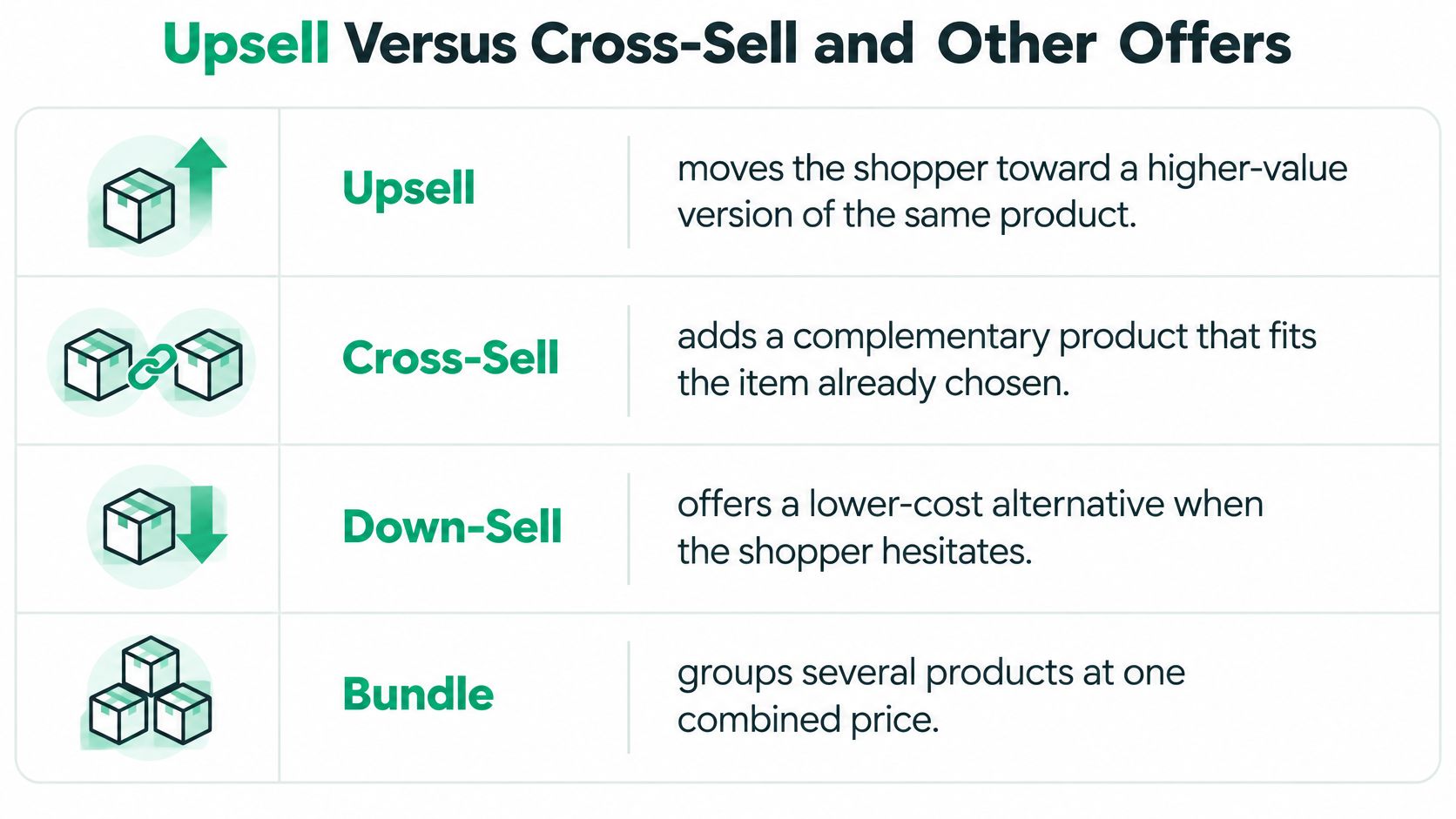
| Offer type | What the shopper buys | Example | Main goal |
|---|---|---|---|
| Upsell | Higher-value version of the same product | Next size up or premium tier | Raise value of the item already chosen |
| Cross-sell | Complementary product | Phone case with a new phone | Add a related item to the order |
| Bundle | Several items at one set price | Three-product skincare set | Increase items per order |
| Downsell | Cheaper alternative | Smaller pack after hesitation | Save a sale that would be lost |
An upsell changes the product choice. A shopper considering a phone selects the version with more storage because they want room for videos.
A cross-sell adds a companion product. The phone stays the same, but the shopper also buys a compatible case.
A bundle packages products together at a combined price. It can include an upgrade or complementary items, but the defining feature is the grouped offer, not a higher product tier.
A downsell reduces the commitment. If someone hesitates over a large pack, a smaller pack might suit their budget and preserve the purchase.
Classify the offer by what changes
Ask: Does this replace the chosen item, add a companion, group products, or reduce the commitment? Classify the offer by that answer, not by what the popup tool calls it.
This visual separates the main offer types.
Subscriptions need the same careful classification. Carbon 6 Brewing Pty Ltd.’s resource on Gold Coast craft beer subscriptions provides a concrete category to consider: moving to a higher-value subscription tier would be an upsell, while adding a separate companion product would be a cross-sell. A recurring purchase isn't automatically either one.
These distinctions matter commercially. A 2024 HubSpot survey of more than 1,400 sales professionals, summarized by CartFlows, found that cross-selling generated 21% of respondents' total company revenue on average.
That finding concerns cross-selling, not all upgrade offers. Combining both tactics in a single revenue total hides which customer decision produced the result.
Record upsells, cross-sells, and bundles separately, then judge each on its own margin and effect on completed purchases.
How an Upsell Moves From Offer to Order
A useful offer starts with a buying signal, not a random product recommendation.
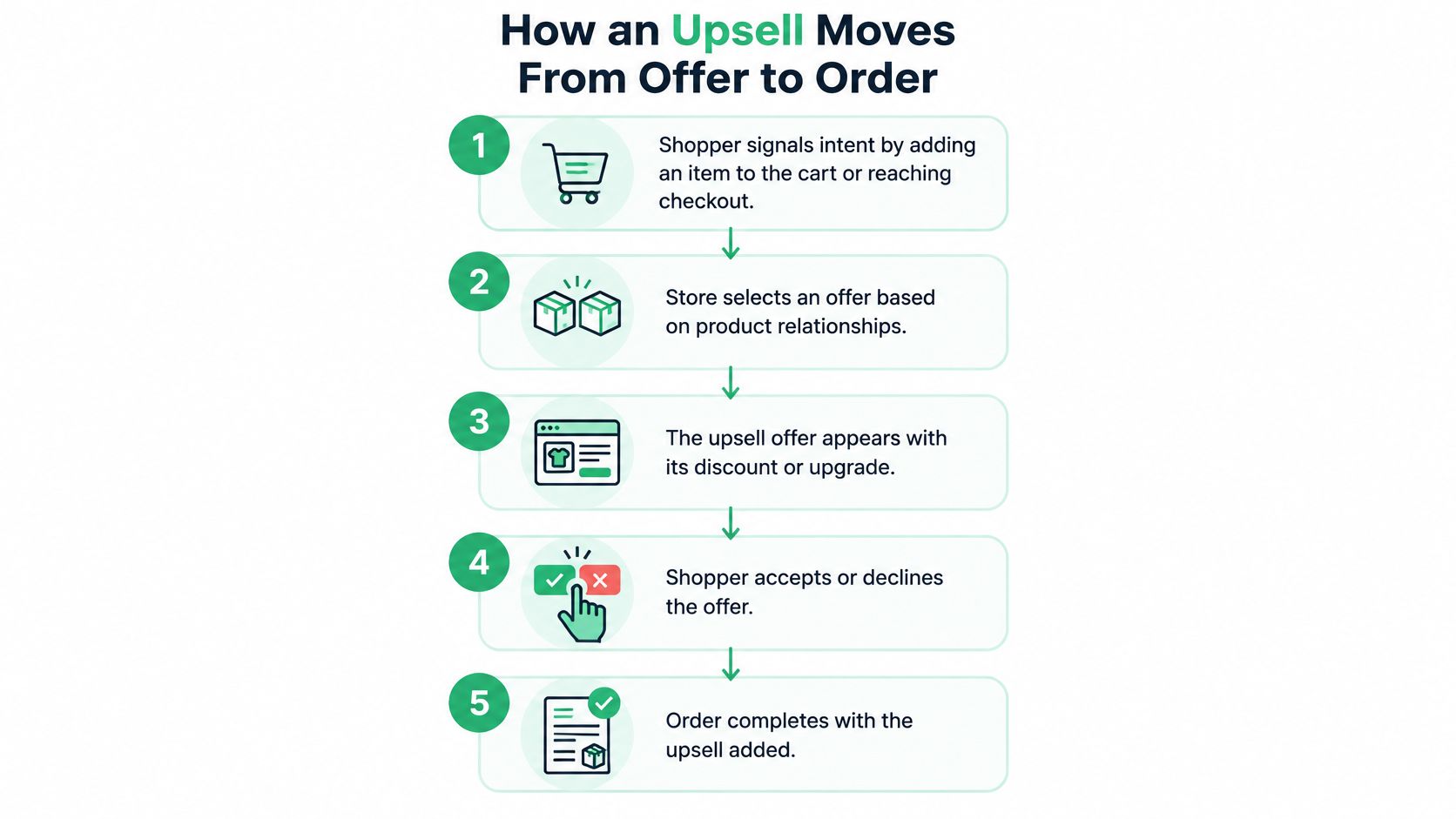
The shopper signals intent. Adding an item to the cart or reaching checkout gives the store context. Showing an upgrade before the shopper has chosen anything can interrupt browsing rather than help a decision.
The store selects a relevant option. Filter by cart product, variant, market, available inventory, and relevant purchase history. For a strict upsell, choose a compatible upgrade; refills and accessories belong to related but separately measured offers.
The offer appears at a deliberate moment. Add-to-cart, pre-checkout, and post-purchase placements serve different purposes. Explain the benefit where the shopper can still act on it, rather than inserting the same message everywhere.
Any discount applies as promised. Show which item receives the discount and make sure acceptance produces the advertised price. Don't make shoppers hunt for a code or guess whether the saving applies.
Acceptance updates the purchase correctly. If the upgrade replaces an item, remove the original rather than accidentally selling both. Recalculate inventory, shipping, and the order total, and preserve an obvious decline option.
The store evaluates completed purchases. Assign eligible shoppers to an offer group or a no-offer control. Compare outcomes across those groups, not just among people who clicked, because clickers have already selected themselves.
Relevance comes before presentation
Baymard found that 52% of desktop sites displayed cart or add-to-cart cross-sells that were irrelevant or based only on what other customers purchased, according to its cart recommendation analysis. A bestseller isn't necessarily a good match for the item in someone's basket.
The flow below shows the shopper-facing sequence; evaluation continues after the order.
For acceptance mechanics, the guide to one-click upsells on Shopify provides further context.
The economic test is straightforward: additional contribution must exceed the discount, payment fees, fulfillment expense, and any loss from interrupted checkouts. Don't subtract a discount twice if your revenue figure already reflects it.
Common Upsell Examples by Store Type
| Store type | Upsell offer | Placement | Why it fits |
|---|---|---|---|
| Apparel | Next size up or upgraded fabric | Product page or cart | Fit guidance or material benefits can justify a change |
| Coffee roaster | Larger bag or subscription plan | Add-to-cart popup | Can lower cost per cup when pricing supports it |
| Skincare | Refill or two-size bundle | Cart drawer | Can reduce packaging or unit cost |
| Electronics | Extended warranty or higher storage tier | Checkout | Protection is an add-on; storage is an upgrade |
| Furniture | Upgraded fabric or matching accessory | Product page | Material can improve the item; an accessory complements it |
These are candidate offers, not interchangeable examples of strict upselling. A larger bag replaces the original choice, while a refill purchased alongside a bottle adds something to the order.
Fit, consumption, and replenishment
For apparel, a larger size isn't automatically a better or higher-value product. Offer a size correction when fit guidance supports it, but don't describe ordinary sizing as a premium upgrade. A more durable fabric or warmer lining is a clearer upsell when the benefit matches the intended use.
For a coffee roaster, a larger bag can make sense for a household that drinks coffee daily. Explain the actual unit-price difference and storage requirements. A subscription introduces a recurring commitment, so disclose delivery frequency and recurring charges rather than presenting it as merely a bigger bag.
For skincare, a refill can suit someone who already owns the compatible container. Don't claim it costs less per millilitre unless your prices support that comparison. A starter-and-refill set is a bundle, and these examples of bundling can help distinguish grouped offers from product upgrades.
Shipping incentives need similar care. On Pins & Needles Quilting Co.’s On Pins & Needles shipping threshold is a useful resource when considering that separate incentive: spending more to qualify for shipping benefits isn't necessarily a product upgrade.
Protection and physical constraints
An electronics warranty protects the purchase rather than changing the device, so classify it as an add-on. A higher-storage device is the actual upsell, provided the shopper needs that capacity.
Furniture makes the limits especially clear. A larger sofa isn't better if it won't fit through the doorway or leaves no walking space in the room. Premium upholstery might solve the customer's durability concern without creating a dimensions problem.
Selection rule: Choose an offer that solves the buyer's next problem, not simply the most expensive option you can display.
Write the benefit in concrete terms: more capacity, compatible replenishment, easier care, or better suitability. If you can't explain the improvement without relying on the price or discount, reconsider the offer.
Where Upsells Convert Best and Why
| Placement | Purchase rate | Source note |
|---|---|---|
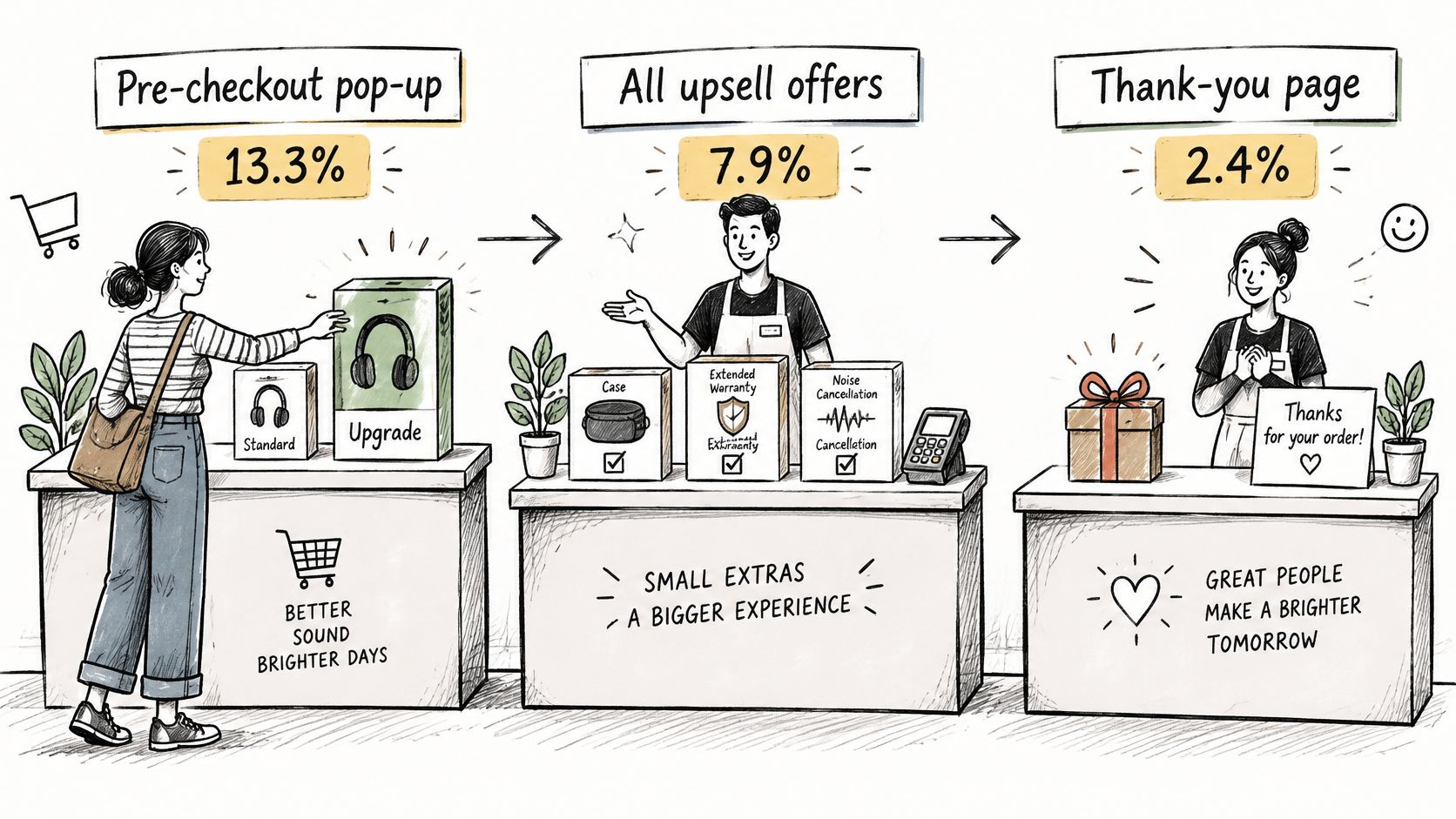
| Pre-checkout pop-up | 13.3% | Zipify analysis |
| All upsell offers combined | 7.9% | Zipify analysis |
| Thank-you page | 2.4% | Zipify analysis |
| Post-purchase order edit | Not reported | No benchmark in this analysis |
These figures come from a 2025 Zipify analysis of 123.9 million upsell-offer views, which reported a 7.9% overall purchase rate, compared with 13.3% for pre-checkout pop-ups and 2.4% for thank-you-page offers, as published by The National Law Review.
The illustration places these offers along the purchase journey.
Why the moment matters
Before checkout, the shopper is still deciding what belongs in the order. They can compare the upgrade with their original selection while the product's benefits are fresh in their mind.
On the thank-you page, they've finished the transaction. Their attention may have shifted to the confirmation, delivery date, or another task. Asking for another purchase requires a different decision from adjusting an open cart.
An add-to-cart popup reaches the shopper immediately after a clear product choice. That makes it a practical placement to test, but the analysis doesn't provide a separate benchmark for that exact trigger, so don't assign it an assumed purchase rate.
This video offers another format for considering upsell placement.
Test the placement, not just the offer
Post-purchase order editing is also distinct from a static thank-you page. Someone correcting an order has a specific task, so recommendations must respect that task. The placement analysis doesn't establish an order-edit benchmark.
Treat the reported rates as observed benchmarks, not guarantees or proof that placement alone caused the difference. Products, shoppers, and offer quality can differ between placements.
Test the same offer at different moments with comparable eligible audiences. Compare revenue per eligible visitor, completed-order performance, and contribution, rather than choosing the placement with the most clicks.
Keeping Upsells Helpful Instead of Pushy
Not every visitor should receive an offer. If the original product already meets the customer's needs and there's no defensible improvement, showing nothing is a valid merchandising decision.
A discount doesn't fix a mismatch. A shopper who needs a compact appliance won't benefit from a discounted model that takes up too much counter space.
A checklist for respectful recommendations
- Confirm compatibility. Check dimensions, variants, refill systems, and intended use. A related category alone doesn't establish that products work together.
- Limit repetition. Cap exposure so declining an offer has meaning. Don't immediately reopen the same popup after the shopper closes it.
- Make the commitment visible. Show the new total, applicable discount, shipping implications, and any recurring terms before acceptance.
- Prioritize service needs. Suppress promotions while someone corrects an address, resolves a payment issue, or seeks help with delivery.
- Protect the remaining margin. Set discounts from your actual product economics, not from the desire to make the saving look impressive.
- Review downstream consequences. Include refunds, cancellations, and support costs when judging whether accepted offers were worthwhile.
After payment, reassurance may matter more
The post-purchase context deserves particular care. The ClickPost post-purchase experience summary reports that two-thirds of shoppers feel anxious after buying online.
Someone opening an order page may want reassurance that their purchase is correct and on its way. Put tracking, confirmation details, and permitted corrections ahead of promotional content. If an order has a delivery exception, delay recommendations until the customer's immediate concern is resolved.
The same principle applies before checkout: understand whether the shopper values convenience, fit, durability, savings, or reassurance. This guide to buying motives can help translate those needs into clearer benefit statements.
A useful recommendation makes declining easy and leaves the original purchase intact.
You don't need to discount every upgrade. Explain the benefit plainly, offer it at a fair price, and test whether customers value it. Avoid artificial urgency, preselected additions, and wording that makes the original choice sound inadequate.
The goal is a purchase the customer will still consider sensible when it arrives, not merely an acceptance recorded today.
Set Up Your First Upsell Test This Week
Start with a product whose upgrade you can explain in a short sentence. Keep the initial test narrow enough that you'll know what you changed.
Choose the product and offer. Select a clear upgrade, such as greater capacity or improved material. If you choose an accessory instead, label the test as cross-selling.
Set the price. Decide whether a discount is necessary and verify the accepted price at checkout. Check the decline path too.
Choose the trigger. Add-to-cart gives you a concrete product signal. Avoid changing placement and offer content simultaneously.
Define eligibility. Restrict the offer to compatible products and variants, then set a frequency cap. Exclude unavailable options.
Keep a no-offer control. Randomly assign eligible shoppers and run through a full sales cycle. Don't stop just because the first results look encouraging.
Review the whole outcome. Track exposure, acceptance, completed orders, and net revenue after refunds. Include contribution and customer-service costs in the final decision.
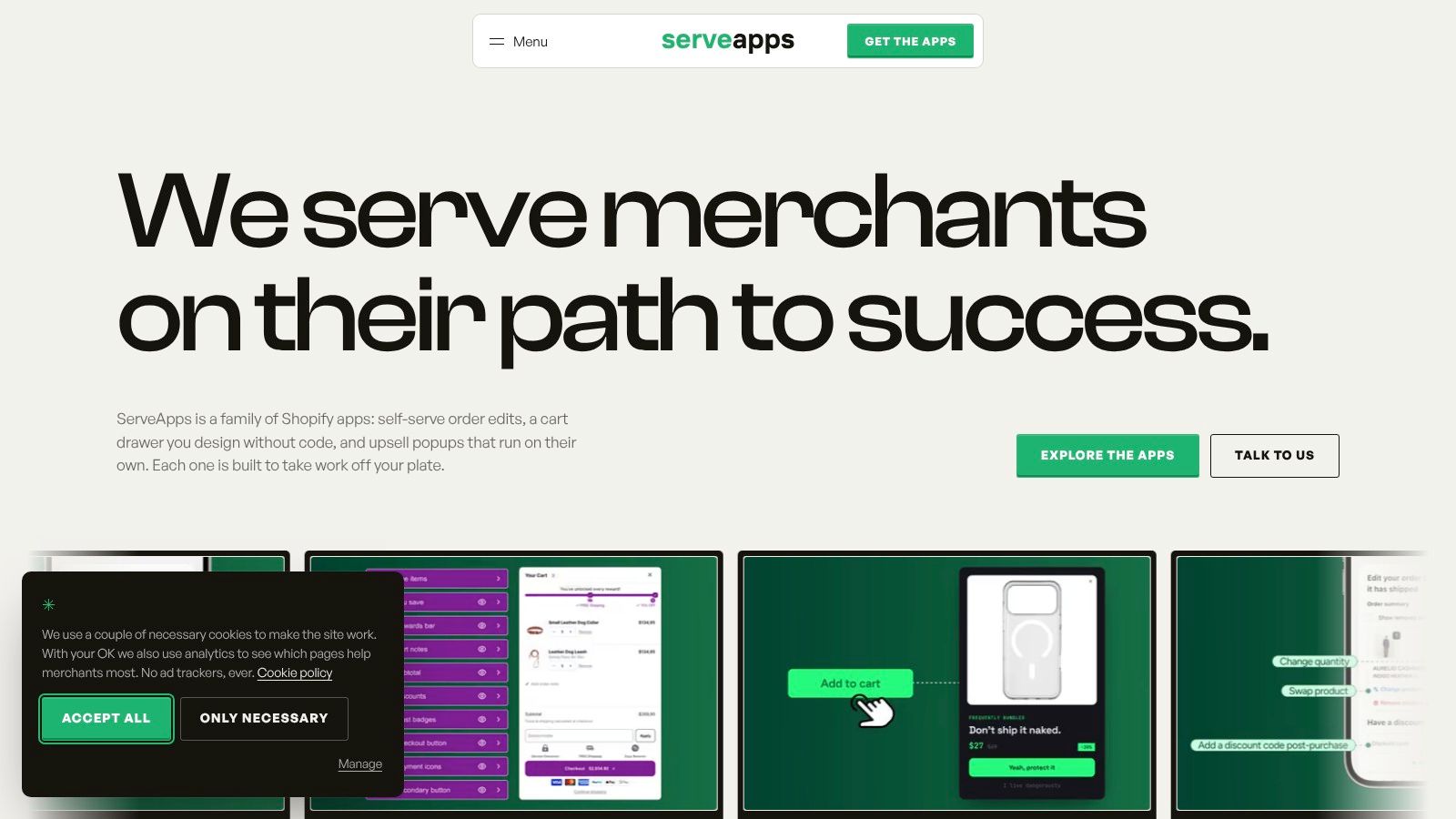
Our UpServe popups support branded add-to-cart offers, per-item discounts, product conditions, chosen triggers, and frequency caps. Each popup reports impressions, add-to-carts, conversions, conversion rate, and revenue over time.
The screenshot provides context for the app workspace.
Watch incremental contribution margin per eligible visitor against the control, not raw popup clicks.
ServeApps offers contextual upsell popups, configurable cart drawers, and customer self-service order editing for Shopify stores. Visit ServeApps to explore the tools and build a focused offer around a genuine customer need, then measure whether it earns its place in your store.
Increase Conversion Rate on Website: 9 Proven Cart Tactics
Increase conversion rate on website with cart, upsell, and testing tactics. See what lifts AOV, cuts abandonment, and how to apply each one today.
Read more →
8 Self Service Store Examples: Benefits and Tactics
Explore 8 self service store examples, from cashierless checkout to post-purchase portals, with benefits, trade-offs, and tactics you can copy.
Read more →
Checkout Process Optimization: A Step-by-Step Audit
Find checkout friction, cut form fields, fix payment failures and test each change. A practical checkout process optimization guide.
Read more →