
You've probably seen this in a product page audit, a good hero image, a solid price point, and then a weak “related products” block that sends shoppers to random items they'd never attach to the order. On Shopify, that small mismatch can erode conversion because the shopper is still deciding whether to buy, while the store is already asking them to explore.
The tricky part is that related products in Shopify are not just a widget choice. They're a merchandising decision about whether you're showing alternatives that help someone choose, or complementary add-ons that help them buy more confidently. Shopify's own recommendation system supports both ideas in different ways, and the right setup depends on catalog depth, inventory health, and how much control you need over what gets shown.
Table of Contents
- Why Related Products in Shopify Are a Merchandising Decision First
- Setting Up Shopify's Native Related Products
- Building Curated Related Products With Collections
- Algorithmic Recommendation Apps and When They Earn Their Cost
- Theme Tweaks and Cart Drawer Placement That Lift AOV
- Measuring Incremental Revenue, Not Just Clicks
- Launch Checklist and Common Pitfalls to Avoid
Why Related Products in Shopify Are a Merchandising Decision First
A merchant I've seen more than once launches a “You might also like” block and assumes it is handling the full job. The store starts showing accessories beside replacement parts, or similar SKUs mixed with bundle add-ons, and the block becomes hard to read. Shoppers do not need more noise, they need a clear next move.
Related products and complementary products solve different problems. Related products help a shopper compare options, while complementary products help attach the right extra item to the basket. Shopify treats those intents differently, with native related recommendations generated automatically and complementary recommendations configured separately through Search & Discovery. Industry guidance on Shopify's recommendation setup shows why that separation matters, and the key question is which decision the shopper needs to make before you place the block (Shopify product merchandising recommendations)
What usually goes wrong
When stores blend substitutes and add-ons in one module, the message gets fuzzy. A shopper looking for the right version of a product sees a bundle accessory, or someone ready to add a matching item sees a near-duplicate SKU instead. Industry guidance shows that only 42% of sites use both alternative and supplementary suggestions effectively, while the rest either show one type or mix both in the same element. That is a clear sign that intent separation matters more than adding more widgets to the page (Shopify recommendation guidance).
Practical rule: if the item helps the shopper choose, it belongs with substitutes. If it increases basket breadth, it belongs with complements.
That split also helps you judge readiness. A thin catalog, young order data, or fast-moving inventory usually calls for a curated path, because automation has less to work with and can surface weak matches. A mature assortment with steady orders can support more automated recommendations, but it still needs guardrails around which products are eligible and how the output is merchandised.
Setting Up Shopify's Native Related Products

Shopify's native setup starts in the theme, not in a separate recommendation dashboard. In an Online Store 2.0 theme, add the related products block or section to the product template, then verify that it appears where shoppers will notice it. If you also want complementary items, set those in Search & Discovery so they do not end up competing with substitutes in the same slot.
Eligibility is part of the job. Shopify excludes products that are sold out, priced at zero, gift cards, unlisted, unpublished to the Online Store channel, or already in the visitor's cart. Complementary products also need positive inventory. If something drops out of the module, that is usually the filter working as intended, not a theme failure (Shopify recommendations object).
The native workflow
- Open the product template. Add the recommendation section or block where the page has enough space to work.
- Separate intent. Use native related products for substitutes and Search & Discovery for complementary items.
- Check the render. Confirm the theme is not hiding the block on mobile or burying it below low-value elements.
- Review eligibility. Confirm the items shown are published, in stock, and not already in cart.
- Recheck the block monthly at first. Early output on a young catalog is often sparse, so a curated fallback may still be the better display until order data builds.
This is enough for many stores. If the catalog is tidy and the merchandising rules are clear, native recommendations can cover the basics without much overhead. If the assortment is thin, the store is still migrating, or certain products need an editorial hand, native output can feel too blunt, and that is usually the point where a human-curated fallback or an app becomes worth the extra work.
Building Curated Related Products With Collections
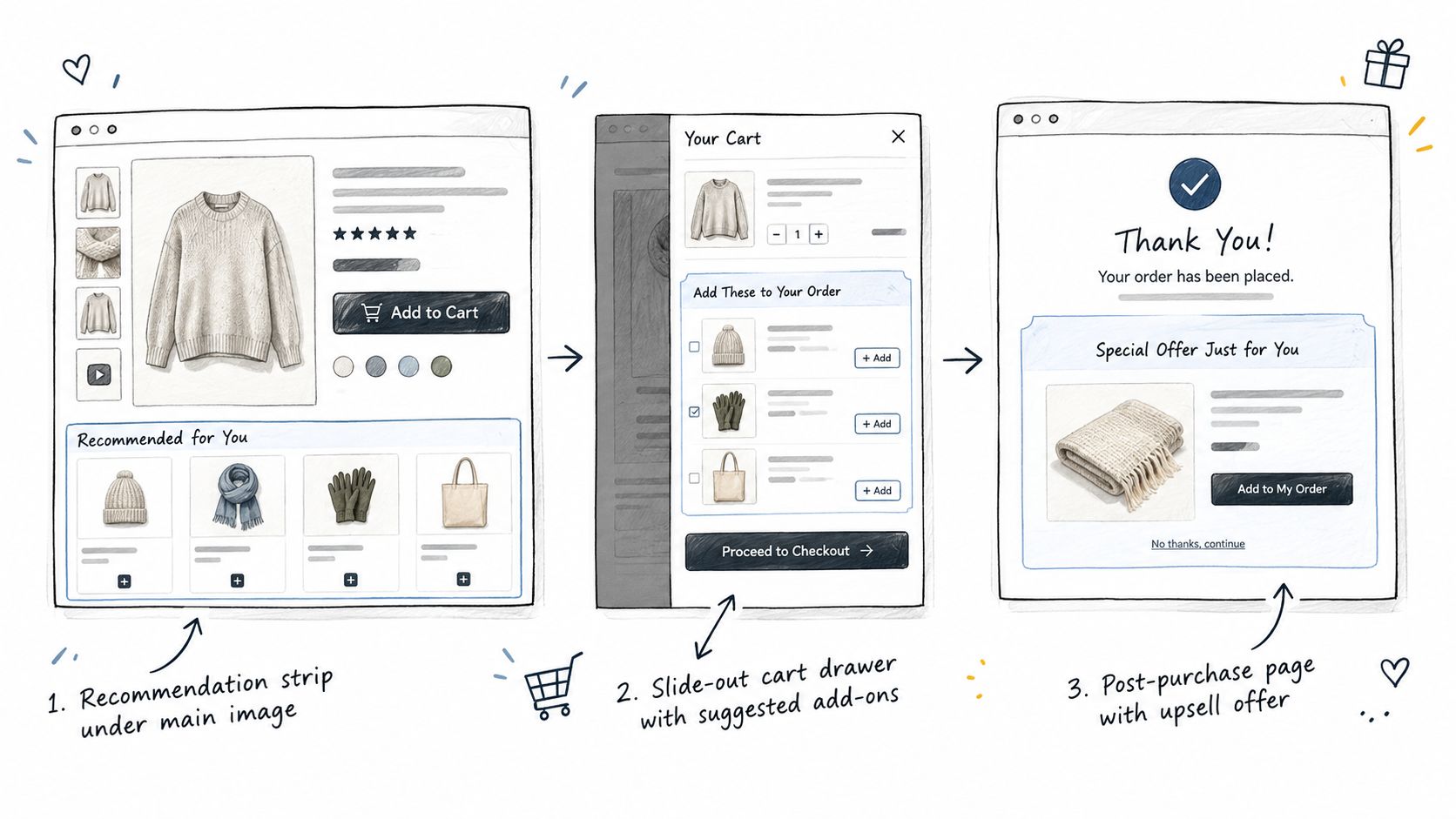
Curated collections are the most reliable option when relevance matters more than automation. You decide which products belong together, which means you can build a substitute set for comparison, or a complement set for attachment, without waiting for recommendation data to catch up. That's especially useful for launches, seasonal assortments, and categories where the “right” pairing is commercial, not algorithmic.
Smart rules first, manual edits second
A smart collection can group products by type, tag, vendor, price, or other product attributes. That works well when the store already has disciplined catalog metadata, because the rules stay understandable and easy to maintain. Manual collection overrides are useful for hero products, campaign moments, or any SKU that deserves editorial treatment.
A clean way to use collections is to make them intentionally narrow:
- Substitute collections for similar products, size alternatives, or tiered versions.
- Complement collections for add-ons, refills, accessories, or bundles.
- Seasonal overrides for limited-time merchandising that should outrank the default logic.
- Margin-sensitive exclusions for products you don't want to push just because they fit the rule set.
Curated relevance beats clever automation when inventory is volatile or the catalog is small.
That's also where collections pair well with theme placement. A featured-collection section on the product page can behave like a recommendation block, but with more control over ordering and exclusions. If you need a practical build reference for theme work, implementing product recommenders in Liquid is useful context because it shows how recommendation logic can be rendered inside the theme layer rather than treated as a black box.
The advantage of curation is that it doesn't pretend every product can be inferred from behavior. When the store knows the business rule better than the model does, let the merchandiser win.
Algorithmic Recommendation Apps and When They Earn Their Cost
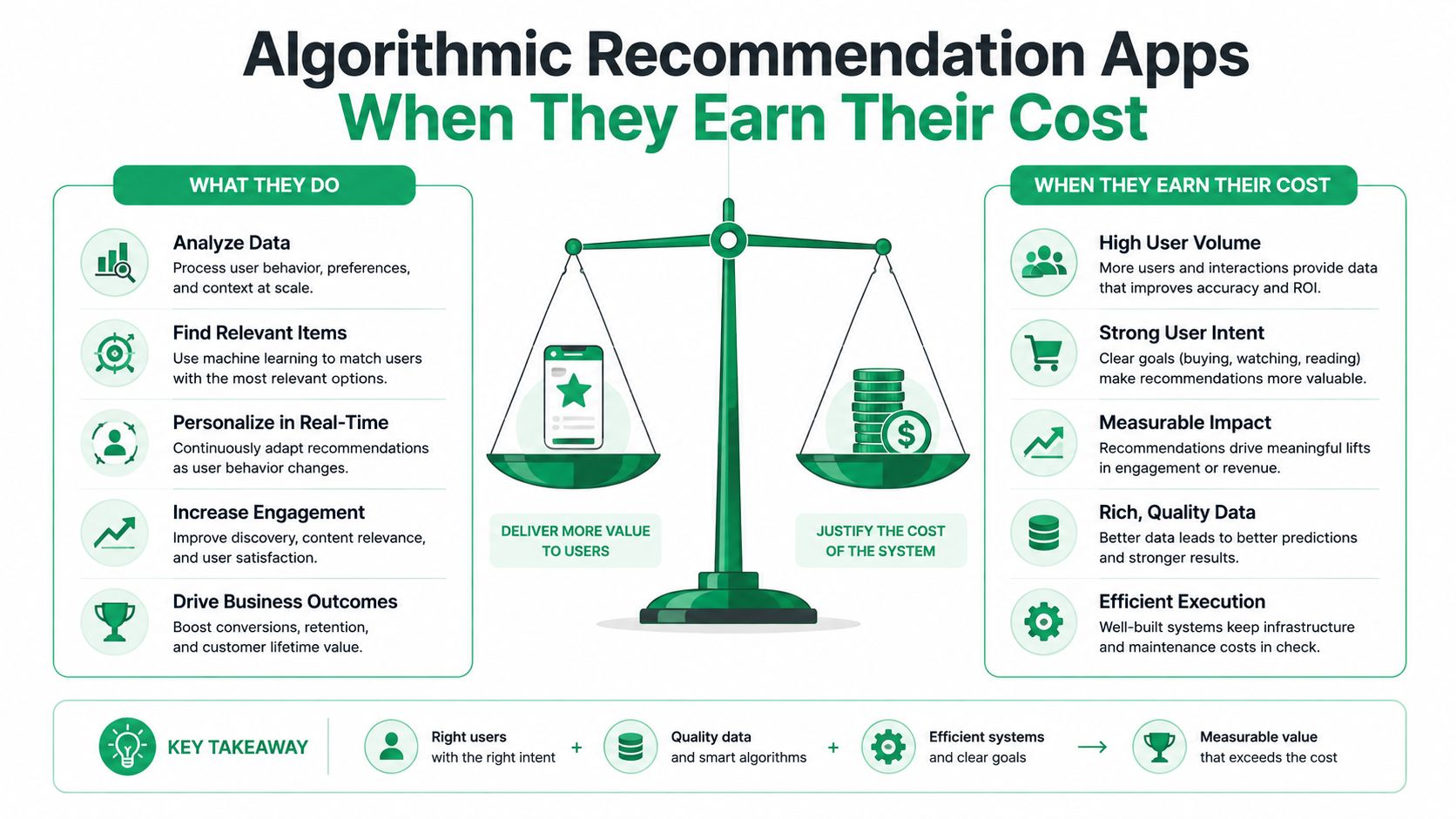
Algorithmic apps can do more than native or curated setups when they have enough data to work with and enough control to stay merchandised properly. The problem is that they only earn their cost when they improve incremental revenue, not when they merely produce more clicks. McKinsey notes that personalization most often produces a 10–15% revenue lift, with company-specific results ranging from 5–25%, but the only number that matters in your store is what changes after you control for everything else (McKinsey on personalization).
| Criteria | Native | Curated collections | Algorithmic app |
|---|---|---|---|
| Data need | Uses Shopify signals and product data | None beyond your merchandising rules | Needs meaningful order and behavior data |
| Control | Moderate | High | Varies by app |
| Cold-start behavior | Can be weak on new items | Strong if you curate well | Often weakest on sparse catalogs |
| Reporting depth | Basic to moderate | Depends on theme and analytics setup | Usually strongest if the app is built well |
| Best use case | Clean default recommendations | Launches, sparse catalogs, special campaigns | Mature catalogs with enough traffic |
The hidden cost isn't always the subscription fee. It's the time spent cleaning product data, the effort to exclude bad matches, and the risk of showing recommendations that look smart but don't convert. If you're evaluating an app stack, compare how it handles exclusions, pinning, and slot limits, and whether it ships as a theme app extension so it doesn't add avoidable front-end weight.
For merchants who want a broader playbook on recommendation strategy across the storefront, the product recommendations guide for Shopify is a useful adjacent reference.
If your catalog is thin or seasonal, don't pay for sophistication you can't feed.
That's why a phased approach usually wins. Start with curated collections, graduate to native if your catalog structure is clean enough, and only move to an algorithmic app when the traffic, data volume, and reporting needs justify it.
Theme Tweaks and Cart Drawer Placement That Lift AOV
Placement changes how recommendation intent behaves. On the product page, related items help shoppers compare. In the cart drawer, the same block should switch into attachment mode and show only items that make the current basket better. Shopify merchants often miss that distinction and use one placement rule everywhere, which is how you get noisy page layouts and weak basket growth.
Cart drawers deserve special attention because they're closer to purchase intent than the product page. A recommendation there works best when it feels like part of the checkout decision, not a detour. If you're already showing rewards, free-shipping thresholds, or spend-tier progress, keep the recommendation module visually subordinate so it doesn't compete with the main action.
Placement rules that hold up in practice
- Put substitutes on product pages. Shoppers are still comparing.
- Put complements near add-to-cart or in the cart drawer. The basket is already forming.
- Exclude items already in cart. Repeating them wastes space.
- Limit visible slots. Shopify notes ranking declines by position, so keep the visible set tight.
- Prioritize margin and compatibility. A recommendation that fits the catalog but hurts economics isn't a win.
For a no-code implementation path, Shopify merchants often combine theme blocks with a cart drawer builder, and a tool like ServeApps' cart drawer guide is relevant because cart placement, rewards, and recommendation modules tend to live in the same merchandising decision set.
Custom themes sometimes need a developer touch, especially when the drawer is built outside the theme's default sections. The key is to keep the recommendation slot lightweight, avoid duplicate product types, and make sure the block doesn't push the checkout action below the fold on smaller screens.
The best cart recommendation is the one the shopper notices without needing to think about it.
Measuring Incremental Revenue, Not Just Clicks
Clicks can flatter a weak recommendation. A shopper taps a widget, browses a few items, and leaves with no meaningful change in order value or margin. That's why recommendation performance should be measured like an experiment, not like a vanity engagement report.
Start with one primary metric, usually incremental revenue per session or contribution margin per visitor. Then hold the rest of the experience constant, including placement, discounts, shipping thresholds, and page speed, so you can compare treatment against control without introducing noise. Shopify merchants who run tests across full weekly buying cycles get a cleaner read than those who stop after a few high-volume days.
What to track
- Impressions. Was the recommendation seen?
- Clicks. Did it attract attention?
- Add-to-cart events. Did it influence basket building?
- Conversion rate. Did the offer support or dilute checkout?
- Average order value. Did the basket grow?
- Margin, returns, and cancellations. Did the offer stay profitable after the fact?
If your data lives across multiple tools, reconciliation matters before you trust the result. A practical guide to ecommerce analytics reconciliation helps connect Shopify, paid media, and analytics numbers so you're not making decisions off mismatched reports.
One of the cleanest ways to avoid bad conclusions is to compare only eligible shoppers, then randomize them into control and treatment groups. That removes the common mistake of crediting purchases to a widget that would have converted anyway. It also keeps you from optimizing for clicks when the goal is profitable attachment.
If you need a north-star framing, the Shopify average order value guide is useful alongside recommendation testing, because a related-products block should be judged by what it does to basket economics, not by how busy the page looks.
Launch Checklist and Common Pitfalls to Avoid
Before launch, verify the catalog logic first, then the theme, then the reporting. If the product set includes sold-out items, zero-priced products, unlisted SKUs, or products already in the cart, the block will look broken even when it's behaving correctly. If the store recently migrated from another platform, remember that imported orders don't seed Shopify recommendations, so early results can be sparse.
A practical rollout is simple. Start with a curated fallback for low-data products, let native or algorithmic recommendations run where the catalog is healthy, and review performance by product rather than as a storewide average. The store that wins here isn't the one with the smartest model, it's the one that knows when to stop trusting the model.
Watch for three mistakes in particular. First, treating every recommendation as a cross-sell. Second, ignoring returns and cancellations when you score performance. Third, letting too many options crowd the module until the shopper can't tell what belongs.
If you want a working path from basic merchandising to measurable cart and post-purchase upsells, ServeApps offers Shopify-native tools for cart drawers, upsell popups, and post-purchase order changes. Visit ServeApps to see how those pieces fit into the same store operations stack and decide whether your recommendation setup needs a simpler native layer or a more structured app workflow.
Merchandising for Ecommerce: Tactics, Metrics and Tools
Learn merchandising for ecommerce: collection pages, cart drawers, personalized banners, the metrics that prove lift, and tools to run them.
Read more →
Order Confirmation Screen: What to Include and Templates
Learn what to include on an order confirmation screen, in what order, with tracking, cross-sell and support templates you can copy for your Shopify store.
Read more →
Best Up Sell App Picks for Shopify in 2026
Compare 10 Shopify up sell app options for 2026, with features, pricing, placements, and honest limitations to help you choose the right fit.
Read more →