
You install a Shopify recommendation app, place a “You may also like” row beneath the product description, and wait for the basket size to move. A week later, the widget has impressions and a few clicks, but you still can't tell whether it created extra revenue or just took credit for orders that were already likely to happen.
That's the central problem with product recommendations on Shopify. A recommendation isn't automatically valuable because it uses AI, appears in a polished card, or earns an attributed click. It has to match the product, placement, shopper intent, inventory position, margin, and level of consent, then prove its contribution against a credible baseline.
Table of Contents
- Why Product Recommendations Shopify Decisions Deserve a Real Strategy
- Using Shopify's Native Recommendations Before You Add Anything
- Building Manual Collections for Merchandising Control
- Choosing App-Based Recommendation Apps That Fit the Store
- Wiring Recommendations Into the Cart and Add-to-Cart Moment
- When to Suppress a Recommendation and How to Prove It Worked
- A 90-Day Operating Rhythm for Recommendations on Shopify
Why Product Recommendations Shopify Decisions Deserve a Real Strategy
The default related-products block is often the first recommendation feature a merchant tries. It's easy to enable, but it can surface products that are unavailable, too expensive for the moment, incompatible with subscriptions, or completely unrelated to the shopper's reason for visiting. A useful system does more than fill empty space below a product description.
Personalization has become a recognized commercial lever. McKinsey's analysis found that personalization most often produced a 10% to 15% revenue lift, with company-specific results ranging from 5% to 25%, depending on the sector and execution quality (McKinsey's personalization analysis). Those figures describe personalization programs across industries and channels, not a guaranteed Shopify outcome.
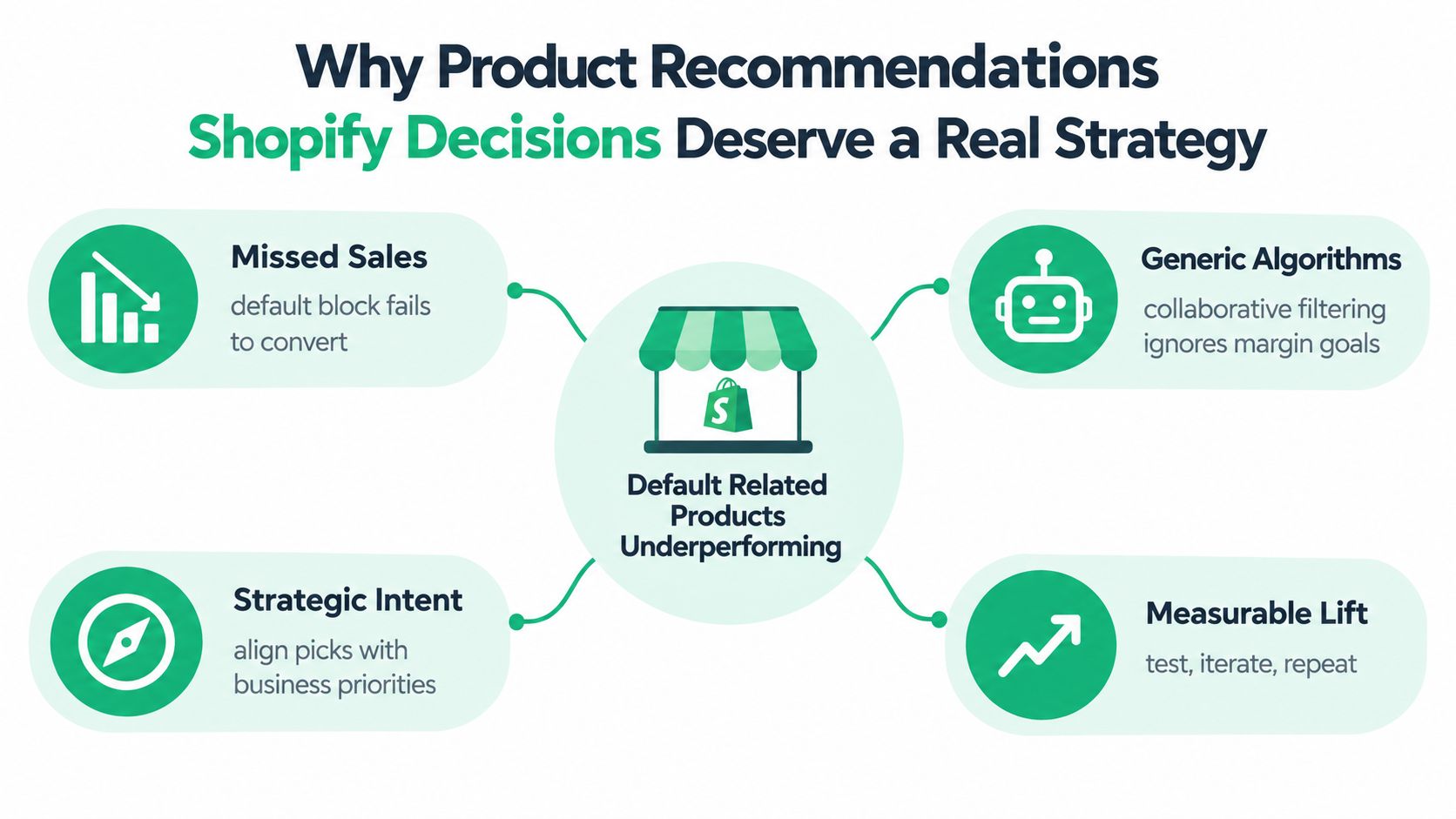
Four jobs your system must perform
- Surface the right item. The recommendation should solve a clear need, such as an accessory, refill, compatible variant, or sensible upgrade.
- Use the right placement. A product page supports exploration, while a cart drawer supports a final add-on decision. The same offer shouldn't appear everywhere.
- Respect the right shopper context. A first-time visitor, a repeat buyer, and a customer replenishing a known product have different levels of discovery intent.
- Explain the selection. Labels such as “Because you viewed this” or “Frequently bought together” make the logic easier to understand and easier to challenge.
Practical rule: Treat recommendations as a merchandising system with inputs, exclusions, placements, and measurement. The widget is only the visible part.
The operational payoff connects directly to increasing average order value on Shopify. For broader practical examples of recommendation patterns and customer-facing logic, merchants can also browse SupportGPT's recommendations.
Using Shopify's Native Recommendations Before You Add Anything
Shopify's native recommendation features are a sensible baseline because they let a merchant validate placement and product relationships without immediately adding another app. Depending on the theme and store setup, recommendation sections can appear on product pages, in checkout contexts, and on home or collection pages through the theme editor.
The native system uses signals available within the store, including order history and product catalog attributes. That gives it a useful starting point for products with established purchase relationships. It doesn't automatically understand every business constraint, though. Most stores shouldn't assume it knows a shopper's browsing intent, margin priorities, subscription compatibility, stock strategy, or planned merchandising campaign.
A practical setup walkthrough
Open the Shopify admin and move into the Online Store area. Select the active theme, choose Customize, and open a product template. Add or inspect a product-recommendation section, then review its heading, product count, visibility, and position relative to the product information and add-to-cart control.
Use the theme preview to check several product types rather than testing one best seller. Inspect a product with variants, a low-stock item, a subscription product, and a product with obvious accessories. The preview should answer basic questions:
- Relevance: Do the suggested products make sense beside the viewed item?
- Availability: Can shoppers buy the displayed variant?
- Duplication: Is the same offer already present elsewhere on the page?
- Hierarchy: Does the recommendation support the primary purchase, or distract from it?
Native recommendations work well as a control surface. Keep them enabled while you identify which placements need more control. Add manual overrides when a product relationship is commercially important, use an app when the cart or add-to-cart moment needs a different interaction, and instrument every placement before judging it.
A click is not the final outcome. Track impressions, clicks, recommendation conversion, average order value, attributed revenue, and the order-level result against a pre-launch baseline or control. That approach prevents the native block from receiving credit for demand that existed before it appeared.
Building Manual Collections for Merchandising Control
Automated recommendations reflect available signals. Manual collections reflect what the merchant knows about the catalog. The strongest Shopify setups use both, because a rules engine can identify patterns while a merchandiser handles compatibility, margin, seasonality, and inventory exceptions.
Start by mapping the recommendation to a customer task rather than a product label.
Three collection recipes that hold up
A complementary-products collection answers, “What helps the customer use this item?” A shoe may need a belt, a camera may need a compatible memory card, and a skincare product may need a cleanser from the same routine. Assign these relationships deliberately when the pairing is obvious and the cost of a bad suggestion is high.
A replacement-and-upgrade collection serves a different intent. It can contain refill sizes, newer versions, higher-capacity options, or a premium alternative. The relationship should be directional. A replacement is not necessarily a cross-sell, and showing an upgrade beside a replenishment product can create unnecessary choice.
A category-fallback collection protects the experience when behavioral data is thin. Use it for new products, small catalogs, or products with limited order history. Category, brand, price band, and best-seller logic can provide a transparent fallback without pretending that the system has learned a strong customer preference.

Combine automated and manual rules
Use automated collections for stable attributes such as product type, vendor, tag, or availability. Use manual collections when the relationship needs human judgment, especially for compatibility, bundles, or carefully selected premium alternatives.
Before a collection feeds a recommendation block, add exclusion checks. Remove unavailable products, already-owned items where that information is reliable, incompatible subscription products, and offers whose discount structure would damage contribution margin. Sort deliberately rather than accepting the default order.
The practical sequence is simple: deterministic exclusions first, curated relationships second, behavioral ranking only after the underlying relationship makes sense. That ordering gives anonymous shoppers a useful fallback and prevents a sparse catalog from producing confident-looking nonsense.
Choosing App-Based Recommendation Apps That Fit the Store
Shopify recommendation apps usually fall into three categories. Choose among them by placement and control, not by the length of the feature list.
| Category | Best Placement | Primary Use Case | Data Source | ServeApps Fit |
|---|---|---|---|---|
| Bundle and frequently-bought-together widgets | Product page | Pairing accessories, bundles, and compatible add-ons | Order relationships and merchant rules | UpServe can support add-to-cart offer placements |
| Cart-drawer and add-to-cart popups | Cart and add-to-cart moment | High-intent cross-sells, rewards, and contextual offers | Cart contents, product rules, order signals, and merchant configuration | CartServe supports drawer design, while UpServe supports popup offers and per-offer analytics |
| Post-purchase and email recommendations | Thank You page, order status, and lifecycle messages | Replenishment, complementary products, and later-stage offers | First-party order history and customer consent | ServeApps supports post-purchase offer placements through its Shopify apps |
A product-page bundle app is a good fit when the shopper needs help understanding compatibility before committing. It isn't automatically the right tool for a cart-drawer offer, where the shopper has already selected a product and wants a low-friction addition. Cart tools should understand current contents, inventory, currency, subscription rules, and discount stacking.
Post-purchase recommendations solve another problem. The customer has completed the original transaction, so the offer can focus on a complementary product or future need without interrupting checkout. Email recommendations need especially careful consent and frequency management because the customer may not want every purchase turned into a campaign trigger.
Four evaluation questions
- What data does the app use? First-party orders, catalog attributes, cart contents, explicit preferences, and current-session intent are easier to explain than opaque third-party tracking.
- Can you override the algorithm? Merchants need exclusions, fixed pairings, category fallbacks, frequency caps, and offer limits.
- Does it fit Online Store 2.0? Theme app extensions and clean rendering reduce implementation friction and help avoid unnecessary layout changes.
- Can you inspect event data? An app should expose impressions, clicks, conversions, and revenue at the offer or placement level, not only a blended dashboard number.
Merchants comparing wider tooling can find the best Shopify tools, then evaluate each candidate against their own catalog constraints. The broader merchandising context is covered in this guide to ecommerce merchandising tools. The right choice is the smallest stack that gives you relevant logic, clear consent, and trustworthy measurement.
Wiring Recommendations Into the Cart and Add-to-Cart Moment
The cart is where recommendation logic meets a real buying decision. The shopper has already shown intent, but the basket can still change. That makes the cart drawer and add-to-cart popup useful for one carefully chosen accessory, a compatible upgrade, or a bundle that completes the original purchase.
A CartServe-style drawer should do more than display product cards. It can show a free-shipping goal or spend-tier reward, then recommend an item that helps the shopper reach that goal without breaking stock, currency, market, bundle, or subscription rules. If the customer added a subscription product, a one-time-only accessory may be a poor suggestion unless the offer clearly explains the purchase terms.
The implementation sequence matters:
- Read the current cart. Identify products, variants, quantities, selling plans, market, currency, and relevant exclusions.
- Apply compatibility rules. Remove offers that don't work with the selected product or selling plan.
- Rank a small set. Prefer a strong complement or upgrade over a long carousel.
- Explain the reason. Use a label such as “Completes your setup” when the relationship is curated, or “Frequently bought together” when order data supports it.
- Record the event. Store impressions, clicks, additions, conversions, and revenue by offer.
Cart principle: One relevant suggestion can help. Several competing suggestions make the customer re-evaluate a decision they had already made.
UpServe-style add-to-cart popups are useful when the store needs an immediate offer after a shopper adds a product. Pixel-level controls help the popup resemble the theme rather than interrupt it, while per-popup analytics make it possible to compare offers instead of blending every recommendation together.
The popup should appear once in the session unless the shopper intentionally reopens the experience. Don't show a product-page bundle, an add-to-cart popup, and a cart-drawer recommendation for the same item in succession. Decide which placement owns the offer, then reserve later placements for a different job. Merchants working on the drawer itself can use this practical guide to Shopify cart drawers.
When to Suppress a Recommendation and How to Prove It Worked
More recommendations don't automatically create more value. Recent evidence points to a changing customer response: one 2025 consumer study reported that the influence of recommendations based on previous purchases fell from 62% to 38%, while browsing-history influence fell from 33% to 23%; social-media-based influence rose from 13% to 21% (2025 consumer study). These findings don't mean purchase history is useless. They do mean a static recommendation can lose relevance when it ignores the shopper's current intent.
Privacy changes the design requirement too. Adobe research found that 87% of consumers expect retailers to handle personal data responsibly, while 46% believe brands do so. The same research found that 74% want retailers to disclose when AI-generated recommendations are used, but only 26% of brands meet that expectation (Adobe retail digital trends research).
Build suppression into the ranking
Suppress a recommendation when:
- The shopper is replenishing a known SKU. A routine reorder may need a fast checkout, not an invitation to browse.
- The product is already in the basket. Don't ask the customer to add what they already selected.
- The relationship lacks support. Fall back to category, brand, price band, or best-seller logic when co-purchase data is too thin.
- The offer breaks a rule. Hide unavailable variants, incompatible subscriptions, invalid bundles, and discounts that stack badly.
- The session has seen the same offer. Frequency caps protect attention and make later recommendations more meaningful.
Use labels that describe the selection without exposing sensitive behavioral detail. “Because you viewed this” is clearer than “Chosen for you,” while “Frequently bought together” tells the customer that the relationship comes from purchase patterns. For shoppers who reject tracking, use current-session intent, product attributes, explicit quiz answers, and consented first-party purchase history. Anonymous visitors can receive contextual or category-based suggestions without requiring an extensive profile.
Measure incrementality, not just attribution
Split the evaluation into funnel stages. Track whether the recommendation receives an impression, earns a click, adds a product, changes conversion, increases order value, and contributes revenue after discounts and refunds. Then compare exposed shoppers with a no-recommendation holdout or a reliable pre-launch baseline.
Attributed revenue answers, “What orders included an interaction?” Incremental revenue answers, “What additional outcome did the recommendation cause?” Those are different questions. Merchants who need a clearer view of marketing attribution for Shopify should preserve placement, audience, offer, and treatment identifiers in their reporting.
A 90-Day Operating Rhythm for Recommendations on Shopify
A recommendation system needs an operating rhythm because catalogs change, inventory moves, and shopper intent shifts. The first 90 days should establish control before adding complexity.
Weeks one and two
Enable Shopify's native recommendations and inventory every existing placement across the product page, collection pages, home page, cart, checkout, post-purchase flow, and email. Record what each block recommends, which app owns it, what data it uses, and whether another block shows the same offer.
Remove obvious conflicts first. A recommendation shouldn't promote unavailable products, duplicate the current item, or appear with a discount that violates the store's commercial rules.
Weeks three through six
Upgrade the highest-intent placement, usually the cart drawer or add-to-cart moment, with controlled offers. Build manual collections for complementary products, replacements, upgrades, and category fallbacks. Start with a narrow set of high-confidence relationships rather than exposing the whole catalog.
At this stage, report impressions, clicks, additions, conversion, average order value, contribution margin, and attributed revenue by placement. Don't judge the system from a blended store-wide number.
Weeks seven through ten
Add suppression rules and transparent labels. Offer a contextual fallback for anonymous or non-consenting shoppers, and give repeat customers a faster path when they're clearly replenishing a known product. Review whether the same customer sees repeated offers across product, cart, and post-purchase experiences.
Weeks eleven and twelve
Introduce a holdout test where the traffic and audience allow it. Compare exposed and unexposed groups, separate product discovery from cart expansion, and evaluate incremental conversion and revenue rather than clicks alone. If an offer gets attention but doesn't create additional profitable orders, change the product relationship or placement before changing the model.
The durable approach is modest and observable. Keep the logic reversible, document why each offer appears, and let the data tell you whether the problem is the recommendation, the placement, the price, or the absence of a real customer need.
ServeApps offers Shopify-native tools for configurable cart drawers, add-to-cart upsell popups, post-purchase offers, and per-offer analytics that can support this measured merchandising approach. Review the available options and connect the right cart or upsell workflow for your store at ServeApps.
Shopify Average Order Value: The Practical Guide
Learn what Shopify average order value really measures, how to calculate it accurately, and which benchmarks actually matter for your store in 2026.
Read more →
Free Shipping Bar Shopify: How to Set One Up That Works
Free Shipping Bar Shopify. Learn how to set up a free shipping bar in Shopify that converts. Covers thresholds, messaging, placement, and currency tips
Read more →
10 Ecommerce Merchandising Tools for Shopify
Compare 10 ecommerce merchandising tools for Shopify, covering search, personalization, bundles, upsells, cart experiences, and implementation trade-offs.
Read more →