
You've refreshed the homepage, added a bundle offer, and put a free-shipping message in the cart. Orders look larger, but you're also seeing more discount use, size-change requests, and questions about delivery. It's hard to tell whether the store is selling better or just creating more work.
Before changing another banner, set a measurement rule: a merchandising change should earn incremental contribution margin after discounts, returns, fulfillment, and service costs. More clicks and bigger baskets are useful signals, but they aren't proof that a change pays.
Table of Contents
- What Merchandising for Ecommerce Covers
- Where Merchandising Happens on Your Store
- Collection Pages and Product Lists That Sell
- Cart Drawers, Banners and Onsite Offers
- Measuring Whether Merchandising Pays
- Preparing Your Catalog for AI Shopping Agents
- Tools for Running Merchandising Tests
- Choose One Surface to Fix First
What Merchandising for Ecommerce Covers
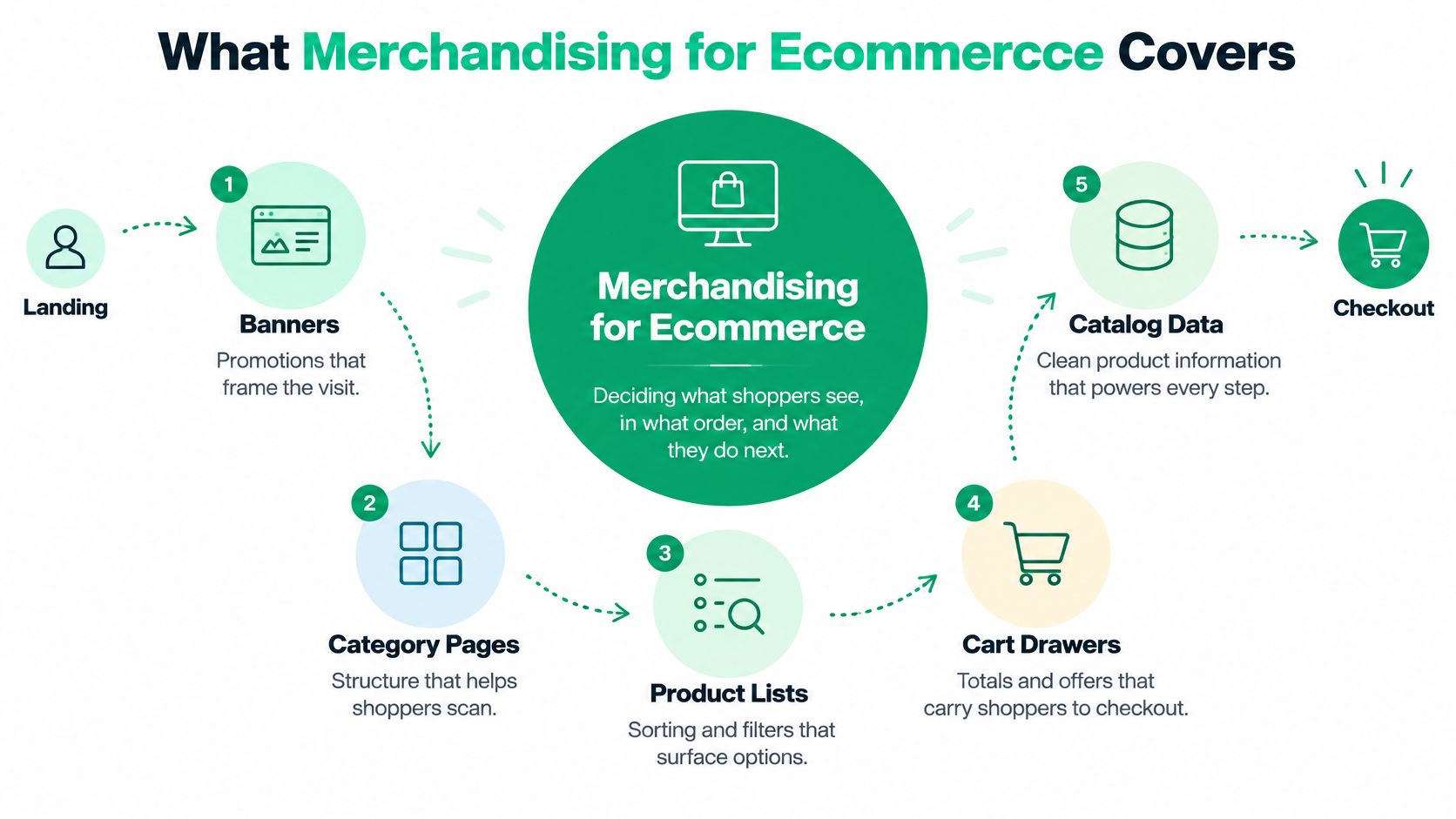
A shopper lands on your store, notices a seasonal banner, scans a category, chooses a product, and opens the cart. Each step reflects a decision someone made: which promotion appears, which products rank first, which details are visible, and which accessory gets suggested.
Merchandising for ecommerce is deciding what shoppers see, in what order, and with what context or offer, so they can choose a purchase they can afford and keep.
Think of a physical store. An entrance table introduces a collection, an end-cap highlights a useful combination, and a checkout rack presents last-minute additions. Online, templates, product data, and merchandising rules perform those jobs.
The decisions fall into three groups:
- Selection: Choose which products qualify for a placement, considering relevance, availability, and commercial priorities.
- Ranking: Decide what appears first, whether that's a category bestseller, a compatible replacement, or a newly released item.
- Context: Explain how products fit together through comparisons, grouping, delivery information, and offers.
These aren't marginal decisions. Ecommerce represented 16.6% of total U.S. retail sales in the fourth quarter of 2025, according to the U.S. Census Bureau's quarterly ecommerce report.
Say you sell coffee equipment. Featuring a grinder beside an espresso machine can help shoppers assemble a workable setup. Featuring an incompatible grinder because it has a high margin can produce a sale followed by a return.
That's why merchandising isn't decoration. It's a set of testable commercial decisions with operational costs. Storefront messages, product lists, carts, and post-purchase offers all need clear ownership, while the catalog underneath them must describe products accurately enough for shoppers and automated shopping systems alike.
Where Merchandising Happens on Your Store
| Surface | Merchandising job | Typical tactic | Metric to watch |
|---|---|---|---|
| Homepage hero and banners | Set the first impression for a season or audience | Segment banners by traffic source and new versus returning visitors | Click-through to collections and bounce rate |
| Collection page | Turn a large range into buying decisions | Default sort by bestsellers or new-in, with persistent decision filters | Product click-through rate and filter usage |
| Search results | Match the query to the right products | Relevance tuning, synonyms, and zero-result fixes | Zero-result rate and search-session conversion |
| Product page | Show fit, compatibility, and completeness | Related products, complete-the-look modules, and bundle offers | Add-to-cart rate and attach rate |
| Cart drawer | Reduce doubt and lift the basket | Free-shipping progress bar and compatible add-ons | Attach rate and average order value |
| Checkout | Remove surprises before payment | Show shipping and tax early; offer guest checkout | Checkout completion rate |
| Order status and post-purchase | Add relevant items without harming the order | Accessory suggestions and controlled order edits | Post-purchase revenue and order-change rate |
Read this as a map of shopper tasks, not a checklist of places to add promotions. Someone arriving through a product advertisement may skip your homepage entirely. Someone searching for a replacement part may need compatibility information before they care about your seasonal campaign.
The homepage row needs particular care: a high banner click-through rate can reflect curiosity rather than buying intent. Check whether visitors who click reach suitable collections and continue toward a purchase, rather than returning immediately because the banner promised something the destination doesn't explain.
Diagnose the handoff between surfaces
Strong collection-page engagement followed by weak product-page add-to-cart activity suggests that shoppers can find candidates but can't confirm their choice. Inspect measurements, materials, compatibility, included components, and delivery details before adding another recommendation module.
Healthy product-page activity followed by abandoned carts suggests a different investigation. Inspect the cart and checkout experience rather than reshuffling the collection that already brought shoppers to the right item.
Practical rule: Treat a weak transition as a diagnostic clue, not proof of a single cause.
The same product can need different treatment on different surfaces. A starter kit might headline a banner, appear under a beginner-friendly collection filter, and supply the logic for suggesting a missing accessory in the cart. Repeating the same promotional message everywhere wastes the opportunity to answer the shopper's next question.
Protect the paid order
The post-purchase row is different because the shopper has already paid. Any suggestion or edit must preserve a clear record of what changed, what it costs, and whether fulfillment can still accommodate it.
An accessory sale isn't helpful if it delays an otherwise ready order or creates an unresolved payment difference. Give operations and support teams a say in these placements.
Start where the shopper handoff is weakest, not where the theme editor makes changes easiest. A new homepage image won't resolve missing product measurements or an unclear delivery promise.
Collection Pages and Product Lists That Sell
A product list is a discoverability problem before it's a visual-design problem. Shoppers need to narrow the assortment to products that meet their requirements.
In usability testing, Baymard's product-list research found 67–90% abandonment among users trying to find relevant products on sites with mediocre product-list implementations, compared with 17–33% on better implementations. That's evidence about completing product-finding tasks, not a promise that changing your layout will produce the same improvement in storewide conversion.
Match the list to the shopping task
Relevance comes first. Choose a default sort that fits the category and the shopper's intent. Bestsellers can provide a starting point for broad browsing, while a returning shopper checking recent releases may find new-in sorting more useful.
Don't apply one sort to every collection without inspecting the result. A replacement-parts collection should prioritize fit and compatibility; a gift collection may need clearer organization by recipient or occasion. Promoting a popular but unsuitable item only moves the shopper's uncertainty downstream.
Findability requires usable filters. In Constructor's 2024 State of Ecommerce Survey, 44% of online shoppers reported taking at least three minutes to find the product they needed in search results.
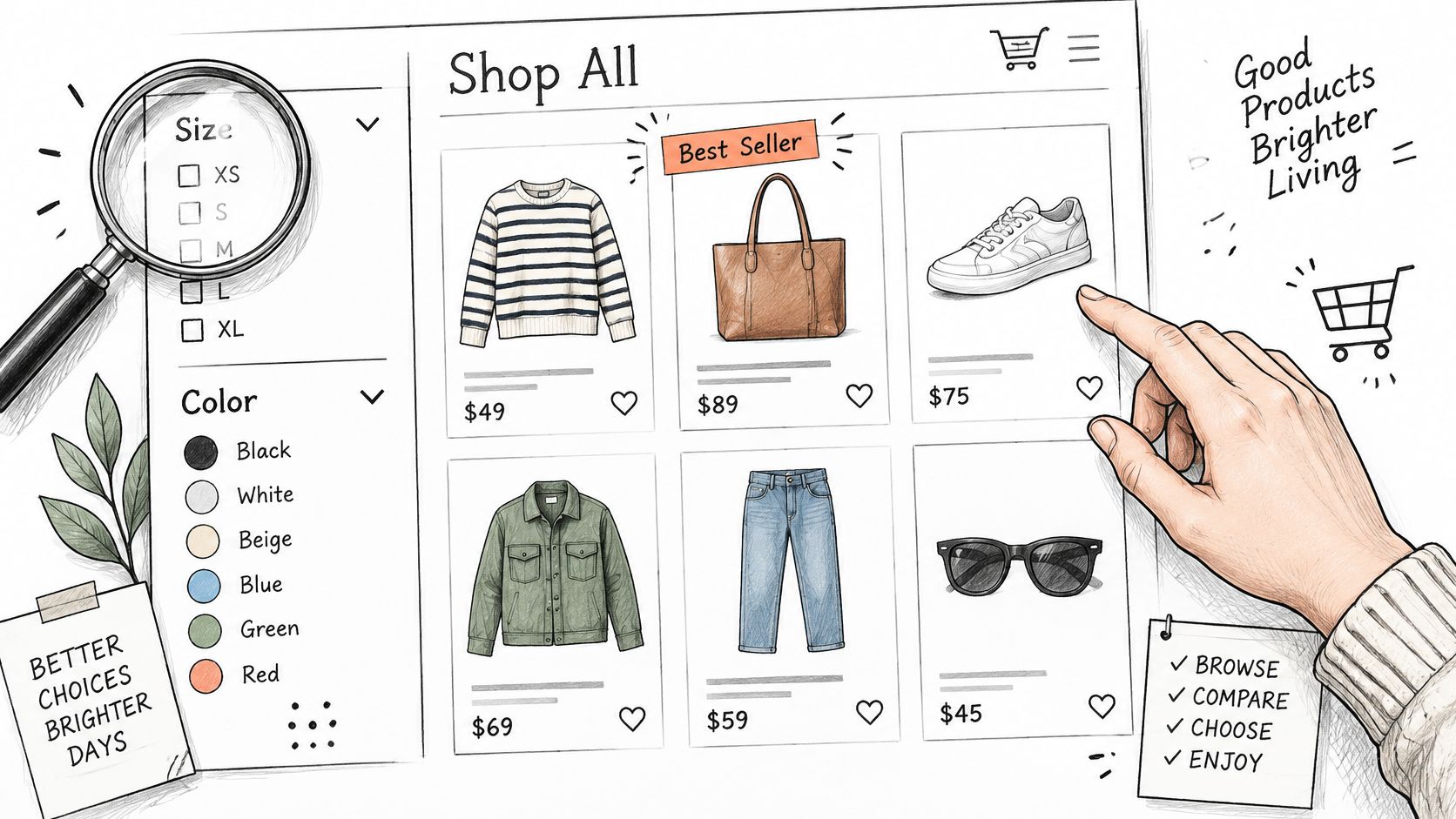
Give shoppers persistent, combinable filters for the attributes they really use:
- Apparel: Size, fit, color, material, and availability.
- Electronics accessories: Device model, connector, dimensions, and power requirements.
- Furniture: Width, depth, material, and delivery availability.
Keep selected filters visible and make removal straightforward. When a filter gets little use, check whether shoppers understand its label before removing it. A confusing internal term may conceal a useful buying attribute.
Use restraint without hiding useful choice
Restraint means reducing decision noise, not arbitrarily shrinking the catalog. McKinsey research cited by Shopify's ecommerce merchandising trends guide found that 74% of apparel consumers had abandoned a purchase because of the volume of choice.
Group near-duplicate variants under clear product cards rather than filling the collection with almost identical entries. Show availability truthfully: if only an unusual size remains, don't imply that the full range is ready to buy. Offer a back-in-stock option where appropriate.
Keep alternatives separate from complements. A shopper comparing jackets needs substitutes; someone who has chosen a jacket may need matching care products. This guide to related products in Shopify can help you distinguish those placements.
Test one principle at a time. Change the default hierarchy, filter behavior, or product grouping while holding pricing and traffic conditions steady. Read product click-through and filter usage alongside completed purchases, so an increase in browsing doesn't get mistaken for better shopping.
Cart Drawers, Banners and Onsite Offers
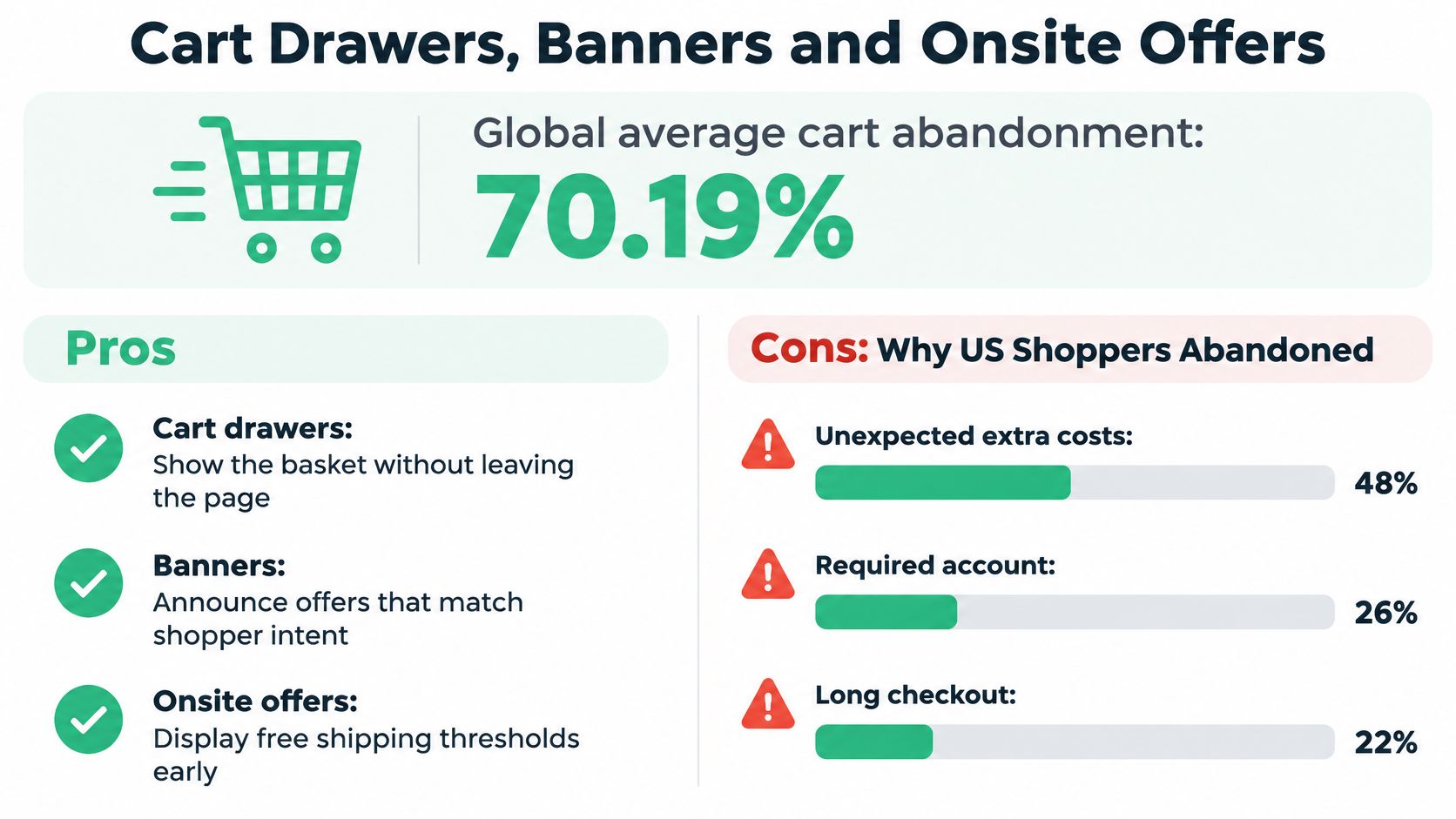
Cart abandonment research consistently identifies the same drivers: unexpected extra costs at checkout, a forced account, and a checkout that feels long or complicated. Those reasons make a better design brief than "add more upsells." The cart's first job is to help someone finish a purchase they understand.
Before any offer goes in, set the rule it has to satisfy: a cart-stage addition should raise contribution per order after discount and return risk, not just basket size.
Make the basket understandable before expanding it
Show shipping charges and tax information as early as you can calculate them. When an address is required for accuracy, explain that limitation rather than presenting an estimate as a final total. Keep guest checkout accessible and avoid making account creation a prerequisite for continuing.
A cart drawer should let shoppers confirm variants, quantities, and costs without losing their place. This Shopify cart drawer guide provides context for planning that experience.
A free-shipping progress bar can make a threshold understandable, but its rules must match checkout. Explain exclusions and eligibility beside the message, particularly when market, shipping method, or product type changes the offer. A bar that celebrates a threshold the checkout then refuses is worse than no bar at all: it converts confusion into support tickets.
An incentive should clarify a genuine benefit, not make shoppers calculate whether the promise is real.
Only then add a complementary product. For a camera, that might be a memory card with confirmed compatibility and a short explanation of why it's useful. Don't ask the shopper to research another complex purchase inside the cart.
Coordinate the banner with the offer
Give each audience segment one clear message. A paid-social visitor should find the offer they clicked through for; a returning customer might receive a message about a relevant replenishment range. Define the reason for the segment and give the campaign an end date so outdated promises don't remain visible.
For threshold economics, FOMOchat's guide to test pricing to increase order value is a useful planning resource. Use pricing tests to investigate profitable basket growth, not to justify a threshold selected solely because it looks attractive.
Before publishing, test the drawer's states. CartServe's preview, for example, lets merchants check it against real products, an empty cart, and any market's currency before publishing. Also check long product names, unavailable variants, discount messages, and what happens when a customer removes the item that made an offer eligible.
Keep the launch checklist short:
- Do show relevant additions: Explain the connection to the current basket and make declining effortless.
- Do state threshold rules: Make progress, exclusions, and the resulting benefit understandable.
- Don't stack conflicting incentives: Establish which discounts combine and verify the final calculation.
- Don't hide restrictions: Exclude incompatible variants and offers that conflict with subscription terms.
The strongest cart-stage offer is easy to understand, easy to ignore, and safe to accept.
Measuring Whether Merchandising Pays
Average order value can rise when a helpful bundle works. It can also rise when you discount large baskets that customers would have bought anyway. AOV describes completed orders; it doesn't establish that your offer caused profitable growth.
Shopify's conversion metrics guide identifies average order value as a core measure for evaluating basket-building changes. Pair it with conversion and cost measures rather than treating it as the final verdict.
Separate attribution from incremental results
Log each offer impression with the offer version, eligibility reason, experiment assignment, and product context. Keep assignment persistent so a shopper doesn't move between treatment and control while deciding.
Compare the treatment group with a randomized control group. If randomization isn't possible, use a carefully matched holdout and acknowledge that differences between groups can weaken the conclusion.
Gross upsell revenue only tells you what customers bought through the placement. It doesn't tell you what they would have purchased without it, whether another product lost sales, or whether the offer reduced checkout completion.
| Metric | What it tells you | Common trap |
|---|---|---|
| Incremental revenue per eligible session | Real lift from an offer against a control group | Counting gross upsell revenue as lift |
| Average order value | Basket size per completed order | Rising AOV while margin falls |
| Attach rate | Share of orders that include the added item | High attach driven by deep discounts |
| Contribution margin after discounts | Whether the offer pays after costs | Ignoring returns and fulfillment cost |
| Cancellation and refund rate | Post-purchase cost of the change | Missing effects that appear after the order |
| Support tickets per hundred orders | Service load created by the change | Not segmenting by offer or product |
| Filter usage and zero-result sessions | Whether shoppers can find products | Treating clicks alone as success |
For the service metric, divide relevant tickets by orders and express the result per hundred orders. That's a reporting convention, not an industry benchmark.
Read the costs behind the basket
Segment results by device, market, new versus returning customers, product category, and subscription status. An offer that works for domestic accessory purchases may create delivery confusion for international subscription orders.
Use a consistent definition of attach rate, including which orders qualify for the denominator. Likewise, document how discounts, payment costs, fulfillment, returns, and service costs enter your margin calculation.
A practical guide to Shopify average order value can support basket analysis, but keep the commercial decision broader than that metric.
Scale criterion: Expand an offer only when incremental contribution margin remains positive after the costs it creates.
Allow enough observation time for cancellations and returns to appear. If the result is inconclusive, keep the test unresolved rather than labeling a small positive difference a win.
Preparing Your Catalog for AI Shopping Agents
Shopify reported that AI-driven traffic to merchants' stores increased sevenfold during 2025, while purchases attributed to AI-powered search increased elevenfold, according to Modern Retail's account of Shopify's performance. For merchants, the practical question is whether an automated shopping assistant can understand the catalog correctly.
The catalog needs to represent products as reliable records, not just persuasive descriptions.
Prioritize structured product truth
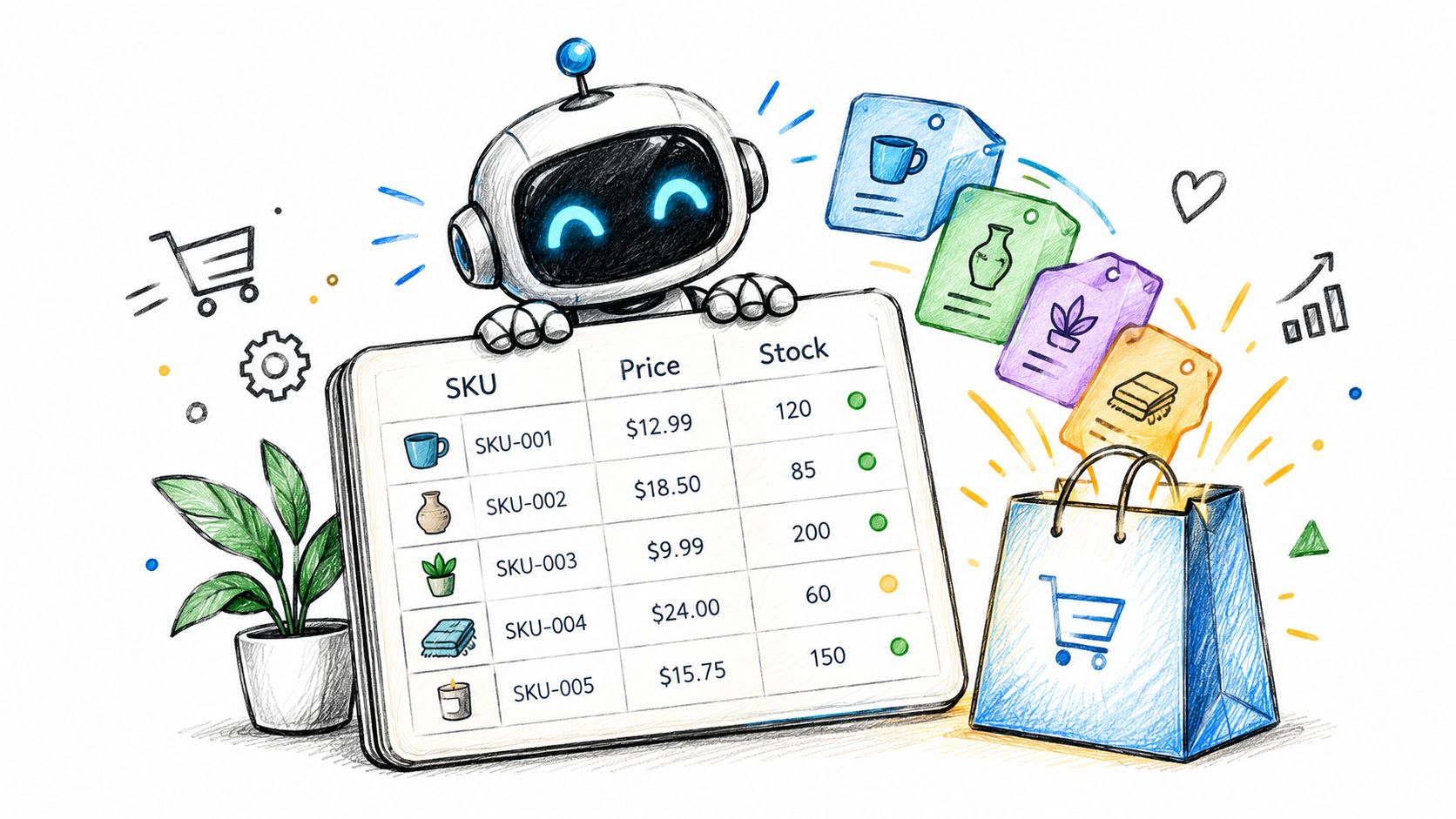
An agent comparing products needs clear attributes: variant availability, price in the buyer's currency, delivery conditions, returns policy, materials, and bundle contents. Keep those attributes in structured fields and feeds rather than burying essential qualifications in promotional copy.
Say a travel kit includes refillable containers but no liquid products. Record the included components explicitly. Otherwise, a shopper or automated assistant may interpret the lifestyle description as a promise about contents.
Sustainability claims need particular care. Specify what the claim applies to, retain supporting documentation, and require human approval before automated systems publish stronger wording. Don't let a rewriting tool turn a packaging claim into a claim about the entire product.
Agentable's explanation of how autonomous shopping agents use ecommerce sites offers useful context for reviewing what an agent may need to interpret or act on.
Assign ownership and limit automation
Give each important field a named owner and an update path. Inventory, price, delivery information, reviews, and policies should remain synchronized across the storefront and product feeds.
Separate permission to read product information from permission to change records or take actions. Require review for claims, policy changes, and other edits that could alter what you promise a customer.
Use this video as additional context when reviewing the emerging shopping workflow.
Traditional impression reporting may be unavailable for some AI-mediated journeys. Track identifiable qualified referrals, assisted conversions, and the margin associated with those orders without pretending attribution is complete.
Also record post-purchase corrections. If an order needs fixing because an assistant described compatibility, delivery, or bundle contents incorrectly, investigate which catalog field or interpretation caused the error. A referral that converts but creates a preventable correction isn't an unqualified success.
Tools for Running Merchandising Tests
Choose tools by the decisions they let you control and measure, not by the length of the feature list. A visually polished offer builder is insufficient if you can't distinguish eligible shoppers from exposed shoppers or export results for comparison.
Use a job-based checklist:
- Search and discovery: Check relevance tuning, synonyms, zero-result fixes, and filters that combine around actual buying attributes.
- Recommendations and bundles: Require exclusions for unavailable items, products already in the cart, incompatible variants, and repeated exposure.
- Cart drawers and thresholds: Check progress messaging, cost disclosure, compatible additions, and behavior when eligibility changes.
- Catalog and feed management: Inspect synchronization of availability, delivery promises, returns policies, and bundle contents.
- Experimentation and analytics: Require persistent assignment, randomized holdouts, and reporting by device, market, and customer type.
Distinguish placement tools from testing systems
Ask vendors whether their system can maintain a holdout and report incremental margin, or whether you'll need a separate experimentation and analysis workflow. Impression, conversion, and revenue reporting alone doesn't answer that question.
ServeApps is one practical option for the placement and operational controls, not a requirement. Our CartServe no-code cart drawer builder lets merchants match the layout and styling to their store. Our SelfServe app supports controlled post-purchase editing: merchants can permit new items or restrict customers to modifying existing items, and open or close editing for an individual order by adding or removing the selfserve_canedit tag.
Those permissions matter when fulfillment constraints make an otherwise useful offer unsafe. Merchants can reach our support team through the chat bubble in any ServeApps app opened in their Shopify admin.
Keep the stack small enough that someone can explain which system owns eligibility, presentation, assignment, and financial reporting.
Choose One Surface to Fix First
Make the next test narrow enough to interpret. Use the storefront table to identify the problem and the metrics table to define what would count as a worthwhile improvement.
- Pull a baseline. Choose a recent reporting period that represents normal trading. Collect each surface's metric alongside discounts, returns, and service activity, and flag unusual promotions or stock disruptions.
- Find the weakest handoff. Look for the point where shoppers stop progressing relative to the preceding surface. Compare with your own normal performance rather than an unrelated store's benchmark.
- Choose one change. Adjust a sort order, decision filter, cart threshold, or banner segment. Write down the customer problem and the expected effect before building it.
- Create a randomized holdout. Use the experimentation systems described in the tools checklist to compare the change with an unchanged experience, not merely with a previous trading period.
- Plan the sample before launch. Set the minimum worthwhile effect and calculate the required sample size. Run to that plan, then assess incremental contribution margin per eligible session rather than clicks.
- Keep or reverse the change. Retain it only when incremental margin remains positive after discounts, returns, and service costs. Otherwise, roll it back, document what you learned, and investigate the next weak surface.
ServeApps offers configurable cart experiences, contextual upsells, and merchant-controlled self-service order editing for Shopify stores. Visit ServeApps to explore tools for testing relevant offers while keeping post-purchase changes within your operating rules.
Order Confirmation Screen: What to Include and Templates
Learn what to include on an order confirmation screen, in what order, with tracking, cross-sell and support templates you can copy for your Shopify store.
Read more →
Best Up Sell App Picks for Shopify in 2026
Compare 10 Shopify up sell app options for 2026, with features, pricing, placements, and honest limitations to help you choose the right fit.
Read more →
Best Checkout Page: 7 Examples That Convert in 2026
Discover 7 best checkout page tools and examples for Shopify with pros, cons, and conversion tips to boost AOV without rebuilding checkout.
Read more →