
Personalized product recommendations improved conversion rates by up to 320% in 2024, according to Shno's compilation of e-commerce upselling and cross-selling research. That figure explains the appeal, and it can also mislead you. A recommendation doesn't earn its place because shoppers clicked it. It earns its place when the original purchase still completes, the added item fits, and profit remains after the discount, shipping, and any return. Cross sells and upsells work best as conditional offers, shown less often, ranked by compatibility, and switched off when they interrupt payment or a troubled order.
Table of Contents
- What Cross Sells and Upsells Add to an Order
- Cross Sell or Upsell for the Same Cart
- When an Offer Helps and When It Feels Like Pressure
- Where to Show the Offer Before Checkout
- Offers After Purchase That Still Ship Together
- How to Measure Incremental Order Value
- Three Offers You Can Copy This Week
- Launch One Offer and Keep It Only If Profit Holds
What Cross Sells and Upsells Add to an Order
A shopper puts a phone in the cart and picks a storage size. An upsell offers the higher-storage model, a better version of the same need at a higher price. A cross-sell offers a case or charger that works with that phone. The case doesn't replace the phone, it completes it.
That distinction decides whether average order value really rises. The extra dollars count only when they're incremental, meaning the shopper still completes the original purchase and the added item isn't a discounted replacement for something they'd already chosen. If you discount the phone to move them to a model they wanted anyway, order value may look higher while margin falls.
What the personalization benchmark can tell you
McKinsey's 2021 Next in Personalization research found that companies growing faster than their peers generated 40% more revenue from personalization than slower-growing companies. The same research reported personalization typically produced a 10 to 15% revenue lift, with results ranging from 5% to 25%, and estimated that moving businesses across U.S. industries to top-quartile personalization performance could create more than $1 trillion in value.
Read that range carefully. It covers personalization as a whole, including recommendations, triggered messages, and customized content. It doesn't promise that one popup adds 10% to revenue.
An offer has not added value until the original order survives and the extra revenue survives its costs.
Bundles follow the same test. A kit that replaces a single bottle is an upsell, while a kit that adds a second useful product is a cross-sell. If you're mapping bundles across a catalog, Up North Media walks through how to grow revenue with product bundles as part of a wider order-value strategy.
Your practical decision has three parts. Pick the right offer type, place it where shoppers can judge it, and choose one number that proves it paid. The rest of this guide builds those three choices in order, because showing more offers on more pages is the fastest way to lose the signal.
Cross Sell or Upsell for the Same Cart
| Question | Cross-sell | Upsell |
|---|---|---|
| What is added | A different product that completes the use | A higher-value version, bundle, or quantity of the same need |
| Shopper job | Finish the outfit, refill, or setup | Get a better fit for the job already chosen |
| Price framing | Small incentive on the added item | The gap to the better option, not a cheaper substitute |
| Best moment | Cart or after purchase once compatibility is known | Product page while the variant is still open |
| Main risk | An unrelated also-bought that wastes attention | Pressure, or a substitute that restarts the choice |
| Primary metric | Items per order and incremental revenue | Average order value after the discount |
Use the table before you think about pages or discounts. Classify the product pair first, because a well-designed popup can't fix a pair that belongs in neither column. Many catalogs blur the line with bundles, quantity breaks, and alternatives that look helpful but reopen a settled decision.
Bundles that replace and bundles that add
Say a shopper picks a single bottle of shampoo. A kit containing a larger bottle and conditioner, sold instead of that single bottle, behaves as an upsell. The shopper is still solving the original hair-care job, but at a higher price and with more commitment.
Now change the offer. The shopper keeps the shampoo and adds a travel cap or a scalp brush. That's a cross-sell, because the original product stays in the cart and a compatible second SKU joins it. The label follows what happens to the first item, not whether you call the promotion a bundle.
- Original item stays: Treat it as a cross-sell and prove compatibility.
- Original item is replaced by a better version: Treat it as an upsell and make the price gap easy to judge.
- Original item is replaced by a different choice: Don't label it either way until you know the shopper is still comparing.
Quantity breaks and substitutes
A quantity break, such as buy two and save, is an upsell of commitment. The product doesn't change, the amount does. Judge it by margin after the discount and by whether the shopper would have bought the second unit at full price soon anyway.
A substitute is trickier. If a shopper has selected a dress in a specific size and cut, showing another dress in a different cut doesn't complete the purchase. It restarts it. That recommendation may belong on a collection page, where comparison is the job, but it usually doesn't belong in the cart.
Working rule: If the original item stays and a compatible second item joins it, it's a cross-sell. If the shopper moves to a higher-value version of the same need, it's an upsell.
Before you choose a page, take one live product and write both versions. Name one product that completes it and one version that upgrades it. If you can't name both without stretching, your catalog may only support one of them, and that's useful to know before you build anything.
When an Offer Helps and When It Feels Like Pressure
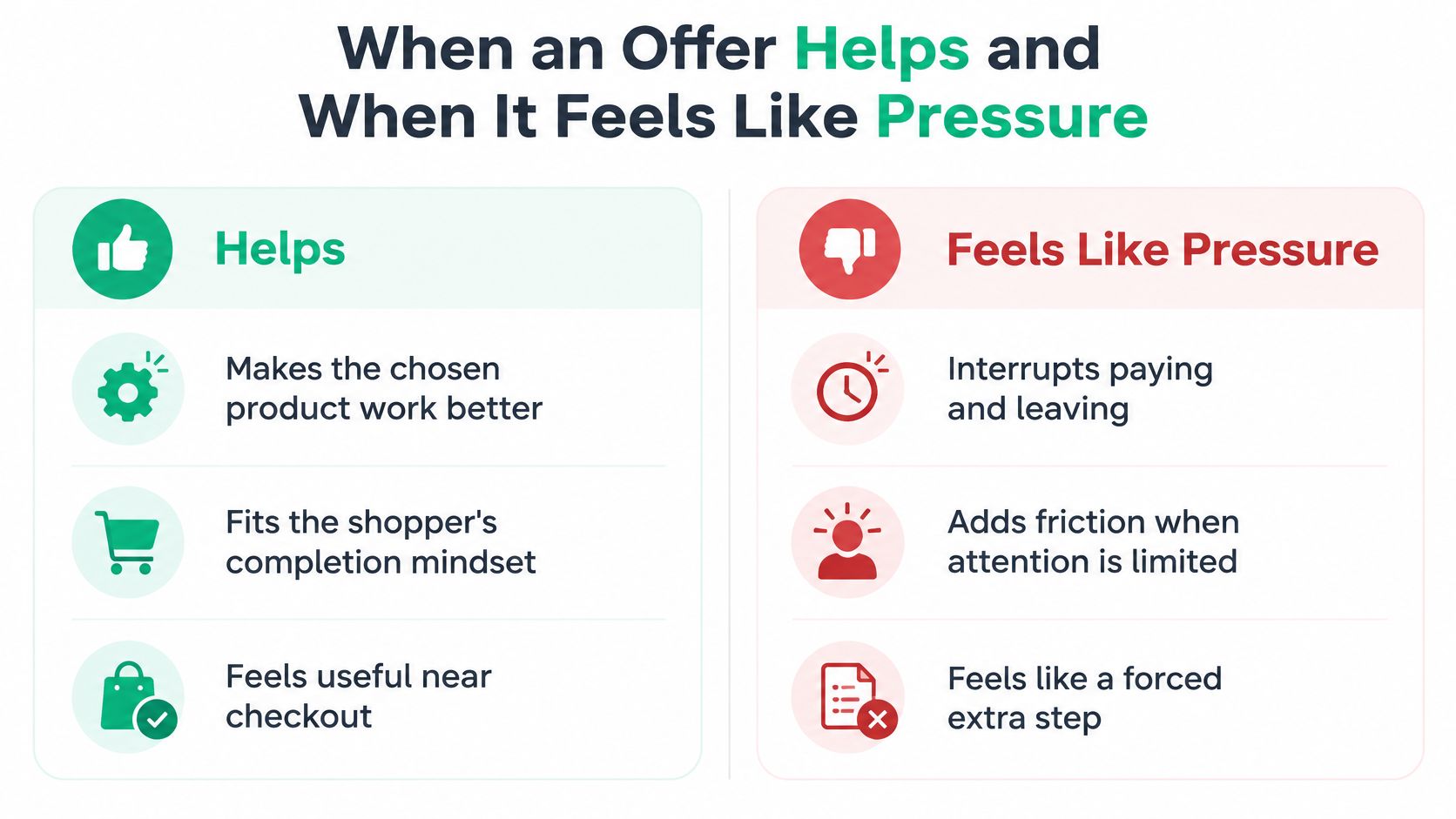
Near checkout, a shopper isn't browsing. They're trying to pay, confirm details, and leave. An offer at that moment has to earn the interruption by making the chosen product work better, not by asking the shopper to start a new decision.
That's why the trust gap matters. 50% of global shoppers say personalization often feels like upselling in disguise, while 45% say brands perform personalization poorly, according to consumer evidence reported by Marketing Interactive. The same report cites Adobe's 2025 retail research, where 87% of consumers expect responsible and secure data handling but only 46% believe brands meet that standard.
The chart below separates a recommendation shoppers can use from one that competes with paying.
Four rules shoppers can feel
- Say why it's suggested: Write the reason in plain language, such as fits the model in your cart.
- Don't infer sensitive traits: Use cart contents and product context, not unexpected guesses about the person.
- Cap repeat views: Don't bring the same offer back on every page after a shopper dismisses it.
- Make dismissal real: Let shoppers close the offer and continue without a penalty or a second prompt.
A case shown for the exact phone in the cart passes those rules. A countdown implying the order will fail if the shopper declines an accessory doesn't. The first helps the shopper use what they chose, the second borrows urgency from a purchase that was already working.
Watch trust beside revenue
Revenue alone won't show you the damage. Track dismissals, refunds of the added item, complaints, unsubscribes, and support contacts beside attach rate. Then check whether those customers buy again.
Sometimes the quieter store wins. When the reason for a recommendation is opaque, or the moment is focused on completing a task, showing fewer cross sells and upsells can protect repeat purchases and raise long-term value. Pressure may lift one order and cost you the next three.
Where to Show the Offer Before Checkout
| Page | Offer that fits | Do not show | Judge it by |
|---|---|---|---|
| Product page | Upgrade, larger size, or a bundle of the item being viewed | Unrelated bestsellers | Attach rate without a drop in add-to-cart |
| Cart drawer | One compatible accessory or a clear spend-tier add | A substitute that reopens the variant choice | Average order value and cart completion |
| Checkout | One skippable add with verified stock and price | A forced extra step before payment | Checkout completion and incremental revenue |
| Any of these | Nothing, if compatibility or inventory is unknown | A popular item from another category | Revenue per session, not clicks alone |
Placement fails most often on relevance, not design. Baymard's benchmark of 344 ecommerce sites found that 52% of desktop sites presented cart or add-to-cart recommendations that were either completely irrelevant or based only on what other customers purchased. In large-scale checkout testing, users often dismissed recommendations when the relationship to the current purchase was unclear, and even one questionable recommendation could reduce engagement with cross-sells across the site.
The flow below puts that ranking decision before placement, so popularity doesn't outrank fit.
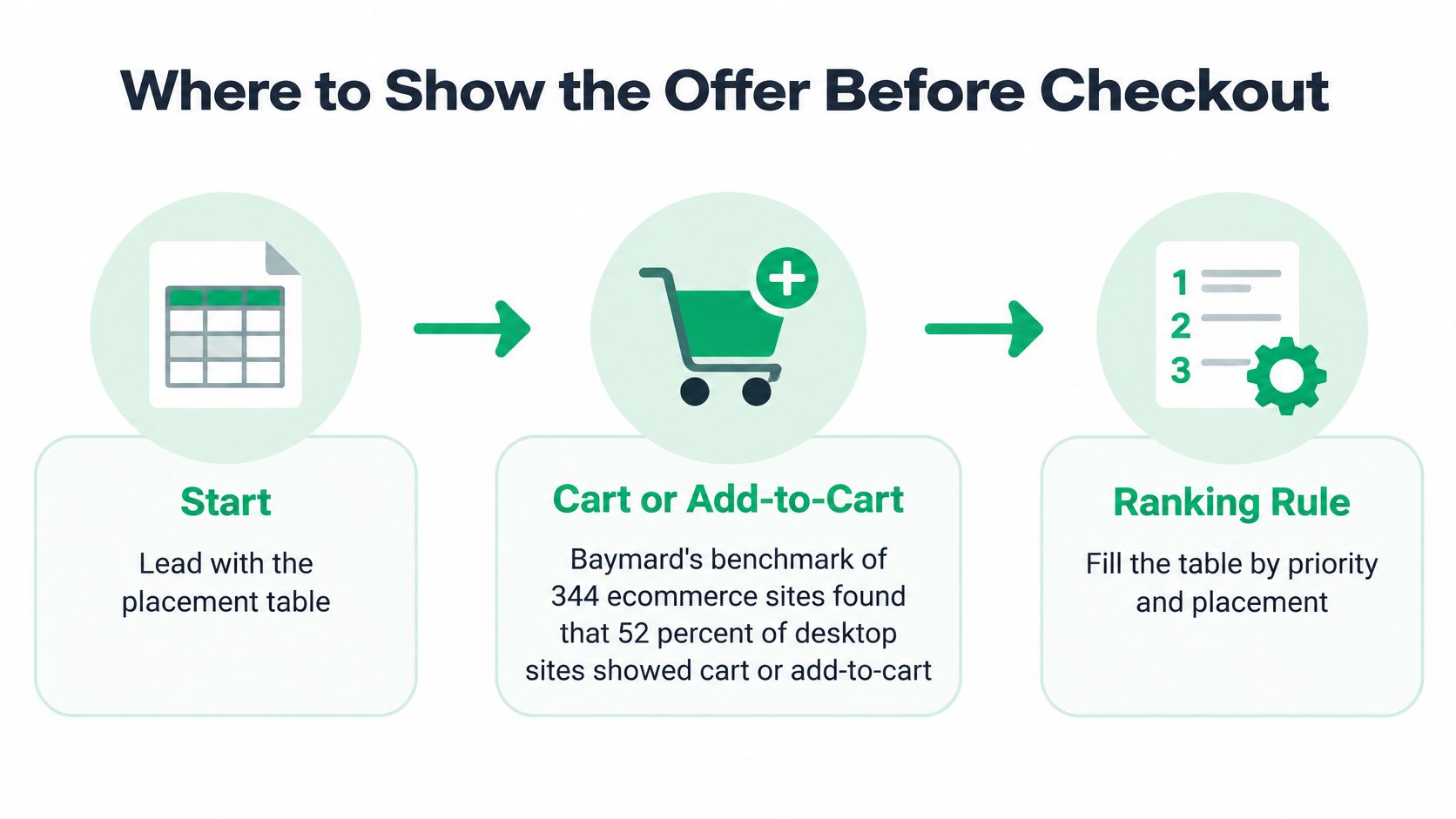
Rank compatibility before popularity
Start with hard rules. A case must fit the selected device, a refill must match the consumable, and an accessory must match the chosen product type. Only after those rules pass should purchase history or bestseller status influence the order.
Many stores go wrong with related items. Our guide to related products in Shopify covers how those modules choose products, which helps you separate a similar product from a complementary one. Similar isn't the same as compatible.
- Product page: Offer the upgrade or true bundle while the variant is still open.
- Cart drawer: Offer one compatible add or a spend-tier goal the shopper can ignore.
- Checkout: Prefer a skippable one-click add over any interstitial that blocks payment.
When to suppress the offer
Suppress an offer when you can't verify compatibility, stock, market availability, currency, or subscription eligibility. Don't fill the space with a popular product from another category. An empty slot costs you nothing, while a wrong recommendation teaches shoppers to ignore every future suggestion.
Keep checkout offers subordinate to completing payment. On Shopify, checkout-level upsells require Shopify Plus, so most stores should test the product page or cart first. Pick one page for your first test, not all three, or you won't know which placement helped or hurt.
Offers After Purchase That Still Ship Together
Once checkout is complete, customers are focused on their order: its address, delivery, and whether they chose the right size. A useful post-purchase offer should support that order, not turn a service interaction into an unexpected sales pitch.
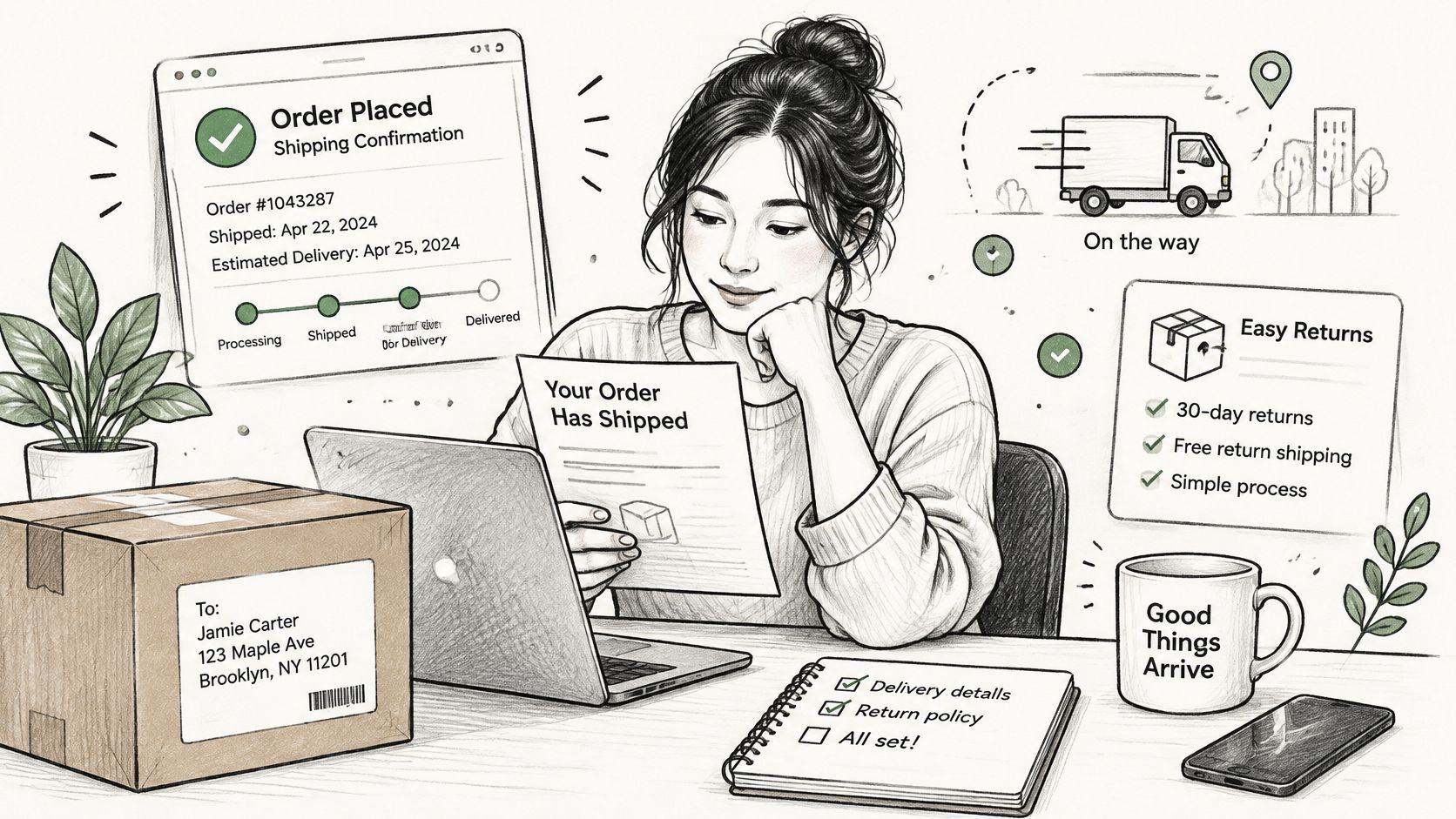
Returns are part of this service context. FedEx's 2025 consumer research reports that 87% consider easy and convenient returns among the most important buying factors. Many retailers handle returns through digital portals, making self-service after purchase a familiar expectation.
Protect the original order first
Choose an add-on that fits the original item and can ship in the same parcel. Before showing it, check that the product is in stock, shares the delivery window, and meets the customer's return terms. If it requires another shipment, added shipping costs and a second delivery promise can erase the margin and create confusion.
An order edit can be a natural moment for a relevant suggestion because the customer has already chosen to change something. For example, if they switch sizes and the merchant's rules allow edits, a compatible accessory could be offered with a one-click add. The added item should not make the original change harder or introduce an unclear charge. See how this interaction can appear on an order confirmation screen.
The video below shows the post-purchase window after payment, when an order-related offer can still fit the customer's task.
Suppress offers on troubled orders
- Address correction in progress: Resolve the delivery details first.
- Payment failure or unpaid difference: Avoid adding another charge while payment is unresolved.
- Delayed fulfillment: A sales prompt can feel dismissive when an order is already late.
- Open complaint: Address the complaint before suggesting another purchase.
Judge the offer by whether it preserves the original order and adds profit after shipping, returns, and support costs. Track retained original orders, exchange completion, margin after extra shipping, return rate of the added item, and new support contacts. A static thank-you page offer cannot account for the order's changing operational state. If the order is in trouble, suppress the offer.
How to Measure Incremental Order Value
Impressions and raw popup conversion aren't a score. A high attach rate can lose money once you count the discount, extra shipping, returns, and a full-price item the shopper would've bought anyway. You need a comparison group and a profit calculation, not a click count.
| Metric | What it shows | Why it is not enough | Keep the offer if |
|---|---|---|---|
| Impressions | How often the offer rendered | Says nothing about profit or friction | Never on this number alone |
| Attach or conversion rate | Share of viewers who added it | Ignores discount cost and cannibalization | It holds after a holdout, not before |
| Incremental revenue per eligible session | Treated sessions versus holdout | Needs a full sales cycle | Treatment beats holdout on contribution |
| Checkout or order completion | Whether the original purchase survived | A revenue spike can hide drop-off | Completion is flat or higher |
| Refund rate of the added item | Whether the add was a mistake | Revenue looks fine until the return | Returns stay near the catalog baseline |
| Support contacts | Tickets caused by the offer or the edit | Invisible in store revenue reports | Contacts do not rise with the offer |
Build the holdout
Define incremental revenue per eligible session as revenue from shoppers who could see the offer minus revenue from a holdout group who met the same eligibility rules and saw no offer. Randomize eligible shoppers, keep the rules identical across control and treatment, and read the result over a full sales cycle with a confidence interval.
Eligibility should use first-party context you can verify. That includes cart contents, variant, order value, customer history, geography, currency, inventory, and subscription status. If those inputs differ between groups, you're measuring targeting, not the offer.
Keep the offer only if contribution after discounts and refunds is positive and completion did not fall.
Turn revenue into profit
Use a simple chain. Start with incremental revenue, apply your contribution margin, then subtract discount cost, shipping, and refunds of the added item. What's left is the number that decides whether cross sells and upsells paid for themselves on your store.
For context on the order-value side of that math, our breakdown of Shopify average order value shows how the denominator moves when order count changes. Average order value can rise while total profit falls if fewer shoppers complete checkout.
McKinsey's personalization research reports personalization most often produces a 10 to 15% revenue lift, with observed company-specific results spanning 5 to 25%. Treat that as a program benchmark across many personalization activities, not a target for one test. Your holdout result, read beside checkout completion, refund rate, and support contacts, is the evidence that counts.
Three Offers You Can Copy This Week
A skincare size upgrade on the product page
A shopper is viewing a 30 ml serum. Offer the 100 ml size beside it and show the price per millilitre for both, so the upgrade is a value comparison the shopper can check. There's no countdown and no warning that the smaller size won't be enough.
The kill switch is stock. If the 100 ml size is unavailable, or the 30 ml is the only size you can ship to that market, suppress the comparison. Judge it after two to four weeks by incremental revenue per eligible session, because a higher attach rate on a discounted large size can still lose margin.
A fitted case in the cart drawer
A shopper has chosen a specific phone variant. In the cart, offer only the case that fits that model, with the reason written in the offer and a modest discount on the case alone. Don't offer a different phone, a tablet case, or your bestselling charger for another connector.
Copy the suppress rule with the product pair. Copying the pair alone recreates the irrelevant also-bought problem.
Judge this one by cart completion beside average order value. If shoppers add cases but fewer finish checkout, the drawer is competing with payment and the offer should move earlier or disappear.
A matching add during a size change
A customer has placed an apparel order and opens an allowed edit to change a size. While that change is in progress, suggest a matching belt or care kit that ships in the same parcel, added in one click with no second checkout. The customer is already fixing the order, so a compatible addition fits the task.
Suppress it if the address is being corrected or payment for the size difference failed. Judge it by retained original orders and the return rate of the added item. Those two numbers tell you whether the offer helped the order or created a second problem.
Launch One Offer and Keep It Only If Profit Holds
Launch one offer, not a stack. Choose the page where compatibility is easiest to prove, usually a cart accessory with a known fit or a post-purchase add that ships with the original order. Write the reason into the offer, cap repeat views, and set a percent or fixed discount the shopper sees when they add the item.
Match the tool to the page
On Shopify, the surface decides the tool. A cart drawer goal or an add-to-cart popup fits the cart, while an order-edit add fits the after-purchase case. Checkout-level offers depend on Shopify Plus, so don't plan your first test there unless you're on that plan.
- Cart test: One compatible accessory or a spend-tier goal.
- Product page test: One size or version upgrade with the price gap shown.
- Post-purchase test: One item that ships in the same parcel during an allowed edit.
That last case has real evidence behind it. Emma & Noah generated $3,991 in additional revenue from 2,234 upsell conversions and 118 self-service order edits through SelfServe. A relevant product recommendation made during order editing also converts at 3 to 5x the rate of a static thank-you page upsell, because the customer is already engaged with the order.
Set the kill rule before you launch
Run the offer for two to four weeks against your holdout and read the single metric you chose for that page. Each UpServe popup reports its own impressions, add-to-carts, conversions, conversion rate, and revenue over time, which makes that comparison easier to run per offer rather than per store.
Turn the offer off if checkout completion falls or the added item's refund rate rises above your catalog baseline. Don't rescue it with a deeper discount. A deeper discount on a mistimed offer usually buys more of the wrong behavior, and the next test should fix fit or placement first. Find the ServeApps app that matches your chosen page and start with the smallest version you can measure cleanly.
Start with the page where you can prove fit, then let ServeApps handle the offer plumbing, from add-to-cart popups and cart drawers to post-purchase adds inside order editing. You'll see per-offer results clearly enough to keep the cross sells and upsells that hold profit and switch off the ones that don't. Visit ServeApps to pick the app for your chosen page and launch your first measured offer this week.
Shopify Store Credits: Issuing, Redeeming and Accounting
Learn what Shopify store credits are, how they differ from gift cards and refunds, and how to issue, redeem and account for them.
Read more →
Can You Have Multiple Stores on Shopify? Plans and Limits
Can you have multiple stores on Shopify? Yes, through organizations or Plus expansion stores. Compare plan limits, eligibility and setup tips.
Read more →
Product Customizer App Shopify: Choosing the Right Tool
Compare native and third-party product customizer app shopify options on speed, theme support, variant mapping and SKUs before you install one.
Read more →