
Yes, you can have multiple stores on Shopify, but your plan decides the route: organization grouping on non-Plus plans, expansion stores on Plus, or separate Plus subscriptions for distinctly different brands. The standard Plus expansion-store arrangement covers 10 stores total, but that doesn't mean those storefronts share an operating system for products, inventory, or orders.
The counterintuitive part is that international growth might not require another store at all. Shopify Markets can handle regional selling within an existing storefront, so the important question isn't whether you can add a store. It's whether the operational separation is worth maintaining.
Table of Contents
- Yes, Multiple Stores Work, and Your Plan Sets the Rules
- What Stays Separate and How to Run It
- Limits and Eligibility for Plus Expansion Stores
- Multiple Stores or Shopify Markets, Which to Choose
- Worked Example of One Brand Across Two Stores
- Confirm Your Plan Before Adding a Second Store
Yes, Multiple Stores Work, and Your Plan Sets the Rules
Yes, one owner can operate several Shopify stores, but your plan determines how you organize them. Organization grouping, Plus expansion stores, multi-brand Plus agreements, and standalone accounts solve different administrative problems.
For non-Plus merchants, Shopify's store-grouping documentation specifies no particular store limit, provided stores have the same owner and billing currency, and requires at least two stores to create an organization through grouping. That billing requirement concerns what Shopify bills your business in, not the currency shoppers see.
Multi-store routes on Shopify by plan
| Model | Store limit | Requirements | Best fit |
|---|---|---|---|
| Organization grouping (non-Plus) | No specific limit | Same owner and billing currency; at least two stores | Separate markets or brands under one owner |
| Plus expansion stores | Standard contract's included-store allowance | Same contract; consistent branding; same types of goods; USD or INR billing | Extending one brand internationally or to new locations |
| Multi-brand Plus agreement | Separate Plus subscription for each brand | Contract structure for genuinely different brands | Brands with different identities |
| Separate standalone accounts | Each account's subscription and eligibility rules | Independently administered accounts without organization-level shared users or billing | Unrelated businesses or ownership |
Grouping is an administration choice, not a promise of shared operations. You still need a reason for customers and staff to use distinct storefronts.
For example, a different advertising story doesn't automatically justify a separate store. If you're testing educational landing pages for the same catalog, an advertorial builder for DTC brands from Landra is a resource to evaluate before adding another storefront's operational workload.
Before choosing a route: Write down your current plan, store ownership, billing currency, and whether the proposed storefront represents the same brand.
Those answers establish which options are available before you start planning themes, apps, and launch dates.
What Stays Separate and How to Run It
Think of a franchise: head office manages staff access and commercial administration, while each location stocks its own shelves. A Shopify organization provides that administrative layer, but it doesn't turn separate stores into a shared catalog or order database.
Use this diagram to distinguish the head-office responsibilities from the work each storefront needs.
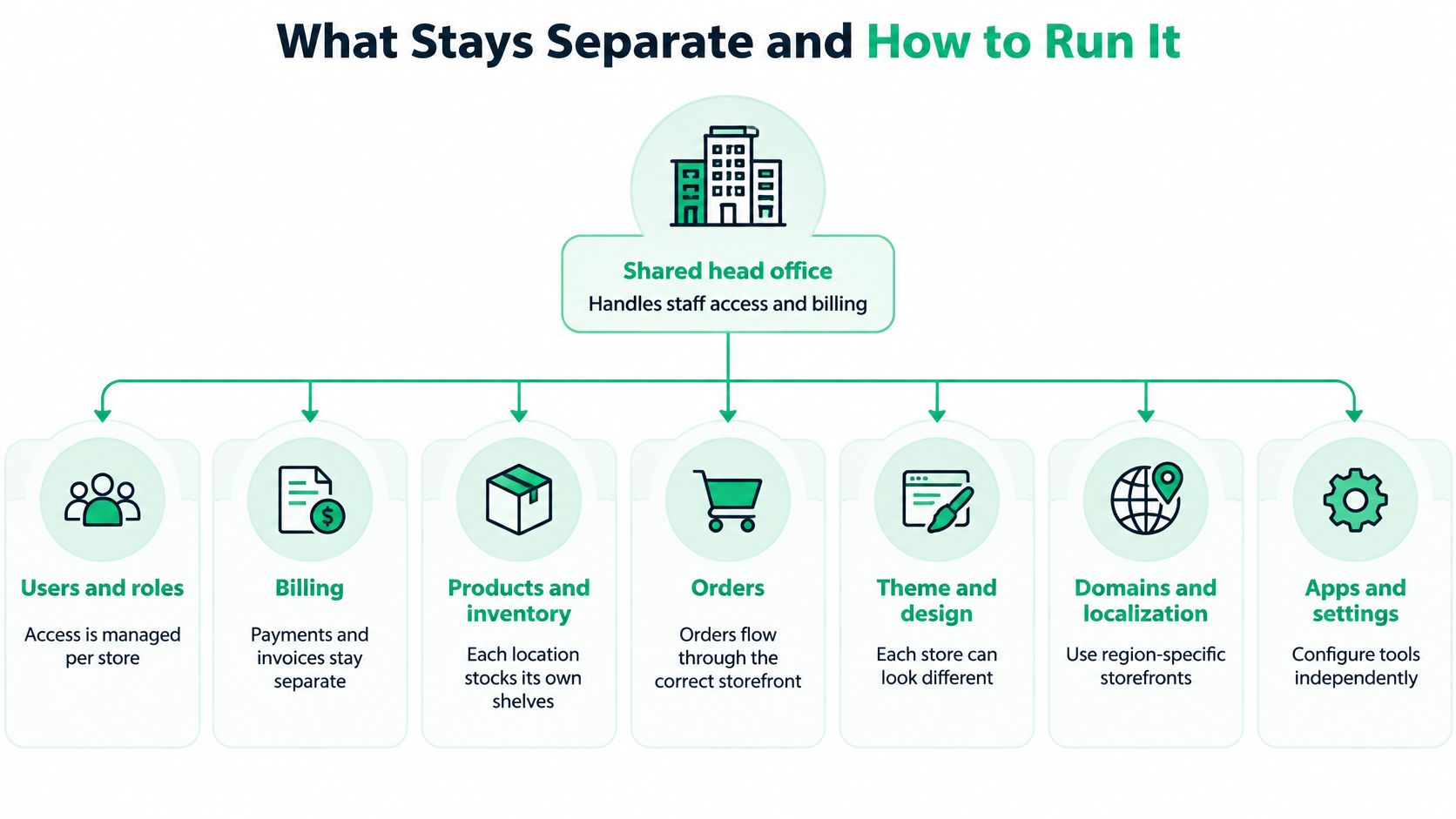
Shopify's organization-permissions guidance explains how organization roles provide access to selected stores. Shared users don't mean shared products or settings, and permissions need reviewing store by store after grouping.
What is shared and what stays separate
| Area | Shared at organization level | Separate per store |
|---|---|---|
| Users and roles | Organization users assigned to selected stores | Store permissions reviewed after grouping |
| Billing | Centralized organization billing where supported | Subscriptions and app costs can differ |
| Products and catalog | Not synchronized by default | Each store has its own products |
| Inventory | Not synchronized by default | Each store has its own inventory settings |
| Themes and domains | Not shared automatically | Each store has its own theme and domain |
| Orders and customers | Not merged automatically | Each store keeps its own records |
| Analytics | Not combined by default | Each store reports its own activity |
The distinction matters during routine merchandising. Changing a price or collection in a storefront doesn't, by default, update its counterpart elsewhere.
Give each workflow a source of truth
Maintain a master SKU list for product identity, variant structure, and core attributes. Let stores vary approved fields, such as localized descriptions and prices, rather than allowing teams to create incompatible versions of the same item.
For inventory, choose an ERP, inventory platform, or controlled stock file as the authority. Document which system publishes availability, how frequently it updates, and what happens when a synchronization fails. Don't let staff independently overwrite stock figures in competing systems.
Route orders deliberately. Define shipping zones, fulfillment locations, and order tags so warehouse staff can identify the correct workflow without interpreting storefront names. For customer support, make the store of purchase visible before an agent searches for an order.
Build a combined reporting view with consistent currency treatment and metric definitions. Exclude internal stock transfers from sales totals, and distinguish customers who bought from several stores from genuinely new customers.
Treat setup as repeatable work
For naming and storefront identity changes, use a controlled checklist, including this guide to changing a Shopify store name. Record the public name, domain, and internal operational label separately so staff don't confuse branding changes with store ownership or routing.
Install and configure apps for each intended store. Merchants must have an active Shopify store and grant the API access scopes an app requests; an installation elsewhere isn't a substitute for that store's setup.
Use the following video alongside a hands-on review of your own store configuration.
Before launch, complete these checks:
- Access: Assign a named operations owner and verify each staff member's permissions.
- Dependencies: Log every app, integration, recurring charge, and manual handoff.
- Synchronization: Mark each operational area as independent, manually synchronized, or externally synchronized.
- Failure handling: Name the person who investigates stale stock, missing orders, or rejected product updates.
Limits and Eligibility for Plus Expansion Stores
Expansion stores are additional myshopify.com stores under the same organization and Plus contract. They're intended for uses such as internationalization, separate physical locations, and related brand extensions, rather than unrestricted inclusion of unrelated businesses.
Under Shopify's expansion-store requirements, the standard arrangement includes a maximum of 10 stores without additional expansion-store charges: one main store plus nine expansion stores, excluding staging stores; merchants needing more must contact Shopify Support.
Check eligibility before committing
Test each proposed expansion store against the standard requirements:
- Brand relationship: Does it extend the main brand?
- Branding: Will it use consistent branding?
- Product category: Will it sell the same types of goods or services?
- Billing: Will it use USD or INR billing currency under the standard-contract requirements?
A related regional storefront and a genuinely different brand aren't interchangeable. A business operating unrelated brands may need a multi-brand agreement with separate Plus subscriptions, rather than treating every brand as an included expansion.
A qualifying store can still have localized pricing, language, and merchandising. Consistent branding doesn't require identical homepages, but your planned differences should support the brand relationship rather than contradict it.
Included expansion-store access isn't the same as an all-inclusive operating budget.
Price the proposed store by listing its theme work, domain, apps, integrations, content maintenance, and staffing. App subscriptions and other store-level expenses can remain even when the contract includes the expansion store itself.
Before committing to Plus for a portfolio, prepare a short eligibility sheet for every candidate storefront. Include its brand relationship, goods or services, billing setup, operating team, and intended purpose. Resolve uncertain eligibility before purchasing services or building integrations around an assumed contract structure.
Multiple Stores or Shopify Markets, Which to Choose
For international growth, one store with Shopify Markets is often the better starting point. It can avoid duplicated administration when the requirement is localization, not independent operations.
Shopify's international-selling guidance describes managing markets with localized pricing, currencies, duties, taxes, and regional experiences within a store. It also recognizes that businesses with globally dispersed teams may prefer separate stores.
Shopify Markets or separate stores by criterion
Treat these as operational signals, not automatic legal or payment eligibility rules.
| Criterion | One store with Markets | Separate stores |
|---|---|---|
| Catalog | Shared catalog with regional pricing and content | Materially different products or storefront content |
| Legal entity | Suitable when operating ownership can remain centralized | Consider when local entities need independent storefront ownership |
| Fulfillment | Central team manages regional fulfillment settings | Local teams independently manage warehouses and routing |
| Payment setup | Payment configuration managed within the existing store | Each store's setup requires its own review |
| Team autonomy | Central team manages markets | Local teams operate independently |
| Reporting | Reporting stays within the store | Per-store results need a combined reporting process |
A warehouse in another country doesn't automatically require another storefront. Ask whether the warehouse needs different operational ownership or the correct fulfillment configuration.
Likewise, don't assume an additional legal entity always requires another store. Confirm the legal, payment, and settlement requirements for your specific business before choosing the architecture.
For a localization-first approach, use this guide to selling internationally on Shopify without breaking the bank to structure the cost review. Compare the work needed to configure Markets against the recurring work needed to maintain another storefront.
Don't create another store yet if these apply
- Markets solves the problem: Your differences concern pricing, language, or regional presentation.
- Nobody owns operations: There's no accountable person for merchandising, support, and maintenance.
- Data can't stay aligned: You haven't established a reliable product and inventory workflow.
- Maintenance exceeds capacity: Staff can't keep separate storefront settings accurate.
- Reversal would be expensive: Future order or customer migration would outweigh the immediate benefit.
Migration deserves particular attention. If you might later consolidate stores, identify which customer records, order histories, integrations, and reporting definitions would need reconciliation.
Choose the setup that minimizes duplicated operations, unless catalog differences, operating ownership, or team autonomy provide a clear reason to separate.
Worked Example of One Brand Across Two Stores
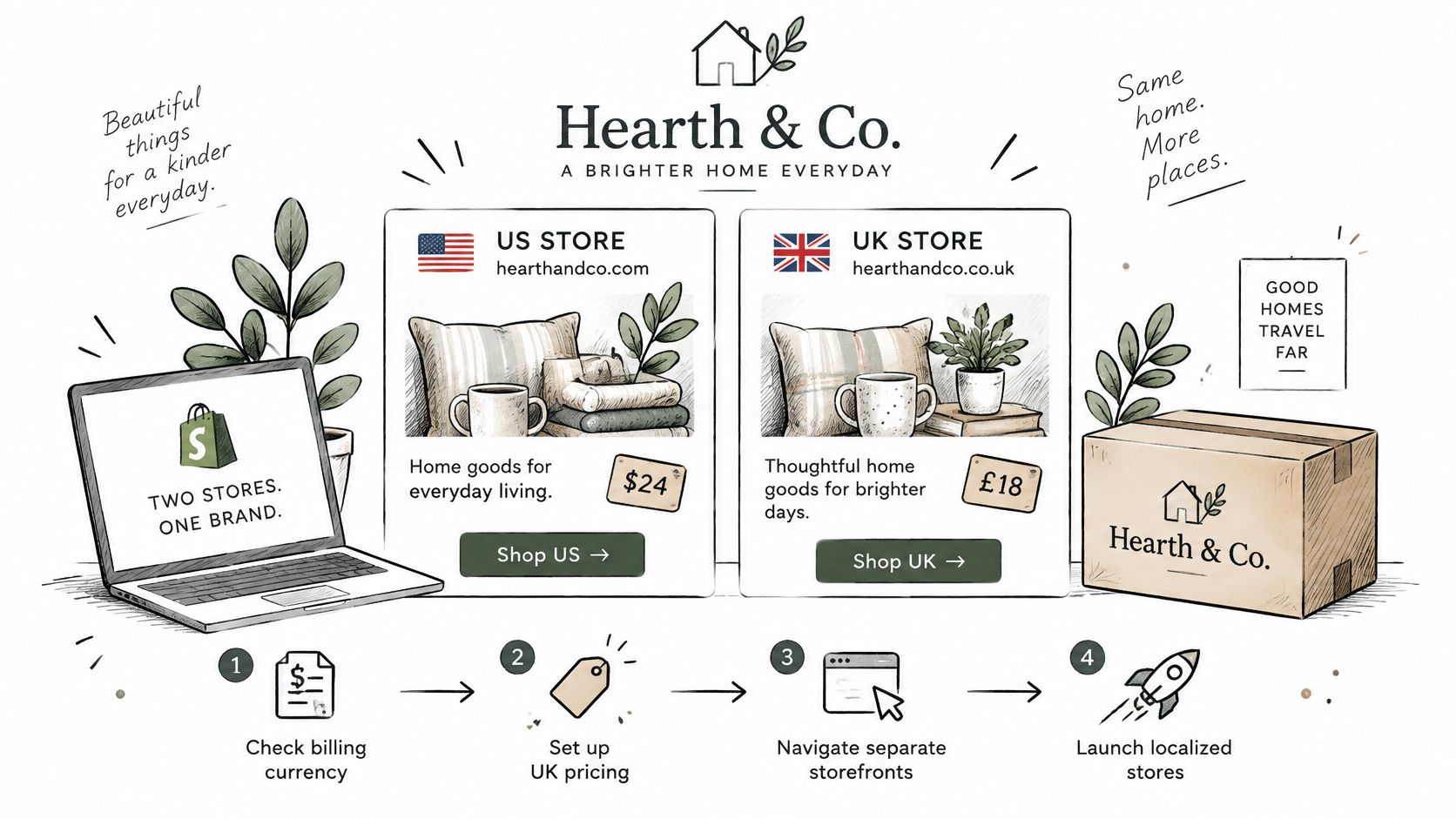
Consider a fictional home-goods brand that mainly serves US shoppers and wants a UK-focused storefront priced in pounds. The founder initially assumes that a British domain and local pricing require another Shopify store.
The regional layout below represents the proposed storefront separation, not a recommendation to implement it.
Separate billing from shopper currency
The operations manager first checks billing currency, rather than the currency displayed to buyers. If the proposed non-Plus stores would be billed in different currencies, they wouldn't qualify for organization grouping together. Showing prices in pounds doesn't itself establish that the store must be billed in pounds.
Next, the team compares the catalogs. The UK proposal uses the same products, with regional prices, content, and duties, so the team tests Markets before creating another store.
For an illustrative planning exercise only, suppose maintaining 1,200 SKUs across two storefronts would require an estimated 40 hours of manual synchronization each month. Those figures are hypothetical workload assumptions, not measured results or a promised saving.
A second storefront needs an operational reason, not just a different currency symbol.
The case changes if a UK team takes independent responsibility for content and fulfillment under its own operating structure. At that point, the brand would design product-data ownership, stock synchronization, and order routing before launch.
In this scenario, the brand keeps its catalog within Markets. It revisits separation when the UK team needs independent fulfillment ownership, rather than creating that workload in anticipation of a need that hasn't arrived.
Confirm Your Plan Before Adding a Second Store
Turn the decision into a launch review with written answers. You don't need a complicated architecture document, but you do need agreement between the people responsible for merchandising, finance, fulfillment, and support.
Confirm your current plan and available route. Establish whether you're evaluating non-Plus grouping, an eligible Plus expansion, or a different contract arrangement. Use the Shopify Plus versus Shopify comparison to frame the plan discussion around operating requirements rather than prestige.
Validate billing and brand eligibility. Record the proposed billing currency and explain how the storefront relates to the existing business. Don't substitute shopper-facing currency or a shared company name for a proper eligibility check.
Map operational ownership. Assign a source of truth for catalog and inventory, then document access, billing, themes, customer records, orders, and reporting. Give every integration a failure owner, not just an installation owner.
Test Markets against the actual requirements. Specify what the existing store cannot reasonably accommodate. If the answer is only localized presentation, complete that configuration review before approving another storefront.
Prepare apps and staff access before launch. Check installations, requested permissions, fulfillment behavior, and reporting with test orders. Include cancellations and customer changes in testing, not just successful purchases.
For per-store order self-service, configurable cart drawers, and popup upsells, our SelfServe, CartServe, and UpServe apps install from the Shopify App Store and work alone or together.
Start with your plan check this week, then bring the completed eligibility and ownership notes to a short planning review. Approve the additional store only when the team can explain both why it needs separation and who will maintain it.
We build Shopify apps for customer self-service order changes, configurable cart drawers, and popup upsells. Visit ServeApps to evaluate the tools your chosen storefront setup needs, and use the chat bubble inside any of our apps in your Shopify admin if you need setup support.
Shopify Store Credits: Issuing, Redeeming and Accounting
Learn what Shopify store credits are, how they differ from gift cards and refunds, and how to issue, redeem and account for them.
Read more →
Product Customizer App Shopify: Choosing the Right Tool
Compare native and third-party product customizer app shopify options on speed, theme support, variant mapping and SKUs before you install one.
Read more →
What Is a Partial Refund? How It Works on Shopify
Find out what is a partial refund, how Shopify calculates it, when to issue one, and how it affects inventory, taxes and payouts.
Read more →