
A partial refund returns only part of the money paid for an order, while the rest of the sale stays valid and the refund normally goes back to the original payment method.
You might be looking at a customer's message right now: they want to return one product, switch to a cheaper variant, or keep something that arrived with a minor defect. Canceling everything would undo more than necessary, but changing the order total alone won't explain what happens to the money.
The useful way to understand a partial refund is as a running balance against an existing payment. That distinction helps you calculate the amount, preserve the remaining sale, and give the customer a figure they can check.
Table of Contents
- What a Partial Refund Means Next to Other Order Changes
- How Shopify Calculates and Records a Partial Refund
- Everyday Situations That Call for a Partial Refund
- When a Partial Refund Is Required or Just a Goodwill Gesture
- How Partial Refunds Affect Inventory, Taxes and Payouts
- Handle Partial Refunds Safely and Set the Rules First
What a Partial Refund Means Next to Other Order Changes
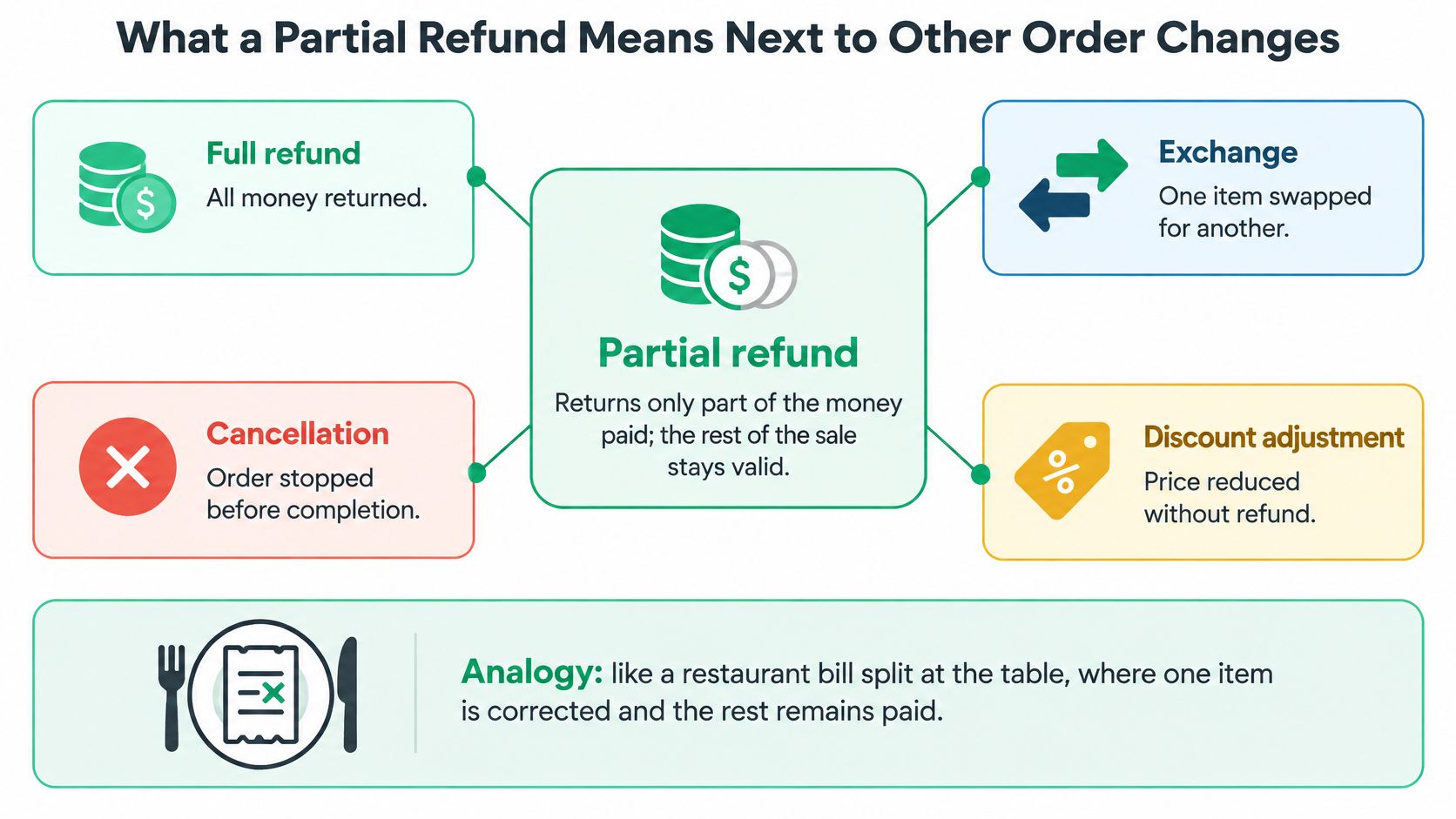
A partial refund reverses part of a payment without reversing the entire sale. It doesn't, by itself, tell you whether the customer returned an item, kept it, or changed the order.
Think of a restaurant table where a diner sends back a dish. The restaurant corrects that part of the bill, but everyone else's meal remains paid. The correction belongs to the original bill rather than becoming an unrelated payment.
Partial Refund Compared With Other Order Changes
| Action | What changes | Money movement | Order status |
|---|---|---|---|
| Partial refund | Part of the paid amount returned; the rest of the sale stays valid | Reversed in part to the original payment method | Partially refunded |
| Full refund | Entire paid amount returned | Reversed in full to the original payment method | Refunded |
| Cancellation | Order ends and unfulfilled items are released | Full reversal or void when payment requires it | Cancelled |
| Store credit | Balance added to the customer account | No money returned to the card | Original payment status remains unless separately changed |
| Price edit | Item price changed before or after payment | No refund by itself; difference must be collected or credited separately | Updated total |
The important distinction is order change versus money movement. A price edit changes what the customer owes. A refund returns money already paid. Store credit gives the customer purchasing value with the merchant, not money back to their card.
Cancellation also needs care. Stopping fulfillment and returning payment are related actions, but staff should verify both rather than assuming that changing an order status completes the financial work.
This visual separates the main types of correction.
For teams handling purchases from different storefronts or marketplaces, Yassine Malti's guide to tracking orders across sales channels provides useful context for keeping order changes attached to the correct record.
Decision test: If the remaining purchase should proceed, adjust only the affected portion. If nothing should proceed, stop the order and resolve the entire payment.
An exchange can involve either outcome financially. Swapping items doesn't necessarily require a refund, but a lower-priced replacement can leave money owed back to the customer.
How Shopify Calculates and Records a Partial Refund
Suppose a customer paid $200 and the merchant approves two refunds: $40 now and $60 later. Start with the original Shopify order and review its payment history before confirming either adjustment. The order record shows the payment and refunds together, like a running balance against one payment.
The workflow follows these stages.
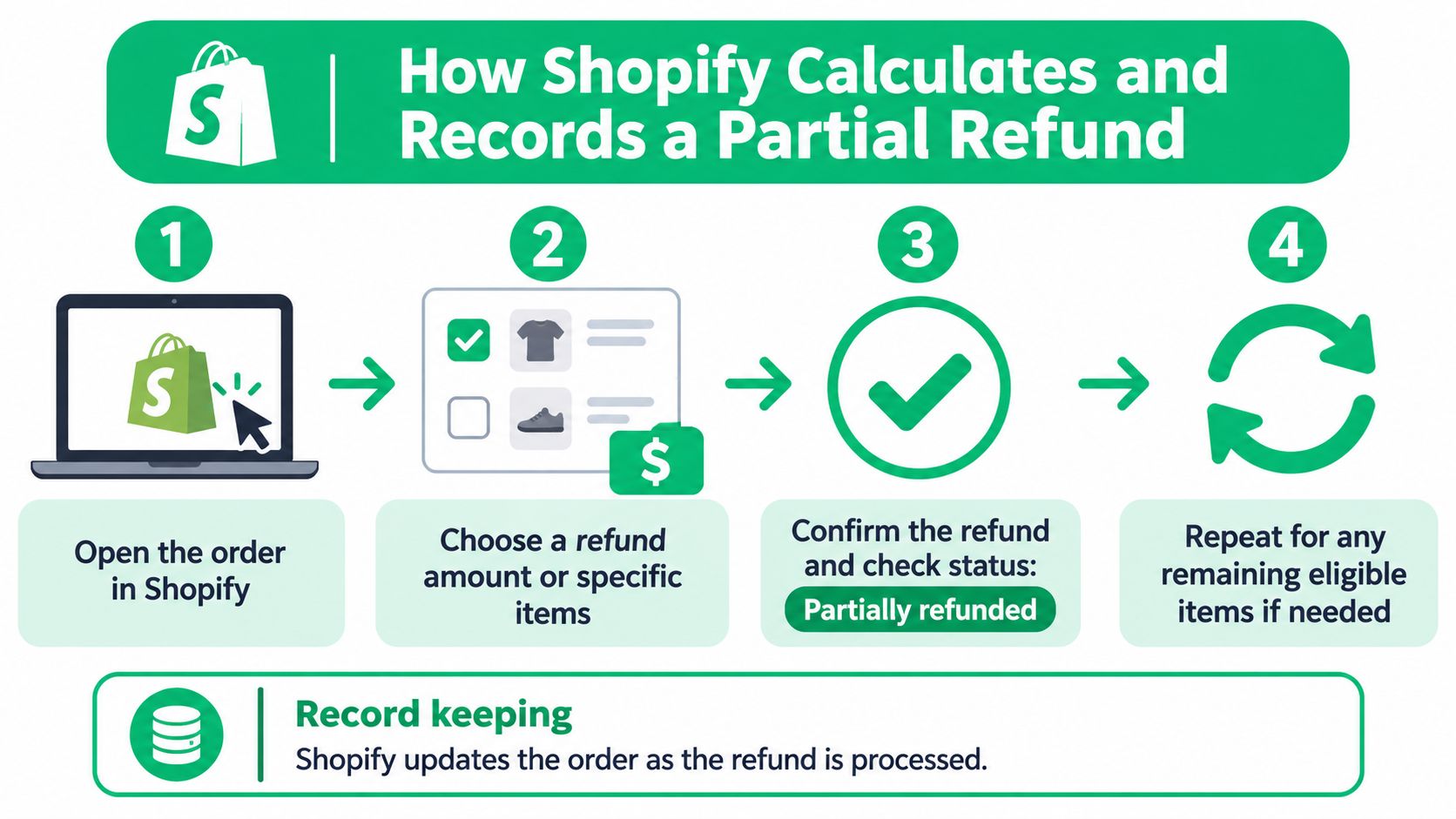
- Open the order in Shopify. Check its payment history and identify the customer's requested change.
- Select the refund amount or specific items. Match the selection to the approved remedy rather than refunding the entire order by default.
- Review and confirm. Check the amount, payment destination, and relevant item quantities. After processing a partial refund, confirm that the payment status reads Partially refunded.
- Record any later adjustment against the same order. Review the transaction history again before issuing more money.
Read the Refund Ledger as a Running Balance
In this hypothetical calculation, a $200 order receives a $40 adjustment, followed by a $60 adjustment, leaving $100 available to refund.
Cumulative refund ledger for a $200 order
| Event | Refund amount | Total refunded | Remaining refundable |
|---|---|---|---|
| Original order | $0 | $0 | $200 |
| First adjustment | $40 | $40 | $160 |
| Second adjustment | $60 | $100 | $100 |
At purchase, none of the payment has been returned. The first refund reduces the available balance, and the second reduces it again. The remaining refundable amount is the original amount paid minus all completed refunds, not the original total each time someone opens the order.
Partial refunds accumulate and cannot exceed the amount paid. Each refund stays linked to the original transaction rather than becoming an unrelated credit. Once initiated, a Shopify refund can't be canceled or reversed, so review the amount before confirming it.
For a visual walkthrough of the refund interface, use this demonstration.
Trace the proposed amount back to what the customer paid. A product's current catalog price may differ from its purchased price, and an order-level promotion may have reduced several line items.
Shipping and tax may also be separate from the product subtotal. Refunding a product does not automatically mean every delivery charge should be refunded. Keep the calculation tied to the original transaction components so another staff member can reproduce it.
Everyday Situations That Call for a Partial Refund
Customers usually describe a problem, not a payment operation. They ask to remove a product, accept compensation, or change a variant. Your job is to translate that request into the correct adjustment.
A return from a multi-item purchase is straightforward only when you use the paid line-item value. If a promotion reduced that item's price, refunding its undiscounted catalog price would return money the customer never paid.
What Each Everyday Partial Refund Is Calculated From
| Scenario | Refund calculated from |
|---|---|
| Customer keeps some items and returns another | Returned item's price after its allocated discount, plus applicable refundable tax |
| Post-purchase discount | Difference between the price paid and the approved new price |
| Defect compensation without cancelling | Agreed portion of the affected item's paid price |
| Partial cancellation of a quantity | Paid price of the removed units after allocated discount, with applicable tax adjustment |
| Cheaper replacement or upgrade | Difference between the original and replacement paid totals |
| Shipping concession | Delivery charge being refunded, with applicable tax treatment |
For a post-purchase discount, the customer keeps the same goods. The refund implements the approved price reduction; it isn't a return and shouldn't trigger a stock increase.
Defect compensation works differently. Say a customer accepts a cosmetic flaw and keeps the product. Record the agreed concession against that item, rather than treating the whole purchase as defective or canceled.
Match the Adjustment to the Request
Removing an unfulfilled item or reducing its quantity is a partial cancellation operationally. The payment correction should cover only the removed units and their associated transaction adjustments, while the remaining items continue toward fulfillment.
A cheaper replacement requires a comparison of the effective paid totals, not just the displayed product prices. For a delivery-only concession, keep the correction separate from merchandise; our guide to refunding shipping on Shopify explains that workflow.
A discount reduces the refundable product value. Don't add the discount back as though the customer paid it.
With our SelfServe order editor, an order-total change automatically collects the difference or issues a partial refund. Automation removes the need to calculate that difference manually, while the merchant still decides which edits customers may make.
When a Partial Refund Is Required or Just a Goodwill Gesture
Refund amount and refund entitlement answer different questions. The amount tells you how much money would be returned. Entitlement determines whether the customer is owed that remedy under applicable law, the circumstances, or the store's commitments.
A customer accepting compensation for a minor defect isn't necessarily in the same legal position as someone whose order was never shipped. Calling both outcomes a partial refund doesn't make their rights identical.
What the FTC Rule Actually Covers
In the United States, the FTC's Mail, Internet, or Telephone Order Merchandise Rule addresses situations where sellers can't ship as promised and generally requires a prompt refund when a consumer doesn't accept a delay, with certain refunds due within seven working days.
That rule does not establish a universal right to a partial refund for every complaint. It also shouldn't be treated as permission to offer a small concession when a different remedy is required.
A partial refund may sit alongside repair, replacement, cancellation, or payment-dispute rights. Consumers may dispute credit-card charges involving undelivered, defective, incorrect, or duplicate merchandise when they follow the applicable procedures and deadlines.
Check the Remedy Before Negotiating the Amount
Before your team makes an offer, establish:
- The problem: Is this a shipment failure, product defect, incorrect item, or discretionary change of mind?
- The promised remedy: What do applicable law and the published store policy require?
- The customer's preference: Are they agreeing to keep the product, return it, or accept a replacement?
- The unresolved issue: Would the proposed payment address their complaint?
Your ecommerce returns policy should distinguish these paths so support staff don't negotiate every case from scratch. Store rules should never be presented as overriding mandatory consumer rights.
Approval question: Which remedy does the law or the store policy promise for this case?
Explain what the offer covers and document the customer's response. An unclear or inadequate concession may leave the original complaint unresolved and lead to a payment dispute rather than a closed support ticket.
How Partial Refunds Affect Inventory, Taxes and Payouts
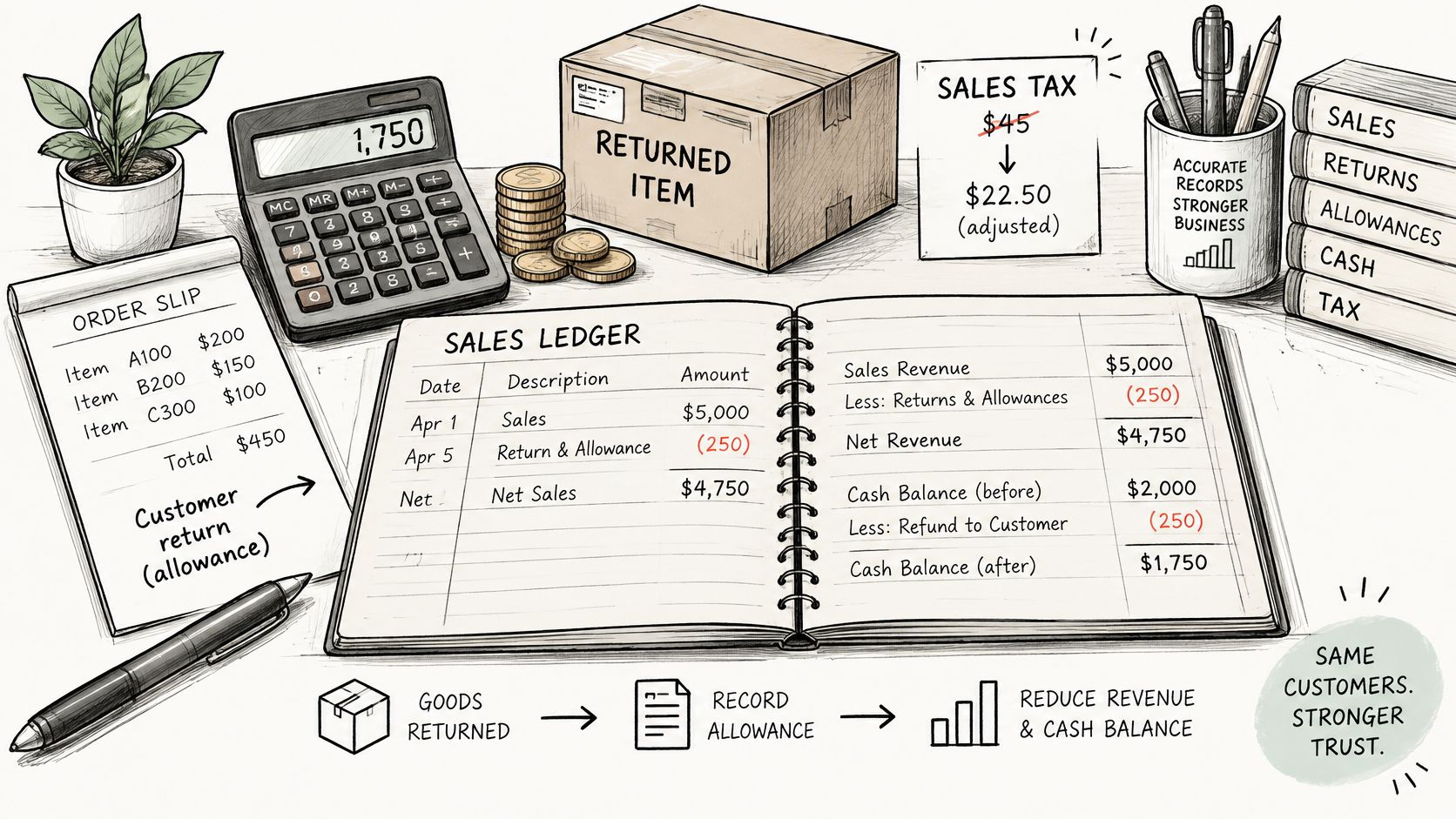
Follow the money first. A refund for an item the customer keeps generally reduces revenue through a returns-and-allowances or other contra-revenue entry, alongside a reduction in cash or the payment receivable.
For a $40 refund on a $120 order, the Ledgerport ecommerce refund accounting guide describes preserving the remaining $80 sale while adjusting revenue and relevant tax for the refunded portion. If the refunded amount includes tax, separate that component rather than treating the entire payment reversal as lost product revenue.
Stock Follows the Goods
A financial reversal isn't proof that merchandise came back. Apply the inventory treatment to what physically happened:
- Customer keeps the goods: Inventory and cost of goods sold ordinarily remain unchanged.
- Resalable return arrives: Inventory may be restored and cost of goods sold reversed under your accounting policy.
- Damaged, consumed, or unreturned goods: The original cost of goods sold generally remains.
The accounting record needs to distinguish the payment correction from the physical return.
Processing Is Not the Same as Posting
Processors commonly recover refund funds from the merchant's available balance or a future payout, while the customer's credit may take several business days to appear after settlement, according to Stripe's explanation of partial refunds. A merchant's confirmation therefore doesn't mean the customer can already spend the money.
Tell the customer which original payment method receives the credit. If the transaction used multiple payment instruments, confirm the actual allocation rather than promising that everything will reach a particular card; any store-credit arrangement should be identified separately.
Our guide to how long Shopify refunds take helps explain the difference between merchant processing and customer-visible posting.
For automated order edits, we charge upgrades and refund downgrades through Shopify Payments, keeping the order total, taxes, and reports correct. Staff still need a record of the affected line item, quantity, amount, tax treatment, fee treatment, and settlement reference. Don't mark the entire order reversed when only part of its payment changed.
Handle Partial Refunds Safely and Set the Rules First
A safe refund process starts before anyone selects the refund button. Staff need to know who can approve the remedy, which transaction components qualify, and what evidence they should retain.
Customers need the same clarity from the other side. They shouldn't have to reconstruct your discount allocation or guess whether you deducted shipping from the amount they expected.
Build a Repeatable Handling Process
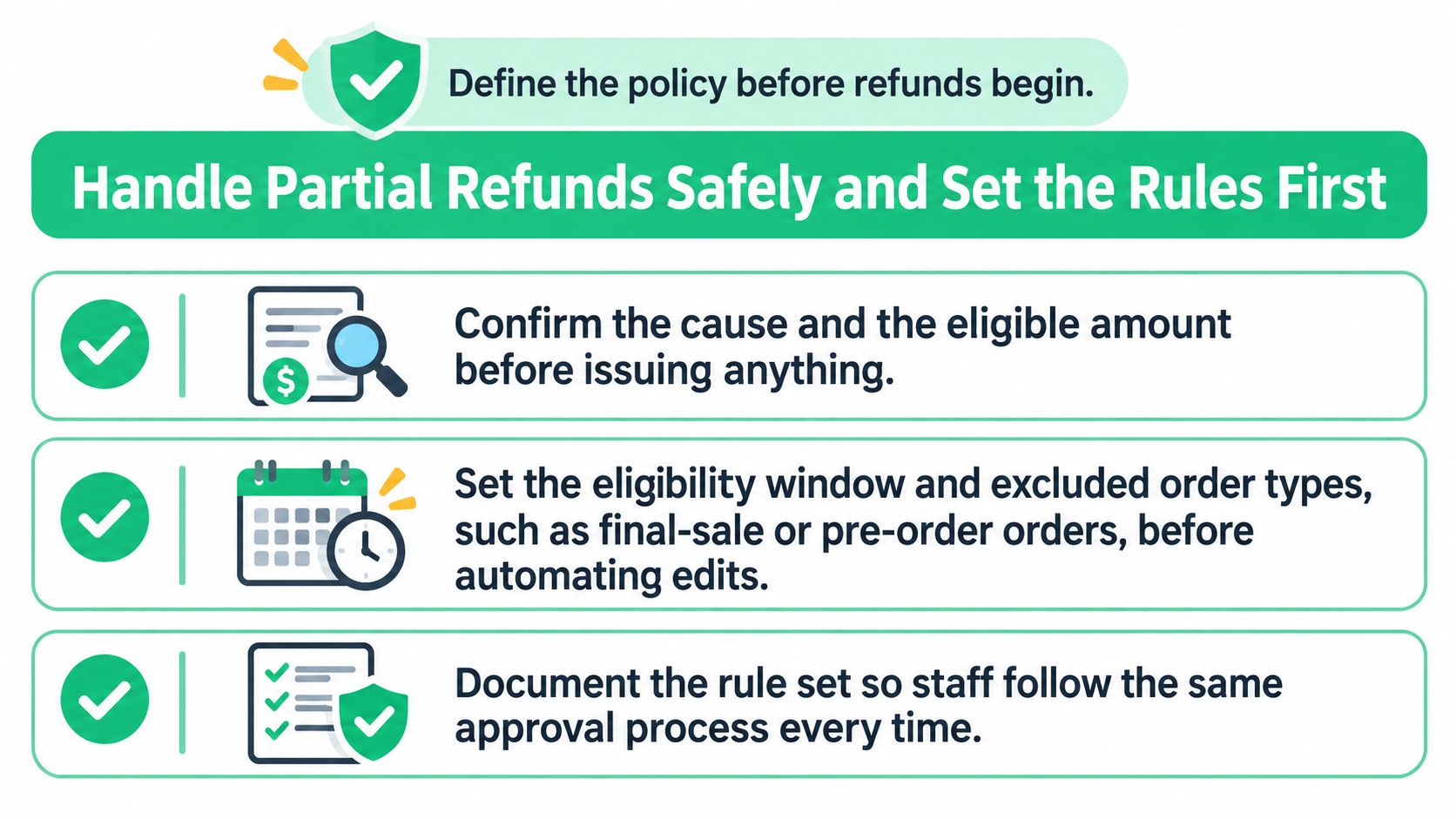
Confirm the reason and eligibility. Identify the affected goods or service and the remedy being approved. Separate a discretionary concession from a refund required by law or an existing promise.
Calculate from the paid transaction. Use the purchased line items, allocated promotions, applicable tax, and eligible shipping. For bundles or subscriptions, inspect the original allocation rather than treating every component as independently priced.
Review the payment history. Check for previous adjustments, pending requests, and work by another support agent. Don't let separate tickets produce duplicate refunds.
Save a reproducible record. Include the reason, item, quantity, amount, tax and fee treatment, and settlement reference. Assign an owner for failed processing, missing returns, or a customer who says the credit hasn't appeared.
Send an itemized explanation. Show the affected product or delivery charge, the discount already applied, the tax adjustment, and the amount returned. Identify any excluded charge and explain the policy or reason behind it.
Use a payment safety net for edits. When a customer makes changes but doesn't complete payment within 15 minutes, our system automatically reverts the order to its original state. That protects the order from an unpaid change being left in place.
A useful customer message explains the outcome in ordinary language: which item changed, what value was eligible, where the money is going, and whether any action remains. Keep the internal accounting detail available, but don't make the customer interpret a settlement reference to understand their refund.
Set Eligibility, Approval and Follow-Up Rules
Write down these controls before enabling customer-led changes:
- Eligibility windows and exclusions: Define when changes close and which order types qualify. We support time limits and eligible-order rules; orders tagged
final-sale,custom-made, orpre-orderare automatically blocked from cancellation with an explanatory message. - Approval ownership: Specify which requests can proceed automatically and which require a staff decision. Keep exceptions visible so agents don't invent different policies.
- Workflow triggers: Our
customer_order_cancelledtag can trigger refund workflows or win-back emails after a customer cancels through the self-service portal. Check that downstream messages match the actual payment outcome.
These are merchant-controlled rules surfaced through the order status page, not a substitute for checking legal obligations. A cancellation restriction shouldn't be used to deny a remedy the customer is legally owed.
Use this checklist when documenting the approval process.
Make the Amount Independently Verifiable
In its 2025–2026 consumer survey, Shorr's return-habits report found that 75% of respondents preferred a full refund over store credit, while 51% considered restocking fees unacceptable. Don't assume customers regard credit or deductions as equivalent to money returned.
An unexplained deduction can undermine the goodwill you intended to create. Show the calculation before asking the customer to accept it, particularly when a promotion or delivery charge changes the expected amount.
This week, document your rules and test a partial-refund workflow on a sample order. Confirm that the customer-facing breakdown, payment history, tax adjustment, and remaining refundable balance all agree before enabling broader automation.
ServeApps offers Shopify-native tools for customer-led order changes, with automatic collection or refunding of price differences under merchant-defined rules. Visit ServeApps to explore a controlled self-service workflow for quantity changes, product swaps, and the partial refunds those edits can create.

Shopify Store Credits: Issuing, Redeeming and Accounting
Learn what Shopify store credits are, how they differ from gift cards and refunds, and how to issue, redeem and account for them.
Read more →
Can You Have Multiple Stores on Shopify? Plans and Limits
Can you have multiple stores on Shopify? Yes, through organizations or Plus expansion stores. Compare plan limits, eligibility and setup tips.
Read more →
Product Customizer App Shopify: Choosing the Right Tool
Compare native and third-party product customizer app shopify options on speed, theme support, variant mapping and SKUs before you install one.
Read more →