
Your add-to-cart rate is up, your email list is growing, and AOV has flattened into the same stubborn line for the third month in a row. That's usually when merchants start hunting for a Shopify upsell popup that can squeeze more revenue out of traffic they already paid for, without turning the storefront into a cluttered mess.
The wrong move is treating the popup like decoration. The right move is treating it like a revenue experiment, with a clear trigger, a narrow offer, and measurement that tells you whether it added profit or just noise.
Table of Contents
- What a Shopify Upsell Popup Is Actually Doing for Your Store
- Choosing Where the Popup Fires
- Designing Offer Logic That Earns the Click
- Design Controls and Mobile-First Layout
- When to Suppress a Popup Even if It Converts
- Installing and Configuring a Popup on Shopify
- Analytics That Actually Measure Incremental Revenue
What a Shopify Upsell Popup Is Actually Doing for Your Store
A merchant usually spots the problem in a Monday dashboard review. Add-to-cart looks healthy, traffic is steady, and the final order value barely moves. A Shopify upsell popup sits in the middle of that gap because it can recover a session, expand an active cart, or add value after payment.
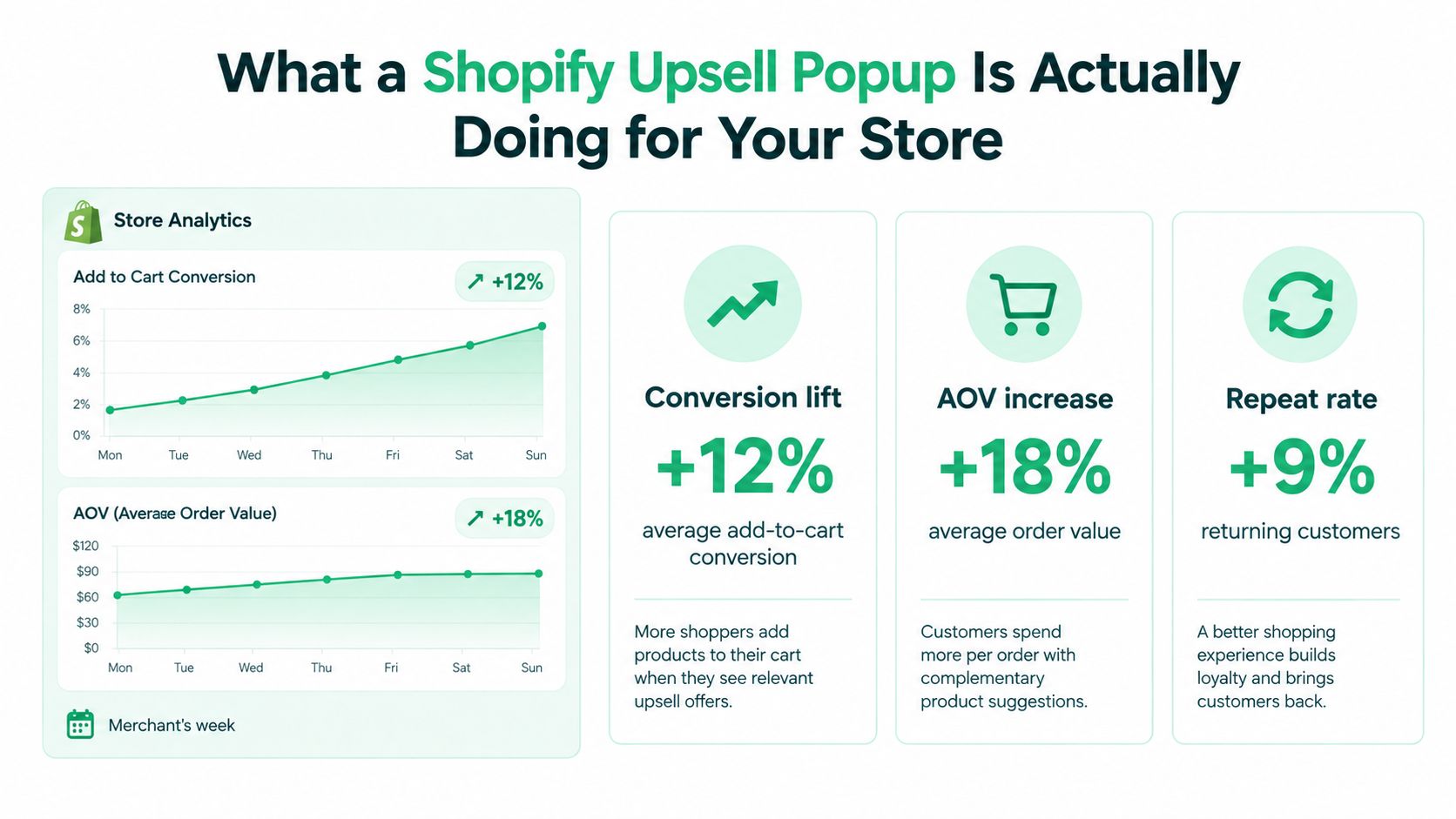
Baymard's meta-study of 50 checkout research papers puts average cart abandonment at 70.22%, with mobile closer to 80% versus 69% on desktop, so timing and placement matter in Shopify stores (Baymard Institute).
A popup is only useful if it changes the economics of the session. If it adds friction, blocks the path to checkout, or distracts a buyer who was ready to buy, it works against the store.
Define the job first. Recovery popups reduce friction. Cart-expansion popups match the cart's intent. Post-purchase popups add value after payment without interrupting the original flow.
The trade-off is simple. More surface area can mean more revenue, but it can also create more exits if the offer, timing, or layout is off. That is why I treat every Shopify upsell popup as a revenue experiment, then measure whether it improved incremental AOV and incremental profit per eligible session.
For teams still sorting out offer timing and experiment design, AdCrafty's conversion rate optimization strategies is a useful companion reference.
Choosing Where the Popup Fires
A popup only earns its keep when the trigger matches the shopper's intent. Product page, cart, checkout, and post-purchase placements all do different jobs, and using all of them at once usually creates noise, not more revenue.
Match the placement to the intent signal
On the product page, the popup should act like a guided recommendation. Accessory bundles, upgrade prompts, and routine-completion offers can work here because the shopper is still comparing options.
In the cart, the popup should work like a last-mile decision aid. It can push a shopper toward a threshold, suggest a complementary item, or surface an add-on before checkout starts.
Checkout is more constrained. Shopify's architecture limits what can happen there, and post-purchase offers require a vaulted payment method. That makes checkout and post-purchase placements useful only when the store setup matches the platform's rules.
A gear store firing a carabiner bundle popup after the second add-to-cart, not on the first product view, is a better use of intent than a generic pop on entry.
Pick one primary placement, then one fallback if the first placement underperforms.
A simple decision ladder
- Product page, if the offer completes the product the shopper is already weighing.
- Cart, if the offer makes the cart more efficient or helps reach a threshold.
- Checkout, only where the Shopify setup allows it.
- Post-purchase, when you want to monetize a completed order without interrupting the sale.
The point is alignment, not coverage. If the shopper is still comparing products, a hard sell usually creates friction. If they have already paid, do not reopen the transaction logic unless the flow supports it cleanly.
Keep the trigger tied to the strongest signal you have. That is how a Shopify upsell popup stops being a design widget and starts acting like a revenue experiment.
Designing Offer Logic That Earns the Click
A popup converts when the offer feels like the next sensible step, not a random discount. The merchants who win with upsell popups usually start from merchandising data, not from design templates, because the popup's job is to make the basket better, not just bigger.
Build the offer from the product relationship
A coffee merchant might pair beans with a grinder when the shopper adds a starter bag. A skincare brand might attach a travel-size item when the cart crosses a sensible threshold. A home goods store might offer a care kit only on products that need one.
The rule is simple. Match the offer to the trigger. If the trigger is a qualifying add-to-cart event, the offer should feel like a logical companion. If the trigger is a cart threshold, the offer should help the shopper get over that line without introducing another decision tree.
For merchants looking at one-click post-purchase mechanics, RecurX's guide to one-click upsells for DTC brands is a helpful reference point for how the offer itself should stay lightweight and obvious.
Four offer types that are usually worth testing
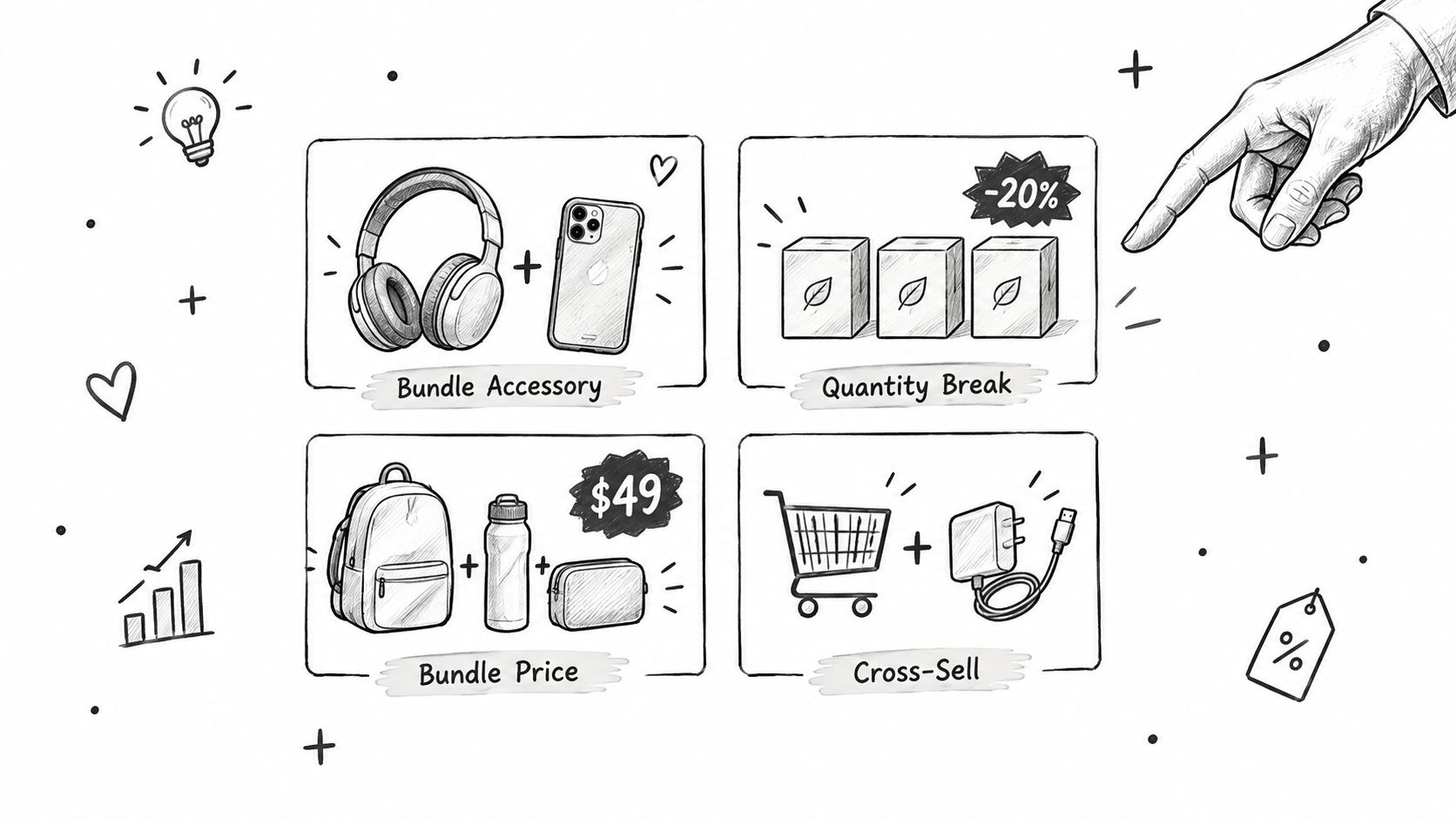
- Frequently bundled accessories, when the add-on solves a real use problem.
- Quantity breaks, when the shopper is already buying consumables or repeatable items.
- Bundle pricing, when two products belong together often enough that the combined value is obvious.
- Free-shipping thresholds, when the cart is close and a small add-on makes the economics better for both sides.
Practical rule: if you can't explain the upsell in one sentence, the shopper probably can't justify it in one click.
Three guardrails matter more than the offer theme. Suppress the popup for shoppers who already own the item. Exclude low-margin or subscribable SKUs if the discount damages the economics. And don't stack an upsell discount on top of another active promotion unless you've already modeled the margin impact.
Design Controls and Mobile-First Layout
A popup's visual system should reduce uncertainty, not create it. Most Shopify merchants control far more than they think, and small changes to spacing, image treatment, and the close control often affect acceptance more than clever copy.
What to adjust first
Start with the action hierarchy. One clear primary action is enough. If the popup also tries to educate, upsell, cross-sell, and collect email, it usually does all four badly.
Then look at the tap target. Mobile users need a dismiss control they can see and hit, not a tiny icon hidden in a corner. Readable typography matters too, and so does contrast, because a pretty popup that's hard to parse on a phone is just friction in a nicer wrapper.
A useful internal reference for visual sizing trade-offs is ServeApps' shopify image sizes guide, especially if your offer relies on a hero product image and you need it to load cleanly without overpowering the copy.
Popup Design Decision Map
| Control | What to Change | Why It Matters |
|---|---|---|
| Corner radius | Keep it consistent with the store's theme | Makes the popup feel native instead of pasted on |
| Shadow depth | Use enough separation to create focus, not glare | Helps the offer stand out without looking intrusive |
| Typography | Keep text readable at mobile scale | A shopper should understand the offer without zooming |
| Close button | Make it obvious and easy to tap | Reduces frustration and supports quick dismissal |
| Image weight | Use one relevant image, not a collage | Keeps attention on the offer instead of the layout |
| Button copy | Use direct action language | Tells the shopper exactly what happens next |
A few copy adjustments also matter. “Add for $9” is usually clearer than “Save 10%,” because the shopper can judge the cost immediately. Explicit acceptance and rejection language helps too, since the popup should feel like a choice, not a trap.
When to Suppress a Popup Even if It Converts
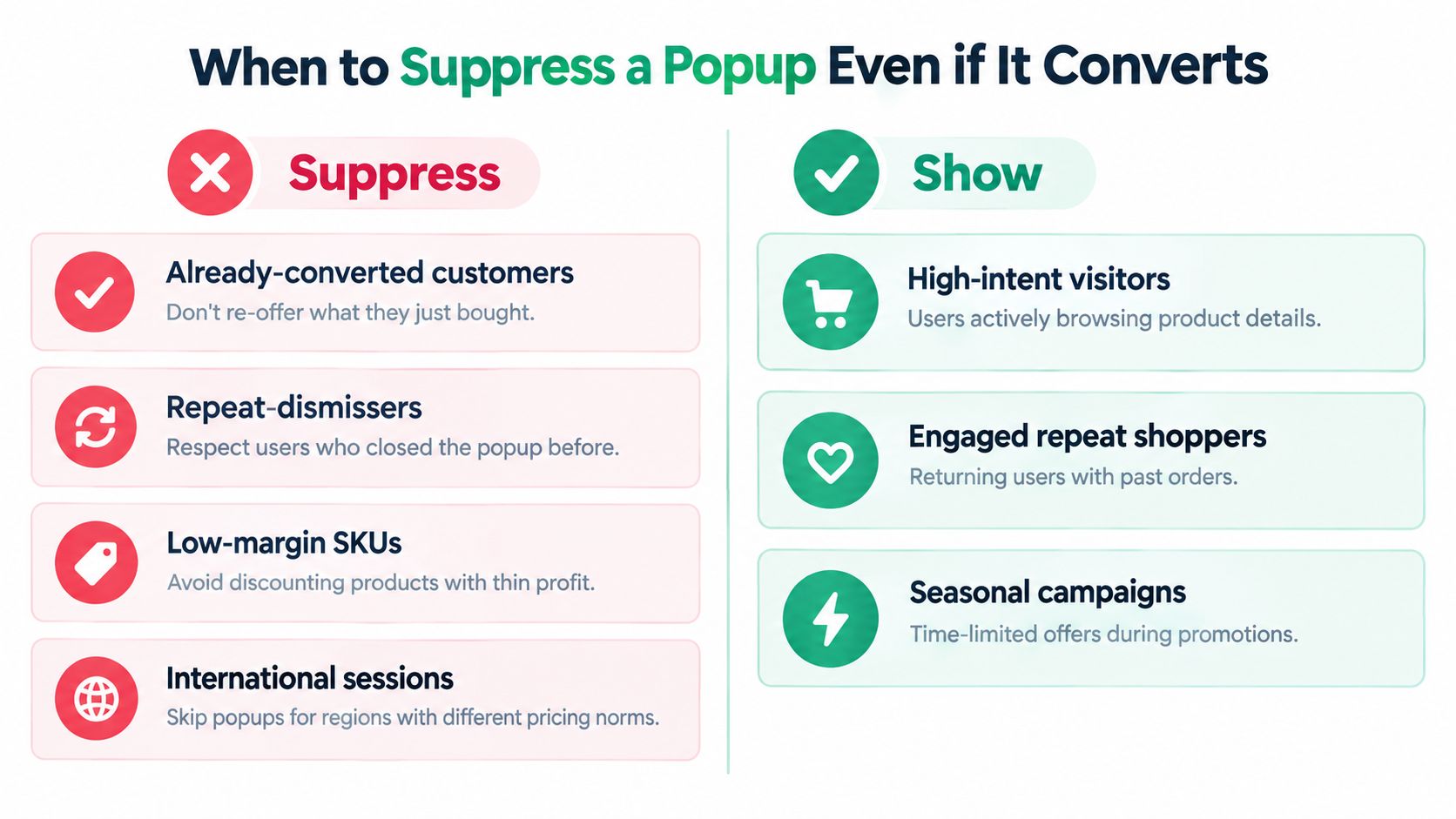
A popup can lift reported AOV and still hurt profit. The offer may attract the wrong buyer, add support friction, or push a margin-heavy item into a weak trade.
The suppression list I'd use first
- Already-converted customers. Don't re-offer what they just bought.
- Repeat-dismissers. If someone keeps closing the popup, respect the signal.
- Low-margin SKUs. A discount can make a good-looking conversion number hide weak profit.
- International sessions. If the offer doesn't localize cleanly, skip it.
- Accessibility-sensitive sessions. If the device or interaction pattern makes the popup hard to use, the risk is not worth it.
Shoppers who abandon carts often say they were browsing or were not ready to buy. A popup that adds cost or pressure can collide with that fragile moment, especially when the shopper has not committed yet. Baymard Institute documents those reasons in its cart-abandonment research (Baymard Institute).
A popup should be easy to dismiss, easy to understand, and easy to ignore.
Frequency caps matter here too. Show the offer once per session, stop it after acceptance, and do not reopen it after dismissal. If you keep interrupting the same visitor, the popup stops acting like a merchandising tool and starts behaving like a nag.
Installing and Configuring a Popup on Shopify
Most merchants need a setup path they can ship without a dev project. The usual flow is straightforward, install an app, create the offer, connect the trigger, preview it on mobile and desktop, then publish only after the acceptance logic and styling look right.
A practical setup sequence
- Install an upsell app from the Shopify App Store, such as UpServe from ServeApps if you want add-to-cart popups with per-offer analytics and configurable design controls.
- Create a new popup rule.
- Pick the trigger, usually add-to-cart, product-specific targeting, or a frequency cap.
- Select the product or bundle you want to promote.
- Tune the design tokens, colors, corners, shadows, spacing, and template.
- Preview on mobile before you publish.
That's the merchant-facing workflow. On the technical side, theme app blocks are usually the cleaner path for Online Store 2.0 themes because they avoid bloated theme edits and make the popup feel like part of the storefront instead of an afterthought.
If the app forces you into a brittle theme hack, the long-term maintenance cost usually shows up later in support tickets.
A separate overview of app choices can help if you're deciding whether to keep the popup logic in one system or split it across tools, and ServeApps' best Shopify upsell apps guide is a useful place to compare that stack logic without guessing.
Analytics That Actually Measure Incremental Revenue
A popup dashboard can make a widget look busy while the offer adds little real value. A Shopify upsell popup should be measured like a revenue experiment, with clear separation between impressions, interactions, accepted add-to-cart events, and the order value that follows. If those events blur together, a strong click rate can hide weak incremental revenue.
The control group matters just as much. Shopify's product-offer documentation notes that third-party analytics via the Pixel API capture only the initial purchase, ScriptTag tracking can miss accepted upsells, and post-purchase orders carry a temporary fulfillment hold (Shopify developer docs). That creates attribution breakage fast, especially when the popup sits inside a post-purchase flow and the reporting layer only sees part of the order.
That is why reported AOV can look better than it is. The order may include an upsell, while channel reports, fulfillment tools, or internal dashboards still reflect the original purchase only. If you do not reconcile those views, you can keep a weak offer live because the screen shows lift where the business does not.
Chartsy's BigCommerce conversion analysis makes the same practical point in a different stack. Platform reports are useful only when the attribution logic underneath them is sound.
What to segment every week
- Device, because mobile behavior is usually the most fragile.
- Traffic source, because paid and organic visitors respond differently.
- New versus returning customer, because familiarity changes acceptance.
- Market, because localization and currency affect offer relevance.
- Payment method, because post-purchase flows depend on eligibility.
Review impression-to-acceptance by offer, then look at mobile dismissal rate separately. Recalculate contribution margin after discounts and returns, not just gross upsell revenue. A popup that raises headline AOV but cuts margin is a bad trade.
A few implementation mistakes break the read. Fire the impression before the popup is visible, and you create fake exposure. Count duplicate add-to-carts, and accept rate looks stronger than it is. Attribute later purchases to the popup, and one session turns into a broad revenue claim it never earned. Show the offer after the promoted item is already in the order, and the test stops meaning anything. Stack discounts on top of the offer, and the popup can convert while still losing money.
Keep the operating rhythm simple. Check incremental revenue per eligible session, compare it with the control, then decide whether the offer should stay, change, or disappear. If the cart experience itself is broken, fix that first. If the popup improves AOV but lowers contribution margin, it is not a win.
For a tighter view of order economics, pair that weekly review with ServeApps' Shopify average order value guide. That keeps the AOV lift tied to profit, not just a larger number on the dashboard.
Order Confirmation Screen: What to Include and Templates
Learn what to include on an order confirmation screen, in what order, with tracking, cross-sell and support templates you can copy for your Shopify store.
Read more →
Best Up Sell App Picks for Shopify in 2026
Compare 10 Shopify up sell app options for 2026, with features, pricing, placements, and honest limitations to help you choose the right fit.
Read more →
Best Checkout Page: 7 Examples That Convert in 2026
Discover 7 best checkout page tools and examples for Shopify with pros, cons, and conversion tips to boost AOV without rebuilding checkout.
Read more →