
The Shopify order status page is the persistent post-checkout page customers return to for tracking and updates, and you can extend it with post-purchase self-service and upsell tools. It shouldn't be treated as a passive tracking screen when it can also help customers change orders, resolve simple issues, and discover relevant products.
A customer places an order, closes the confirmation tab, and then starts wondering whether the address was correct. Later, they want to check fulfillment. Then they remember they should have chosen a different variant or added one more item. If every question sends them to support, your team becomes the interface for routine post-purchase work.
The better approach is to make the Shopify order status page useful at each of those moments. Native tracking establishes trust, while carefully configured extensions give customers controlled ways to act without creating manual work for your operations team.
Table of Contents
- The Order Status Page in Your Customer Journey
- What the Shopify Order Status Page Shows and Does
- Extending Capabilities with Post-Purchase Tools
- Solving Operational Problems with Extended Pages
- Best Practices for Implementation and Configuration
- Conclusion - Transforming a Tracking Page into a Growth Asset
The Order Status Page in Your Customer Journey
A customer has just completed checkout. The order is confirmed, the payment has gone through, and the initial excitement quickly makes room for practical questions. Where is the order? Has it been fulfilled? Can the shipping address still be corrected before the package leaves?
The Shopify order status page is designed for this post-checkout stage. Shopify describes it as the final step in checkout, where customers can return multiple times to track fulfillment and view shipping updates. After checkout, the customer receives a URL to the page, and the merchant can open the same destination from admin through “View order status page” in the order record. Shopify's documentation on the Thank you and order status pages makes the distinction clear.
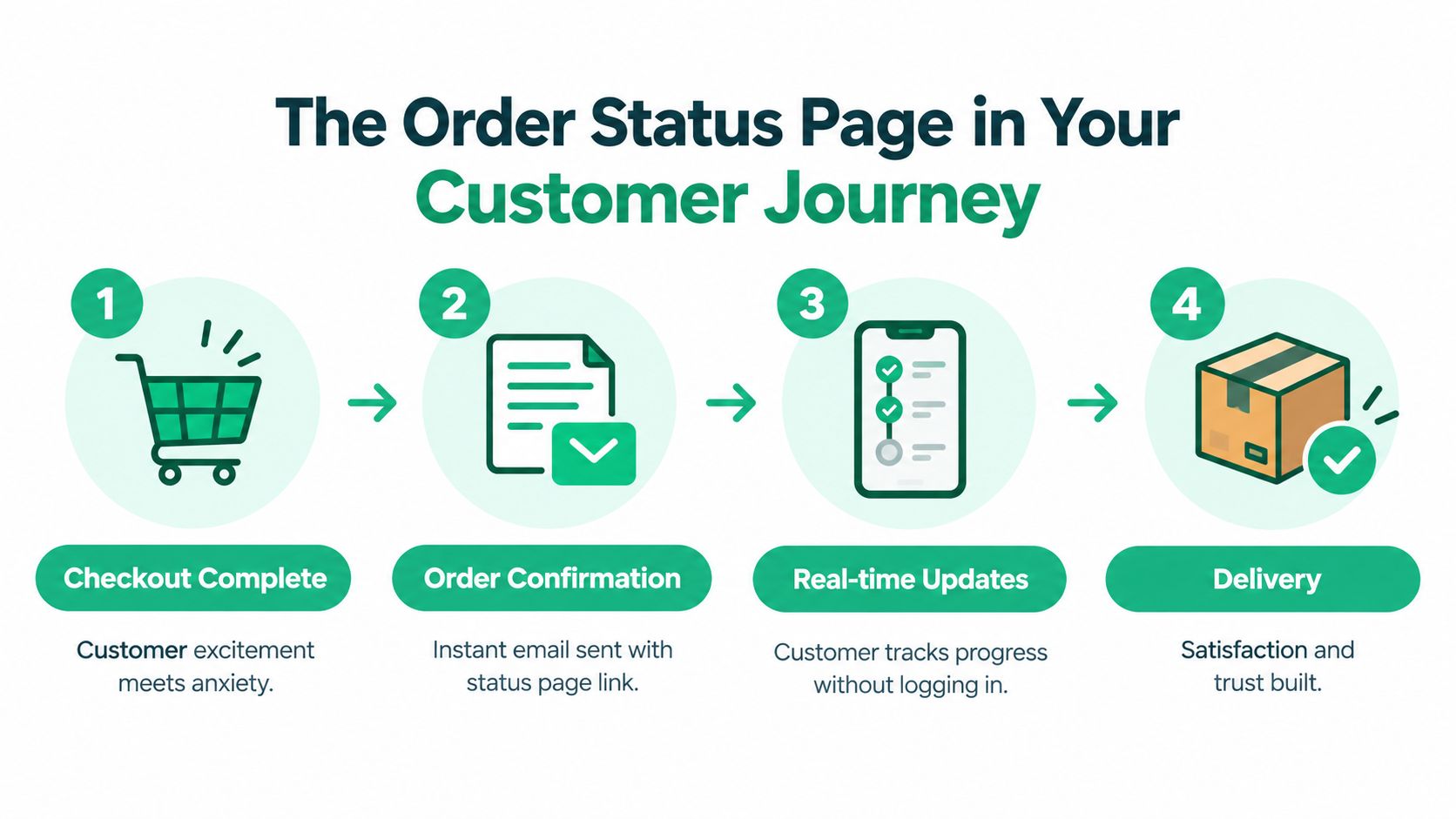
The Thank you page handles the immediate confirmation. It appears once, directly after checkout. The order status page has a different job. Customers return to it later when they need fulfillment information, shipping updates, or access to order details. Treating both pages as interchangeable leads to a weak post-purchase experience because a one-time confirmation can't answer questions that arise days later.
That repeated visit creates an important operational opportunity. A customer who opens the page already has a reason to engage. They may need reassurance, a correction, or a useful complementary product. A store that understands this can connect the page to a broader customer journey personalization strategy instead of forcing every post-purchase interaction into email or customer support.
Practical rule: Use the confirmation experience to reassure the buyer, and use the persistent order status experience to help them take the next appropriate action.
The page also requires a thoughtful approach to access. Shopify documents that an unauthenticated order status page can be public to anyone with the direct link. Tokenized links from order notifications provide limited access for up to 3 weeks in the same browser session and up to 2 weeks across up to 5 browser sessions, after which the customer may see a redacted view that requires login. Shopify's order status page guidance for customer accounts explains this access model.
That trade-off matters for account-less checkout, shared devices, and customers who forward or lose notification links. Convenience helps customers track orders, but merchants should decide carefully which information appears before authentication and how support staff will help a customer regain access.
What the Shopify Order Status Page Shows and Does
At its native level, the page gives customers a persistent place to understand what happened to an order after payment. It connects the order record with fulfillment progress and shipping updates, so the customer doesn't have to search through old emails every time they want reassurance.
Start with the page's core functions:
- Order reference: The customer can identify the purchase and review the relevant order details.
- Fulfillment visibility: The page communicates progress as the merchant fulfills the order.
- Shipping updates: Customers can return to see the latest available delivery information.
- Persistent access: The page remains useful after the initial confirmation because the customer can revisit it through the provided URL.
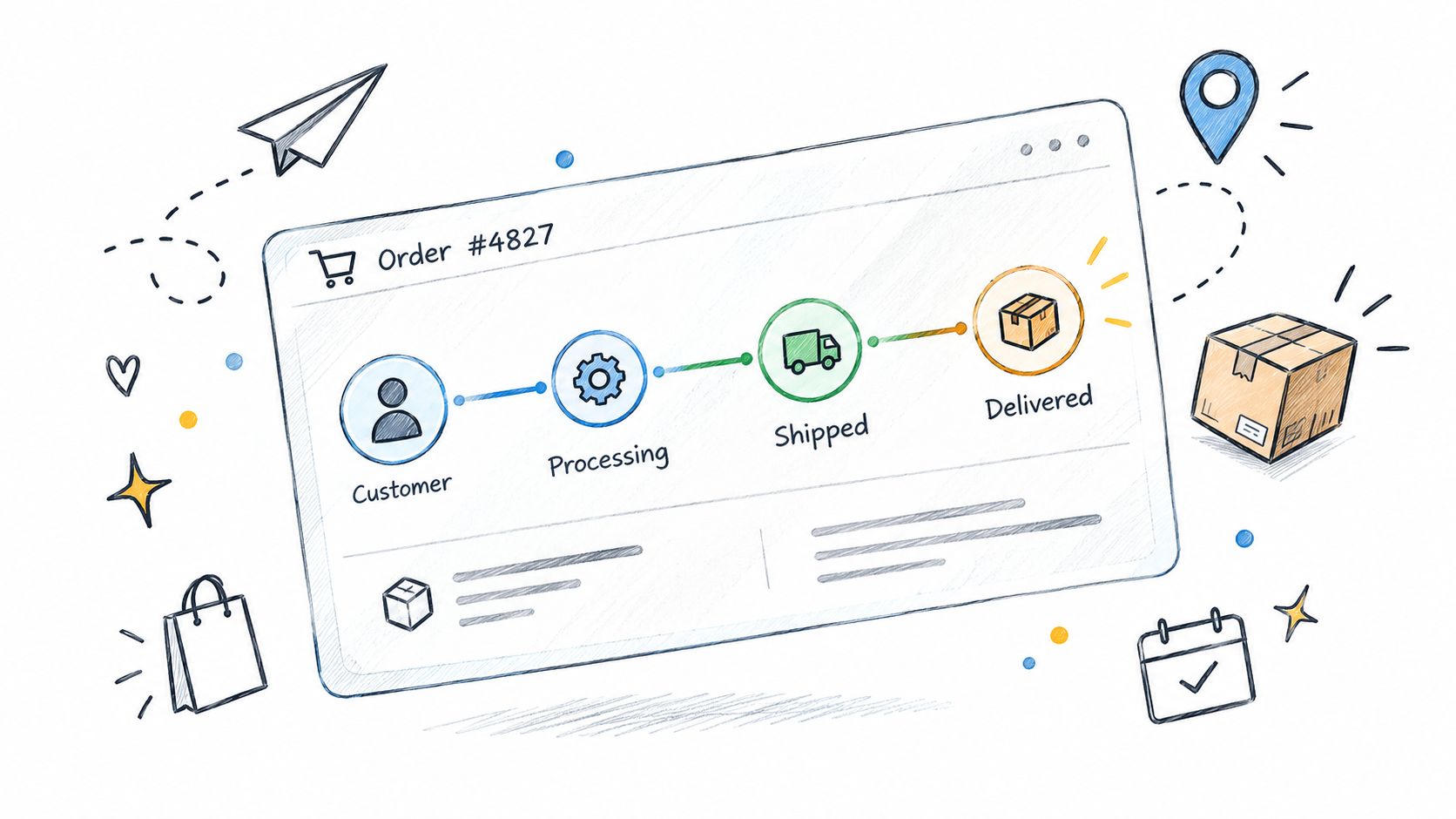
The distinction between the two post-checkout destinations affects how you design the experience. The Thank you page is a one-time confirmation, while the order status page is the persistent destination for later visits. A confirmation can say that an order was received. A status page needs to remain useful when the customer wants to know whether it has been fulfilled or whether shipping progress has changed.
What customers expect to find
Customers generally arrive with a specific question rather than a desire to browse. They want a direct answer, and the page should make the relevant status easy to locate. Clear fulfillment language, visible shipping information, and accessible order details are more useful than decorative content that competes with the status itself.
The page also becomes a natural location for carefully selected actions. If the order hasn't reached a point of no return, customers may need to update a contact detail, change an item, or cancel within the merchant's rules. Those actions shouldn't appear as unrestricted promises. They need eligibility rules, clear consequences, and a reliable connection to the underlying Shopify order.
The access decision
The link-based access model creates a real trade-off. A direct link is convenient for customers who checked out without creating an account, but a merchant must consider what order information remains visible to anyone who obtains that link. Tokenized access can reduce friction while it remains valid, yet it doesn't eliminate the need to define sensitive data boundaries.
A practical configuration separates what customers need to track from what they should only see after sign-in. It also gives support teams a defined path for customers who no longer have the original notification link. That is especially important when customers share devices or move between browsers.
Extending Capabilities with Post-Purchase Tools
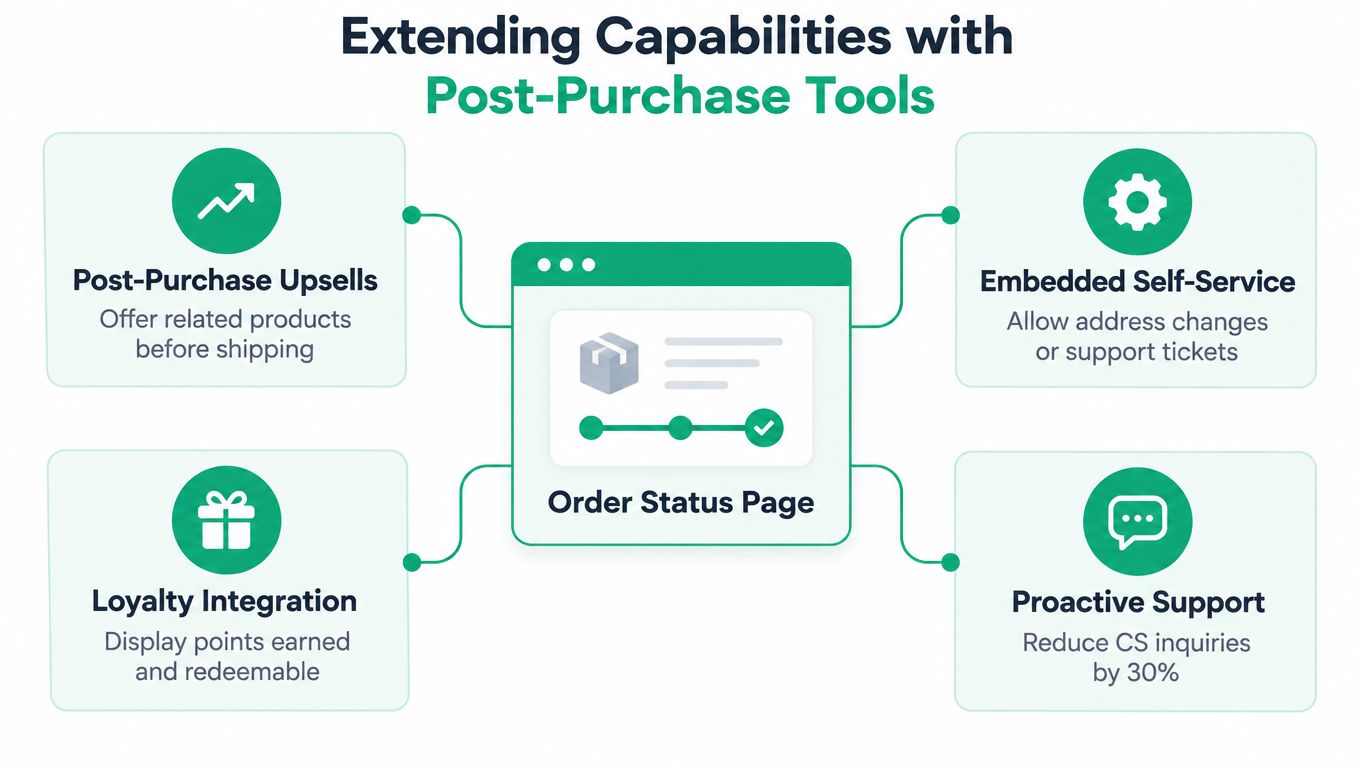
Native tracking answers, “Where is my order?” An extended page can also answer, “Can I fix this order myself?” and “Is there something useful I can add before fulfillment?” Those are different jobs, so the extension should add actions without obscuring the primary status information.
SelfServe, for example, embeds customer self-service order editing directly on the order status page. Its supported actions include swapping products or variants, adjusting quantities, adding items, updating addresses and contact details, changing shipping methods, and cancelling within rules set by the merchant.
Self-service needs boundaries
The value isn't just giving customers an edit button. It comes from defining when an edit is safe and what the system should do when money, inventory, or fulfillment status changes.
Rule-based Editing Windows allow merchants to control eligibility by conditions such as time since purchase, order tags, or product type. If a payment for an edit isn't completed, the change can revert automatically. Automated settlement can collect a price difference or issue a partial refund, while synchronization updates Shopify inventory, shipping details, and order tags.
That workflow is materially different from asking a support agent to edit an order manually. The customer gets an immediate path for an eligible change, and the operations team retains control over exceptions that require human review.
Upsells should fit the order context
The order status page is also a logical place for a relevant post-purchase offer. The customer has already demonstrated purchase intent, but that doesn't mean every offer will feel appropriate. A complementary accessory, replenishment item, or product that completes the original purchase is more defensible than an unrelated promotion.
Post-purchase monetization works best when the offer respects fulfillment timing and customer intent. A product that can be added before dispatch may be useful. An offer that creates confusion about whether a second order will ship separately may create support work instead.
The broader post-purchase monetization approach is to connect the offer to an existing customer moment rather than interrupting the customer with a generic campaign. Keep the status and order actions prominent, then make the upsell secondary and easy to decline.
Avoid an overloaded page
Adding every possible widget weakens the page. The customer came to understand an order, so the primary hierarchy should remain:
- Status first: Make fulfillment and shipping progress immediately understandable.
- Action second: Show only edits the customer is eligible to make.
- Offer third: Present a relevant add-on without hiding essential order information.
- Support fallback: Give customers a clear route when self-service doesn't apply.
An extension earns its place when it removes friction or captures a timely opportunity. If it makes the status harder to read, it has failed even if it adds more functionality.
Solving Operational Problems with Extended Pages
The strongest reason to extend the Shopify order status page is operational, not decorative. A customer who can complete a permitted change without contacting support creates a shorter path for the customer and fewer routine tasks for the team. The same principle applies to fulfillment corrections, cancellations, and additions that would otherwise require manual intervention.
Consider a customer who ordered the wrong size shortly after checkout. Without a self-service option, the customer sends a message, waits for a reply, and may cancel if the response arrives after the order has moved forward. With a controlled editing window, the customer can request an eligible swap while the merchant's rules determine whether the order can still be changed.
The outcome depends on the workflow, not just the interface. Inventory must reflect the new variant, payment differences must be settled, and shipping data must remain accurate. Automatic synchronization with Shopify inventory, shipping, and order tags reduces the risk of an agent changing one record while another system retains the old value.
Where the page creates leverage
| Operational problem | Extended page response | What the team must control |
|---|---|---|
| Routine size, color, or quantity requests | Customer edits the order within an allowed window | Eligible products and timing |
| Address mistakes | Customer updates contact or shipping details before fulfillment | Validation and fulfillment cutoffs |
| Cancellation risk caused by delayed replies | Customer cancels or modifies the order under defined rules | Cancellation conditions and payment handling |
| Missed add-on opportunities | Customer adds a relevant product after checkout | Product relevance and inventory |
| Manual admin errors | Automated updates synchronize order records | Settlement, tags, and shipping data |
A useful self-service customer portal model treats exceptions differently from standard requests. Customers should resolve predictable changes themselves, while unusual requests, locked orders, and ambiguous payment situations should route to support with enough context for an agent to act quickly.
The page can also protect revenue in two directions. Controlled editing can prevent a customer from cancelling an entire order because one detail is wrong. A timely add-on can increase the value of an existing order without requiring a new browsing session. Neither outcome should be promised automatically. Both depend on clear rules, relevant merchandising, and accurate fulfillment data.
Cart functionality matters as well. A configurable no-code cart drawer can support rewards, free-shipping goals, spend tiers, bundles, subscriptions, and market-aware presentation before checkout. Used alongside the order status experience, it helps the merchant address both sides of the journey, improving the buying flow before payment and reducing friction after payment.
Best Practices for Implementation and Configuration
An extended order status page should be configured like an operational system, not decorated like a campaign landing page. Start with the requests that consume the most avoidable team time, then give customers only the actions that your fulfillment process can support reliably.
Define the editing policy first
Write the rules before choosing the buttons. For each action, decide:
- Eligibility: Which products, order tags, markets, and fulfillment states qualify?
- Timing: How long can the customer edit before picking, packing, or dispatch makes the change unsafe?
- Financial handling: What happens when the new item costs more, costs less, or changes shipping charges?
- Failure handling: Does the system revert the order if payment remains incomplete?
- Escalation: What does the customer see when the requested change falls outside the rules?
A short editing window may protect warehouse accuracy but frustrate customers who discover a mistake later. A broad window may improve convenience but create inventory and dispatch problems. The correct setting reflects your actual operational cutoff, not a generic recommendation.
Keep access and action separate
Customers may be able to view an order status page through a direct link, but that doesn't mean every action should be available through the same level of access. Review personal information, address visibility, cancellation permissions, and edit controls separately.
Use the least permissive configuration that still solves the customer problem. A customer may need shipping progress without needing to alter a high-risk order. If sign-in is required for a particular action, explain that requirement at the point of action and give support staff a consistent recovery process.
Design offers as assistance
An upsell should answer a plausible need created by the original order. If someone buys a product that commonly requires an accessory, show that accessory with a clear reason. If stock or fulfillment timing makes the add-on impractical, don't display it just because the slot is available.
Configuration principle: Every extension should either remove a customer task, prevent an operational error, or provide a relevant next purchase.
Test the page on mobile devices, because customers often open tracking links from email notifications. Check that the status remains prominent, edit controls explain their consequences, and upsell components don't push essential order information below an unclear promotional block.
Finally, review the records after test edits. Confirm that inventory, shipping, tags, refunds, and notifications remain aligned. Measure operational signals such as routine order-change requests, cancellation-related contacts, completed edits, and upsell activity. The goal isn't to add more components. It's to verify that the page reduces friction without creating reconciliation work.
Conclusion - Transforming a Tracking Page into a Growth Asset
The Shopify order status page already has a valuable role. Customers return to it for fulfillment and shipping updates, which makes it a persistent post-purchase touchpoint rather than a one-time confirmation screen.
The practical improvement is to add useful actions around that core. Self-service editing can let eligible customers swap products, update details, add items, change shipping methods, or cancel within merchant-defined rules. Contextual upsells can turn an otherwise passive visit into a relevant merchandising moment, while automated synchronization protects inventory and order accuracy.
Start with one operational problem, such as address changes or variant swaps. Define the editing window, payment behavior, access requirements, and support fallback. Then add a small number of relevant offers and review the customer experience on mobile before expanding the configuration.
The right result is not a busier page. It's a page that answers the customer's immediate question, gives them a safe next action, and keeps your team focused on issues that genuinely need human judgment.
ServeApps offers SelfServe for customer-managed order changes on the Shopify order status page, along with tools for configurable cart experiences and contextual upsells. Visit ServeApps to explore how these post-purchase capabilities can fit your store's operational workflow.
Shopify Store Credits: Issuing, Redeeming and Accounting
Learn what Shopify store credits are, how they differ from gift cards and refunds, and how to issue, redeem and account for them.
Read more →
Can You Have Multiple Stores on Shopify? Plans and Limits
Can you have multiple stores on Shopify? Yes, through organizations or Plus expansion stores. Compare plan limits, eligibility and setup tips.
Read more →
Product Customizer App Shopify: Choosing the Right Tool
Compare native and third-party product customizer app shopify options on speed, theme support, variant mapping and SKUs before you install one.
Read more →