
A merchant approves a checkout redesign, then discovers the idea depends on editing page markup that Shopify no longer exposes. Another wants a delivery note field but isn't sure whether their plan supports it. These situations are common because Shopify checkout customization isn't one broad set of permissions. What you can change depends on the checkout surface, your plan, and whether Shopify provides an extension point for the feature.
| Approach | Where it fits | Main advantage | Main trade-off |
|---|---|---|---|
| Checkout Extensibility | Supported checkout and post-purchase surfaces | App-based, upgrade-safe customization | Extensions can only use Shopify's supported interfaces |
checkout.liquid |
Legacy checkout implementations | Direct access to checkout code | Sunset deadlines mean it isn't a durable path |
| Apps | Supported checkout, post-purchase, and storefront use cases | Faster deployment when an app meets the need | Features and placement depend on the app and plan |
The right decision isn't about choosing "custom code or no code." It's whether your goal can be met with branding controls, a public app, an extension, or a change to another part of the shopping journey. Merchants assessing ways to improve your checkout flow can use that distinction to keep useful changes while avoiding workarounds that add friction. For a practical review of buyer-facing improvements, see this guide to improving the Shopify checkout experience and reducing drop-offs.
Table of Contents
- Why Checkout Customization Matters
- The Evolution of Shopify Checkout Customization
- Comparing Checkout Extensibility, checkout.liquid, and Apps
- What Each Shopify Plan Can Customize
- Matching Customization Approaches to Use Cases
- Implementation Guidance and Technical Constraints
- How to Choose the Right Approach
Why Checkout Customization Matters
A checkout decision affects more than visual consistency. At the point of purchase, customers are weighing the total cost, delivery options, payment methods, and whether they trust the store enough to complete the order. A useful change can answer a question or remove friction. A poorly placed banner, extra field, or slow-loading extension can do the opposite.
Start with a specific problem, not a request to “make checkout more custom.” If customers need to provide delivery instructions, identify where that information belongs and whether Shopify supports that placement for your plan. If shoppers are asking to change an order after purchase, a post-purchase self-service experience may solve the operational problem more directly than adding another step before payment.
Shopify has reported that its overall checkout conversion rate exceeded competing commerce platforms by an average of 15.2%, and by as much as 36% in some like-for-like comparisons. The comparison used checkout data analyzed by an independent Big Three management consulting firm, but the figures remain Shopify-reported platform claims, not a universal benchmark for every merchant. Shopify also reported that Shop Pay could increase conversion by as much as 50% compared with guest checkout, and that the presence of Shop Pay alone was associated with a 5% increase in lower-funnel conversion. Those outcomes can vary with traffic, product category, geography, devices, available payment methods, and implementation, so use the figures as context rather than a forecast. Shopify's explanation of its checkout and Shop Pay claims also underlines why changes should be tested for compatibility with accelerated payment flows.
Start with the customer task: decide what a buyer needs to do, then choose the least disruptive supported way to help them do it.
Before approving a customization, ask four questions: which plan is the store on, which checkout surface needs to change, does Shopify expose the required capability, and can the change preserve a fast, familiar payment flow? Those answers separate a feasible extension from a feature that needs redesign.
The Evolution of Shopify Checkout Customization
Shopify announced Checkout Extensibility on June 22, 2022, introducing an app-based model to replace direct checkout.liquid edits. The framework includes Checkout UI extensions, Shopify Functions, web pixels, and the Checkout Branding API. Its initial in-checkout support covered the Information, Shipping, and Payment pages for Shopify Plus merchants, allowing developers to add functionality without changing Shopify's core checkout code. Shopify's overview of Checkout Extensibility describes the shift from direct edits toward approved extension points.
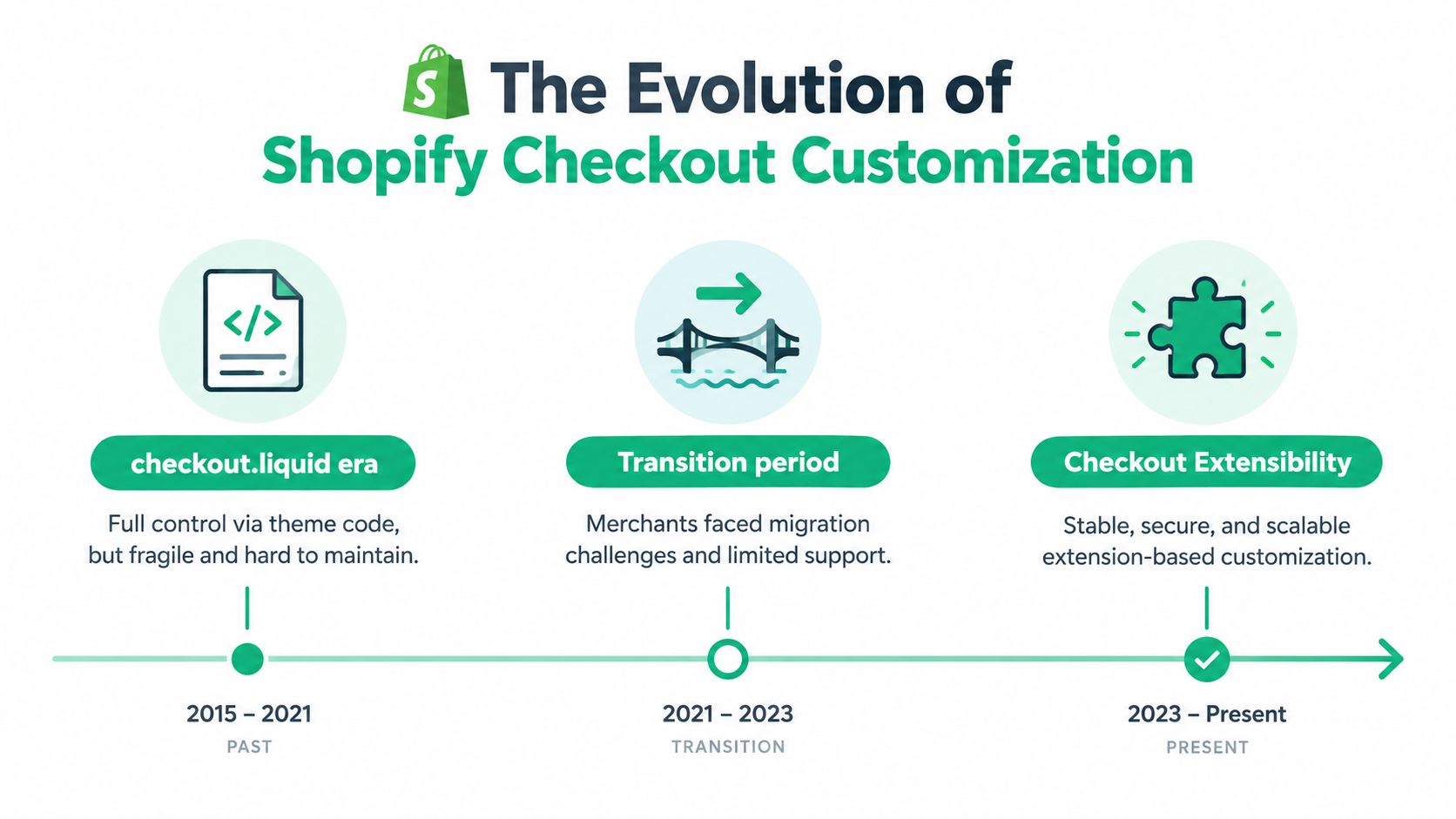
Shopify made Checkout Extensibility available to all Shopify Plus stores on January 30, 2023. The migration deadline for checkout.liquid customizations on in-checkout pages was August 13, 2024. These dates matter because a legacy implementation wasn't moved into a new editor. Merchants had to identify each customization, determine whether a supported extension could reproduce its purpose, and redesign or retire anything tied to direct page access.
The trade-off is clear. Extensions improve upgrade compatibility because they operate through Shopify-defined interfaces rather than arbitrary edits to checkout code. But merchants lose the freedom to change the checkout shell directly. Shopify's supported model doesn't provide extensions with access to read or write checkout HTML or payment data, so a migration plan must distinguish the business requirement from the old technical method.
The deadline changed by checkout surface
Not every legacy customization had the same sunset. Shopify's documentation states that checkout.liquid and additional scripts for the Thank-you and Order-status pages were sunset on August 28, 2025, with remaining non-Plus script support scheduled to end on August 26, 2026. The in-checkout deadline is separate. Treat each surface independently when auditing a store, especially if tracking, custom scripts, and buyer-facing features were implemented in different places.
Basic branding and eligible apps are available more broadly than advanced in-checkout functionality. Businesses on Basic or higher can use the checkout and accounts editor and customize eligible post-checkout pages, while Shopify Plus is required for advanced in-checkout app customization and access to the Checkout Branding API. The practical lesson is that “checkout customization” no longer means unrestricted access to every checkout page.
Comparing Checkout Extensibility, checkout.liquid, and Apps
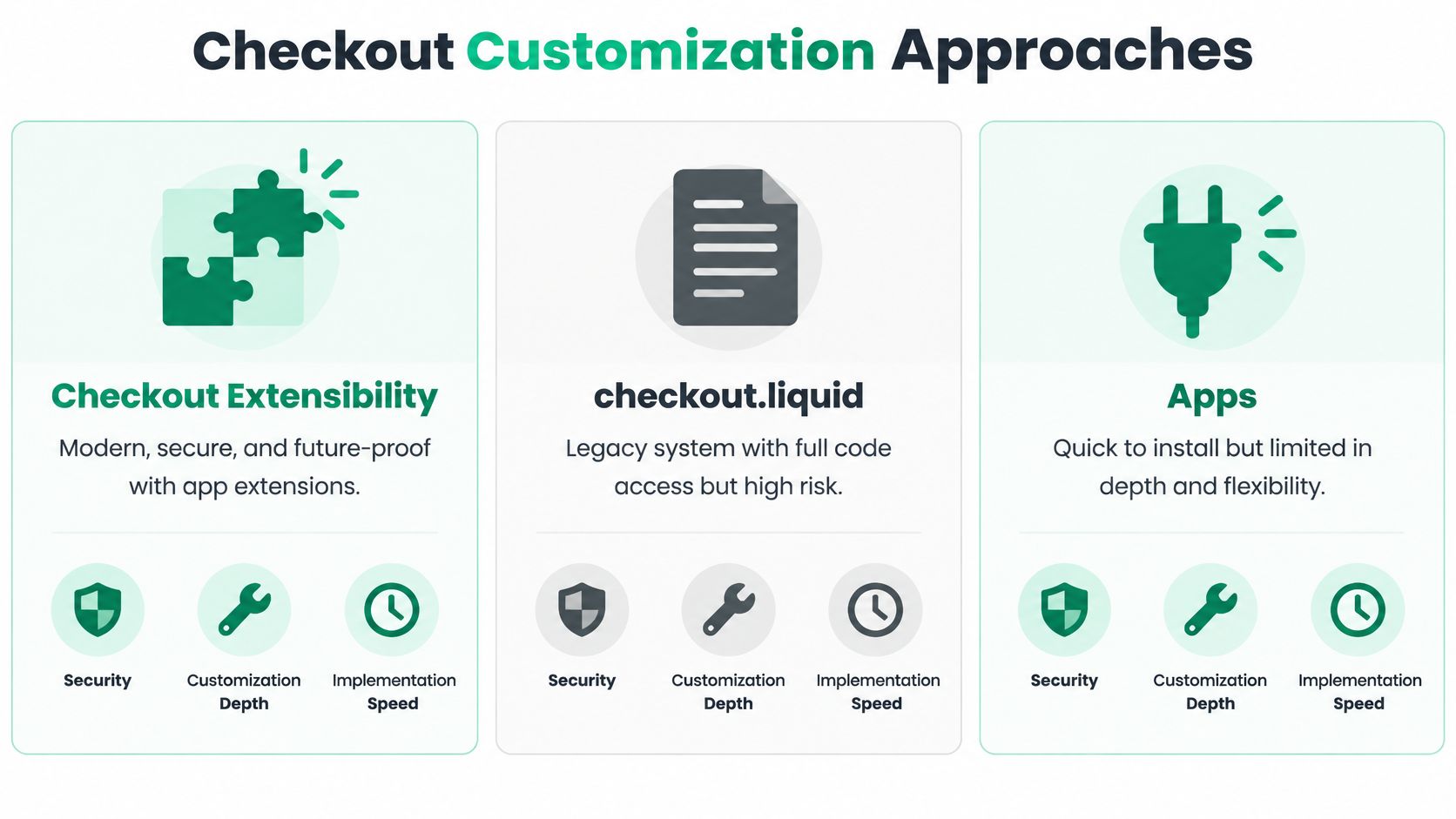
These approaches aren't interchangeable. Extensions are the supported route for custom behavior at eligible checkout surfaces. Apps provide ready-made functionality where Shopify allows them to appear. checkout.liquid offered direct code access, but its sunset means it's a legacy implementation to migrate away from, not a sound foundation for new work.
| Criteria | Checkout Extensibility | checkout.liquid |
Apps |
|---|---|---|---|
| Control | Limited to Shopify's supported extension points | Direct access to checkout code in the legacy model | Depends on the app's features and available placements |
| Upgrade path | Designed to work through approved interfaces | Code can conflict with platform changes and is subject to sunset | Varies by app and the interfaces it uses |
| Best suited to | Supported checkout functions, branding, logic, and event tracking | Maintaining or auditing existing legacy behavior during migration | Common capabilities that don't need bespoke development |
| Main limitation | No direct access to checkout HTML or payment data | No longer a reliable long-term customization path | May not support a store-specific requirement or plan-level placement |
The hardest migration cases are requirements that depend on checkout markup. Custom CSS or JavaScript aimed at changing unsupported parts of the checkout shell, fraud scripts injected directly into the page, and tracking that reads page elements don't transfer as-is. They need a supported alternative, a different measurement approach, or a decision to drop the behavior. Extensions cannot reproduce arbitrary HTML or DOM manipulation because they don't have that access.
Payment-option ordering needs careful diagnosis rather than a blanket promise. A supported payment customization may offer a way to change eligible payment methods through Shopify's defined logic, but that isn't the same as freely editing payment-page markup. Likewise, use Shopify's supported event and pixel mechanisms for tracking instead of relying on a script that scrapes checkout elements. If a requirement depends on reading or writing the page itself, assume it needs redesign unless Shopify documents a specific extension point for it.
A migration inventory should record what each old customization does, where it runs, what data it reads or changes, and what outcome the business needs. Then classify it as native, extension-based, public-app dependent, or not replaceable in its current form. That last category is important: sometimes the right answer isn't to imitate the old implementation, but to achieve the same business goal on the cart, storefront, or post-purchase page.
What Each Shopify Plan Can Customize
The plan boundary is easiest to understand by separating in-checkout steps from post-purchase pages. Shopify's official checkout customization plan guidance distinguishes extensions on the Information, Shipping, and Payment steps from those for the Thank-you and Order-status pages.
| Plan | In-Checkout Extensions | Post-Purchase Extensions | Checkout Branding API |
|---|---|---|---|
| Basic | Core-step UI extensions aren't available; eligible public-app capabilities and editor controls may apply | Available on Basic and higher | Not available |
| Shopify | Core-step UI extensions aren't available; eligible public-app capabilities and editor controls may apply | Available on Shopify and higher | Not available |
| Shopify Plus | Available for supported Information, Shipping, and Payment customizations | Available | Available |
“Available” doesn't mean every app can do anything on that surface. The app must support the placement and the requested function, and Shopify's extension rules still apply. Lower-plan merchants can use the checkout and accounts editor for eligible branding and post-purchase work, but that doesn't grant the same in-checkout extension access as Plus.
Decide by surface before scoping the feature
For a Plus store, checkout-step app extensions and the Checkout Branding API can support deeper customization within Shopify's extension model. For a Basic or Shopify store, plan around eligible branding, public apps, and post-purchase or order-status experiences instead. If the request is “add a custom field on the payment step,” confirm plan eligibility before estimating development effort.
This boundary also affects agency proposals. A post-purchase self-service experience can be a viable option across plans, while an in-checkout upsell or intervention on the core steps requires Plus-focused qualification. For a broader plan comparison, use this guide to Shopify Plus versus Shopify before promising functionality that depends on Plus.
Matching Customization Approaches to Use Cases
The best solution depends on where the customer encounters the problem. Moving every intervention into checkout can create extra steps, even when the underlying goal is better merchandising or fewer support requests.
For order edits and support reduction, consider an order-status or post-purchase experience. Customers may need to correct an address, adjust a selection, or cancel within the store's rules. That task happens after purchase, so it doesn't need to interrupt the payment journey. The key requirements are clear permissions, a defined editing window, and a safe way to handle price differences or incomplete payment.
For upsells, choose the placement based on the offer. A cart drawer can introduce a relevant add-on before checkout, while a post-purchase offer can appear after the customer has paid. Checkout-step upsells may be appropriate for a Plus merchant with a specific reason to show the offer there, but the placement must justify the added complexity. A popup that interrupts a shopper without strong context can undermine the flow rather than improve order value.
For conversion and payment speed, protect Shop Pay and other eligible accelerated payment paths. Shopify reports that Checkout Extensibility works with Shop Pay, so supported enhancements can coexist with the accelerated experience. Don't assume a visual or functional change will improve conversion by itself. Evaluate whether it removes uncertainty, preserves the chosen payment method, and avoids asking customers for information Shopify already has.
For brand consistency, start with the checkout and accounts editor's eligible controls. If the brand request requires a specific layout or visual behavior beyond those controls, check whether the Checkout Branding API is available on the merchant's plan. A preference for pixel-perfect control isn't enough to make an unsupported change feasible.
Cart abandonment can have several causes, so avoid treating every abandoned checkout as a checkout-page defect. Review where customers hesitate, then compare changes to the cart, checkout, and post-purchase journey. This guide to Shopify cart abandonment can help frame that diagnosis without assuming a single interface change will solve it.
Implementation Guidance and Technical Constraints
Checkout extensions have engineering limits that should shape implementation from the first design review. Shopify documents a compiled Checkout UI extension bundle limit of 64 KB, increasing to 128 KB for full-page customer-account extensions. Extensions can also be rate-limited if they make too many changes during a buyer session. Each store can have 25 active payment-customization functions; merchants who exceed that cap must merge or remove customizations. Shopify's Checkout UI extensions documentation sets out these platform guardrails.
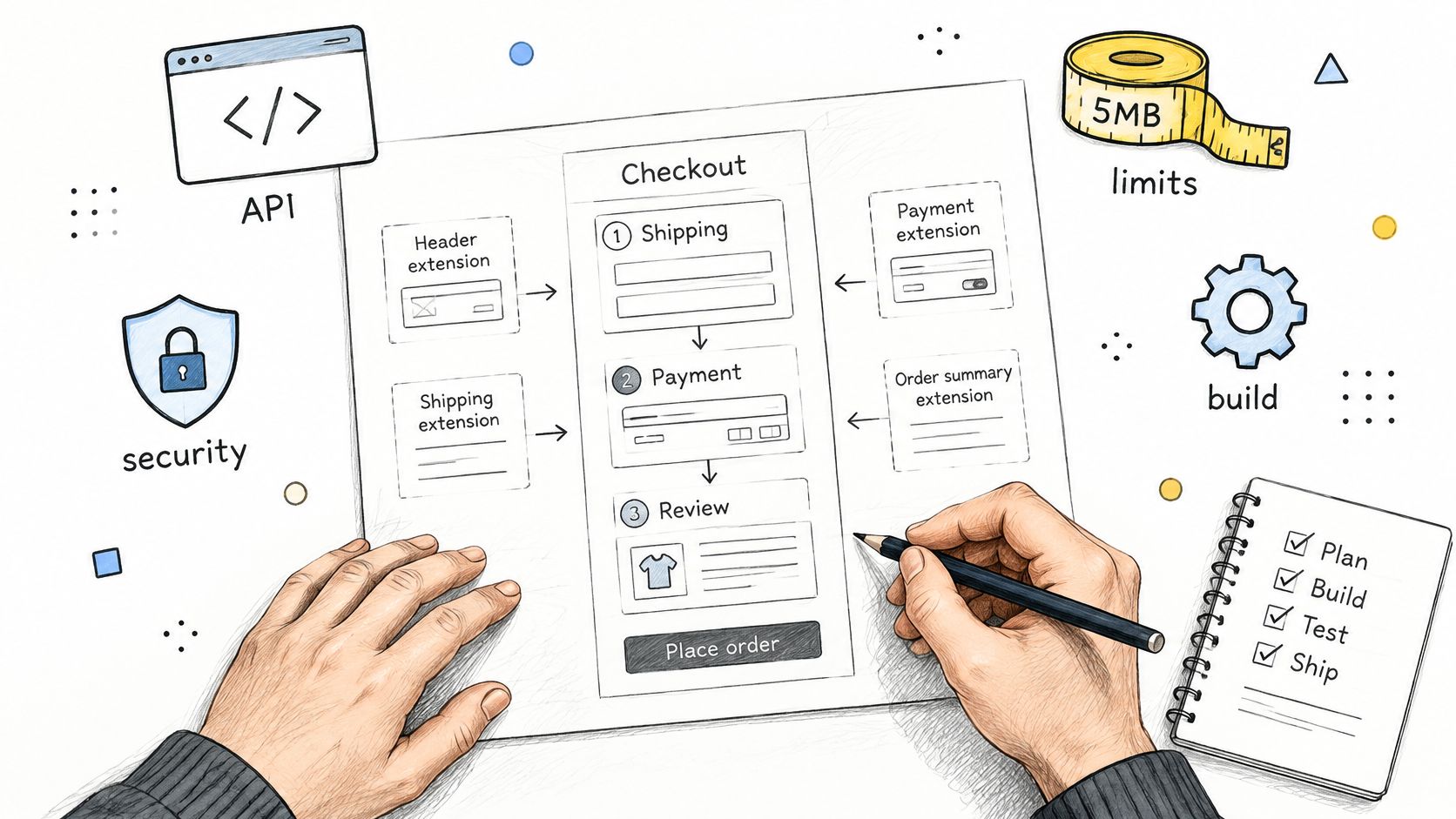
Those limits favor small, focused implementations. A large client-side bundle is a poor fit for a constrained checkout extension, and repeated updates to checkout state can trigger rate limiting. Treat payment-customization capacity as a shared store resource, not a separate allowance for every app. If several apps implement overlapping rules, consolidate the logic where possible and remove customizations that no longer serve a clear purpose.
Build and test around the supported interface
Before development, define the buyer task, the extension surface, and the data the feature needs. Keep the extension narrowly scoped, avoid assumptions about checkout markup, and confirm that every required action can be done through Shopify's supported APIs. If the feature depends on inspecting page HTML, it isn't a safe extension design.
Test in a development environment before deploying to a live checkout. Check the intended plan, the extension's placement, the buyer path with available payment methods, and whether the feature behaves correctly when its conditions aren't met. Also review other installed apps for overlapping payment or checkout logic. A technically valid extension can still create confusing behavior when another app makes competing changes.
For storefront or cart changes, don't confuse theme app extensions with checkout UI extensions. They serve different surfaces. Confirm theme compatibility and test the cart experience in the store's actual theme rather than assuming a checkout extension can solve a storefront problem.
How to Choose the Right Approach
Make the decision in this order:
- Name the customer problem. Describe what the buyer or operations team needs to accomplish, without naming a technology.
- Choose the surface. Decide whether the change belongs on the storefront, cart, core checkout, Thank-you page, or Order-status page.
- Check plan eligibility. If it targets the Information, Shipping, or Payment steps, verify whether the store needs Plus.
- Look for an existing supported capability. Use native controls or a suitable app when they meet the requirement. Build a custom extension only when the gap is real.
- Audit legacy dependencies. Flag code or tracking that relies on checkout HTML, direct page access, or
checkout.liquid, then decide whether to replace, relocate, or retire it.
For most merchants, the sensible path is to keep branding simple, use reputable apps for common needs, and reserve custom extensions for requirements that have a clear business case and a supported placement. Don't upgrade plans solely to preserve a legacy implementation until you've confirmed that the feature can be rebuilt under Shopify's current model. And don't invest in a workaround that depends on code Shopify has already sunset.
Before approving the work, make sure the scope answers three things: what shoppers will be able to do, what happens if the feature fails or its conditions aren't met, and who will maintain it as the store's apps and checkout evolve. That's a more useful standard than “Can we make the checkout look exactly like the mockup?”
If you're improving the post-purchase journey, cart experience, or contextual upsells, ServeApps offers Shopify-native applications for self-service order changes, configurable cart drawers, and upsell popups. Review the options and choose the tools that match your store's plan and customer needs.

Best Up Sell App Picks for Shopify in 2026
Compare 10 Shopify up sell app options for 2026, with features, pricing, placements, and honest limitations to help you choose the right fit.
Read more →
Best Checkout Page: 7 Examples That Convert in 2026
Discover 7 best checkout page tools and examples for Shopify with pros, cons, and conversion tips to boost AOV without rebuilding checkout.
Read more →
Shopify Checkout Extensibility: A 2026 Merchant Guide
Learn what Shopify checkout extensibility is, how it differs from legacy checkout.liquid, what merchants and developers can build, and what to plan for in 2026.
Read more →