

UPS delivers on Saturday through eligible domestic services and addresses, but standard UPS parcel services don't provide Sunday pickups or deliveries. Sunday movement requires an exception service rather than normal parcel routing.
That distinction matters when a customer places an order late on Friday and expects it to arrive over the weekend. The label may print, the warehouse may pack the parcel, and the checkout promise may still say “Saturday,” but the shipment can miss the required pickup, sort, or destination eligibility window. By Monday, the problem looks like a carrier delay even though the original mistake happened in the merchant's cutoff logic.
The Short Answer About UPS Weekend Shipping
So, does UPS ship over the weekend? Yes on Saturday, selectively. No on Sunday for standard parcel services. UPS supports Saturday delivery for eligible domestic services, including Ground and certain air products, but service availability depends on the shipment, destination, and operating lane.
The useful mental model isn't “weekend shipping.” It's Saturday shipping versus Sunday non-service routing. Saturday can function as an active delivery day for qualifying parcels. Sunday generally doesn't create another standard movement opportunity, so a package that misses Saturday may wait for the next meaningful scan or delivery event on Monday.
That difference affects more than the customer-facing delivery date. It changes how a fulfillment team plans labor, how a warehouse schedules its final Friday release, and how the checkout calculates an arrival promise. A merchant that treats Saturday and Sunday as interchangeable will usually overpromise one of them.
Practical rule: Build Saturday into the promise only when the selected UPS service and destination support it. Treat Sunday as a blackout unless the shipment has been deliberately assigned to an exception service.
For routine ecommerce orders, Saturday is the realistic UPS weekend option. Sunday is a special-case decision with different economics and routing assumptions. The rest of the operation should reflect that separation, from the shipping method shown at checkout to the support workflow used when a shopper changes an address after ordering.
Why Saturday and Sunday Are Not the Same
UPS's weekend policy in the United States is structurally asymmetric. The carrier supports Monday-through-Saturday pickups and deliveries for residential and commercial parcels, while standard services don't provide Sunday pickups or deliveries, as outlined in this UPS weekend delivery policy overview.
That isn't just a scheduling preference. Carrier networks are designed around planned line-haul departures, sort capacity, destination staffing, and delivery routes. Saturday has an operating role in that system for eligible lanes. Sunday generally doesn't, so a parcel that reaches a facility late in the week may continue moving on Saturday, then stop generating meaningful progress until Monday.

The Friday handoff problem
A Friday order has several operational dependencies before Saturday delivery becomes realistic:
- Warehouse release: The order must be picked, packed, labeled, and made available before the merchant's actual UPS handoff cutoff.
- Carrier acceptance: A label created in Shopify isn't the same as a parcel accepted into the UPS network.
- Network fit: The origin, destination, service class, and ZIP code must support the Saturday movement.
- Final-mile execution: The local delivery operation must have the parcel assigned to an eligible Saturday route.
A late Friday drop-off can still move on Saturday for many lanes. That doesn't mean every Friday order will arrive Saturday. The handoff has to happen early enough for the parcel to enter the intended sort and line-haul plan.
Why Sunday creates a different promise
Sunday usually behaves as a blackout day for normal parcel routing. Merchants shouldn't tell shoppers that a Friday shipment will “keep moving through the weekend” if that phrase implies standard Sunday delivery. The next scan event may not appear until Monday, and tracking silence during that interval can generate avoidable support contacts.
A retailer studying post-purchase friction can also review operational examples such as the Naked Cashmere case study, but the central planning rule remains simple: Saturday is a service day to qualify, while Sunday is a non-service day to model around.
UPS Services That Include Saturday Delivery
Saturday eligibility starts with the service class, not the calendar. UPS identifies domestic services such as Ground and air products as capable of Saturday delivery in eligible areas. Its shipping guidance also identifies UPS Next Day Air Early and UPS Next Day Air for Saturday delivery when the shipment and destination qualify, as described in the official UPS weekend pickup and delivery guidance.
That means a merchant shouldn't add a universal “UPS Saturday” switch to every order. The right choice requires a service and address check.
Use a service and destination filter
Before presenting Saturday delivery at checkout, evaluate the order against these conditions:
- Select the candidate service. Ground may suit a routine residential order, while an air service may fit a time-sensitive shipment. The service determines the available commitment and potential charge.
- Check the destination type. Residential and commercial addresses can be treated differently, especially for pricing and delivery availability.
- Validate the ZIP code. Saturday access is address-dependent. A service that works on one lane may not be offered for another destination.
- Confirm the handoff timing. A shipment must enter the carrier network in time for the Saturday plan. Buying a Saturday-capable service after the operational cutoff doesn't recreate the missed sort.
- Show only the promise you can support. If the carrier response doesn't confirm Saturday eligibility, present the next defensible delivery option instead.
What operators should avoid
The common failure is mapping every fast UPS service to the same weekend promise. A label can carry an expedited service name and still miss Saturday because the destination isn't eligible, the parcel wasn't tendered in time, or Saturday delivery wasn't selected as part of the shipment setup.
Keep the checkout rule narrow. Offer Saturday only when the carrier response, destination, and warehouse SLA agree. If those inputs conflict, a later but accurate promise is operationally safer than a fast promise that creates refunds, tickets, and manual tracing.
Saturday Shipping Costs and Fees Explained
Saturday delivery doesn't have one universal UPS price. The cost depends on service class, destination type, and eligibility. UPS guidance indicates that Ground residential Saturday delivery has no additional fee, while Ground commercial Saturday delivery carries a per-package fee. Air services can carry a larger Saturday surcharge, so the same weekend promise can have a very different margin impact depending on where the parcel is going.
That distinction is easy to miss in a Shopify shipping setup. A merchant may configure a weekend option around the attractive economics of residential Ground, then discover that commercial orders use a different fee rule. At volume, the error isn't hidden in one shipment. It appears across every qualifying commercial parcel released on Saturday.
Model the order, not just the carrier
A practical cost check should combine four inputs:
| Input | Operational question |
|---|---|
| Service | Is the order using Ground, an air product, or another eligible service? |
| Destination | Is the delivery address residential or commercial? |
| Eligibility | Does the ZIP code and lane support Saturday delivery? |
| Promise | Does the customer actually need Saturday, or will the next standard option work? |
Ground residential Saturday delivery may fit a consumer order without an added weekend fee. Ground commercial Saturday delivery needs a per-package surcharge in the shipping calculation. Air services require closer review because their Saturday access can cost more than the underlying delivery method suggests.
The cheapest Saturday promise is often the one that uses the right service mapping, not the one that displays the shortest transit time.
Where the margin gets lost
Merchants usually lose control in one of three places. First, checkout shows Saturday without incorporating the applicable service charge. Second, fulfillment upgrades an order manually after the shopper has paid for a lower-cost method. Third, customer support promises a Saturday arrival without confirming that the shipment is eligible.
The fix is a rules-based shipping matrix. Tie each displayed option to the destination type and carrier response, then pass the selected service into fulfillment without relying on a warehouse guess. If Saturday access adds cost on a commercial lane, either expose that cost, absorb it deliberately, or remove the promise.
Setting Weekend Cutoffs That Actually Work
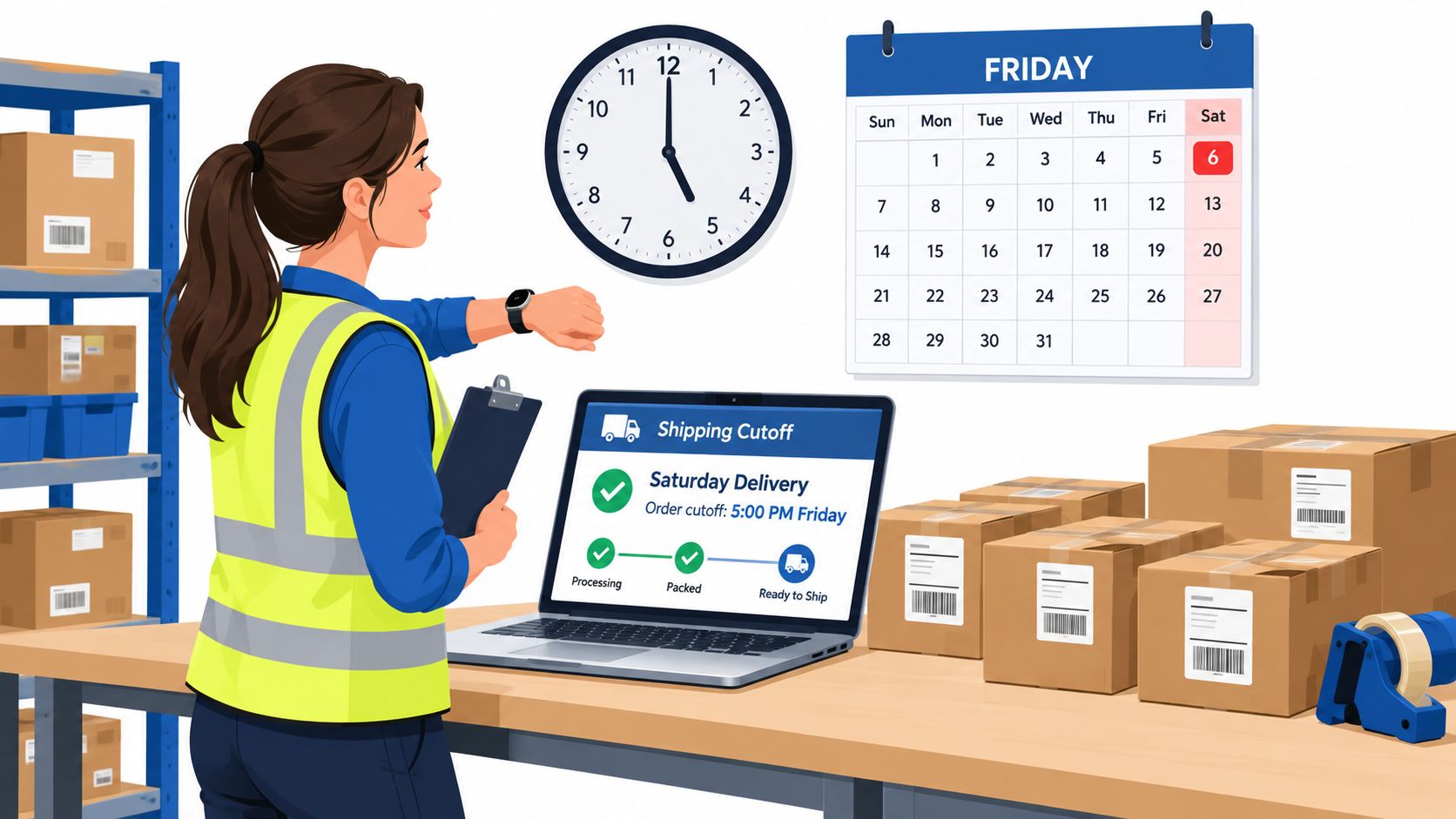
A Friday cutoff isn't a single time on a wall clock. It includes the moment the customer submits the order, the time the warehouse finishes packing, the carrier pickup or drop-off, and the point at which UPS accepts the parcel into the correct network flow. If any one of those events happens too late, the Saturday promise becomes fragile.
The merchant controls more of this chain than the carrier. UPS controls the network after acceptance, but the store controls whether the order is released, whether the address is usable, and whether the selected service matches the destination.
Separate the cutoffs
Create separate operational deadlines instead of publishing one vague “Friday cutoff.”
- Customer cutoff: The latest time a shopper can select Saturday delivery.
- Payment and fraud cutoff: The latest time the order can clear internal review.
- Warehouse cutoff: The latest time the fulfillment team can pack and stage the parcel.
- Tender cutoff: The latest time the package must be handed to UPS.
- Promise cutoff: The point after which the storefront should remove Saturday as an option.
The customer-facing deadline should be earlier than the warehouse's theoretical final packing time. That buffer absorbs address corrections, inventory exceptions, printer issues, and carrier handoff variability.
Test the promise against scans
Track the actual sequence for weekend orders: label creation, warehouse completion, carrier acceptance, origin scan, destination scan, and delivery. Don't treat a printed label as evidence that the parcel entered the network.
A useful SLA review asks:
- Which Friday orders reached UPS before the planned handoff?
- Which destinations repeatedly failed Saturday eligibility?
- Which orders needed an address or shipping-method change after checkout?
- Which delivery promises created support contacts on Monday?
Your post-purchase workflow also needs a defined editing window. A shopper who spots a wrong apartment number on Friday evening may still save the order, but only if the merchant gives them a controlled way to update it before fulfillment. A Klaviyo integration for post-purchase messaging can help communicate those deadlines and changes, but the message must match the actual warehouse SLA.
Using SelfServe to Support Weekend Fulfillment
Weekend delivery problems often begin after checkout. A customer notices an incorrect address, moves the order to a different location, or realizes that the selected shipping method no longer fits the desired arrival date. If the only solution is a support ticket, the request can sit in a queue while the warehouse prepares the parcel.
A controlled self-service workflow gives the shopper a defined place to make permitted changes. Merchants set what can change and when, while the order remains subject to operational rules. That can include shipping and contact details, with shipping-method changes and recalculated shipping information supported through the configured Shopify workflow.
Protect the handoff with cleaner order data
Address quality matters more as the delivery window gets tighter. SelfServe provides real-time address validation powered by Google Maps and auto-complete, helping shoppers enter a deliverable address before the parcel reaches the carrier. Its multilingual widget adapts to the shopper's language, which is useful for stores serving customers across markets.
The operational value isn't a promise that every Saturday shipment will arrive. It's the removal of preventable order defects before the warehouse releases the parcel. A correct address and an approved shipping method give the fulfillment team a cleaner decision than a late manual correction.
For Shopify merchants, SelfServe can be configured with merchant-defined permissions, order-editing windows, automatic tagging, and approval queues. Those controls let operations teams decide whether a Friday address correction can proceed automatically, needs review, or must wait until the next business day.
The strongest weekend setup combines accurate checkout promises with disciplined post-purchase controls. Don't advertise Saturday delivery broadly and then leave customers without a safe way to correct the details that determine whether the carrier can execute it.
SelfServe gives Shopify and Shopify Plus merchants a controlled way to manage post-purchase shipping and contact edits, validate addresses, and route exceptions without turning every change into a support ticket. Visit SelfServe to see how it can support cleaner weekend fulfillment workflows and start a trial.

Order Confirmation Screen: What to Include and Templates
Learn what to include on an order confirmation screen, in what order, with tracking, cross-sell and support templates you can copy for your Shopify store.
Read more →
Best Up Sell App Picks for Shopify in 2026
Compare 10 Shopify up sell app options for 2026, with features, pricing, placements, and honest limitations to help you choose the right fit.
Read more →
Best Checkout Page: 7 Examples That Convert in 2026
Discover 7 best checkout page tools and examples for Shopify with pros, cons, and conversion tips to boost AOV without rebuilding checkout.
Read more →